Encompass CRM Integration: A Practical Guide for Lenders
For most mortgage lenders, the fastest low-risk path to Encompass CRM integration is an API-driven, bi-directional connection using a packaged connector when Salesforce is your CRM, or a middleware-managed layer when you’re orchestrating multiple systems. Encompass stays the system of record; your CRM handles borrower engagement, marketing attribution, and pipeline visibility. The immediate next step: run an SDK dependency inventory and map the loan workflows that must sync before you touch a single configuration screen.
Why this matters now: ICE Mortgage Technology has set a firm direction to deprecate the legacy Encompass SDK in favor of API-driven integrations. Lenders still running SDK-based customizations are carrying technical debt that compounds with every Encompass release. Real-time milestone sync, marketing attribution, and lower long-term maintenance costs are the payoff for migrating. Industry implementers report that lenders using tightly integrated LOS and CRM platforms saw roughly a notable increase in gross profit per loan based on industry studies alongside meaningful reductions in cycle time.
Key Takeaways
| Point | Details |
|---|---|
| Pick an architecture that scales | Use a packaged connector for Salesforce, middleware for multi-system needs, or Developer Connect for custom logic. |
| Prioritize bi-directional milestone sync | Loan status updates must flow both ways in real time; this is the workflow that drives borrower automation and pipeline accuracy. |
| Migrate SDK dependencies now | ICE’s SDK sunset direction is firm; catalog every SDK dependency and migrate to API-driven integrations before the next Encompass release cycle forces your hand. |
| Require audit trails and SOC 2 | Every vendor handling borrower data must provide a current SOC 2 Type II report and auditable field-write logs. |
| Loan Officer AI for mortgage teams | Loan Officer AI offers a mortgage-native CRM with built-in Encompass API integration, milestone-triggered automations, and managed onboarding. |
Table of Contents
- What are the main Encompass CRM integration approaches?
- Which data objects and workflows must you synchronize?
- What integration architecture should you build?
- How do you migrate from the Encompass SDK to the API?
- What security and compliance controls does the integration need?
- What does an Encompass CRM integration actually cost?
- How do you evaluate CRM vendors and integration partners?
- Why Loan Officer AI is built for Encompass-connected mortgage teams
- What should mortgage technology leaders do in the first 90 days?
- Loan Officer AI: a mortgage CRM that’s ready to connect
- Sources
What are the main Encompass CRM integration approaches?
Four patterns cover nearly every Encompass system integration project. Each has a distinct trade-off between speed, flexibility, and ongoing maintenance.
- Packaged connector. A managed, pre-built package that maps standard Encompass fields to your CRM out of the box. The Encompass® Connector for Salesforce from ICE Mortgage Technology is the clearest example: a certified, bi-directional connector that synchronizes borrower data and loan milestones between Encompass and Salesforce in real time. Best for lenders whose CRM is Salesforce and whose field requirements are largely standard.
- Middleware / integration platform. An integration-platform-as-a-service (iPaaS) layer sits between Encompass and one or more downstream systems, handling transformation, routing, retry logic, and monitoring centrally. The right choice when your LOS sync is one of several integrations (pricing engine, POS, servicing platform, data warehouse) and you need a governed orchestration layer rather than point-to-point connectors.
- Custom API build on Encompass Developer Connect.ICE’s developer portal exposes REST APIs and webhooks for programmatic read/write access and event notifications. This is the recommended API surface for custom business logic, non-standard field mappings, or CRMs without a packaged connector. HubSpot is a common example: there is no native ICE-built Encompass→HubSpot connector, so lenders must build on Developer Connect or engage a managed integration partner.
- Fully managed partner integration. Vendors like Jungo, BNTouch, Total Expert, and MortgageExchange offer pre-built or managed Encompass integrations as part of their mortgage CRM or middleware product. The trade-off: less control over field mapping and update cadence, but faster time to value and reduced internal engineering burden.
Which data objects and workflows must you synchronize?
Scope creep kills integration projects. Define must-have syncs before you write a single line of configuration.
Must-have syncs:
- Borrower and co-borrower contact records (name, phone, email, address)
- Loan creation event and loan number (the linking key between systems)
- Loan status and milestone updates (application, processing, underwriting, approval, closing, funded)
- Document metadata (what’s been requested, received, and reviewed — not the documents themselves)
- Loan assignment and owner fields (which loan officer owns the file)
- Disclosure status and funding event (compliance-critical milestones)
Nice-to-have syncs:
- Marketing attribution fields (UTM source, campaign, lead source) for closed-loop reporting
- Referral partner records and commission notification triggers
- Rate and pricing fields for automated refinance opportunity alerts
- Post-close retention tags to trigger anniversary and equity campaigns
The workflow logic matters as much as the fields. A lead-to-loan-creation flow should automatically create a loan record in Encompass when a CRM opportunity reaches a defined stage. Milestone-triggered borrower communications should fire from the CRM the moment Encompass posts a status change. Referral partner notifications should route to the right contact without manual intervention.
Pro Tip:Before mapping a single field, document which system is authoritative for each data object. Encompass owns loan data; your CRM owns contact and marketing data. Conflicts happen when both systems can write to the same field with no conflict-resolution rule. Settle this in a data contract before development starts.
What integration architecture should you build?
Architecture choice determines how much pain you feel two years from now, not just at go-live. Three patterns cover the realistic options.

| Architecture Pattern | Integration Depth | Multi-System Reach | Maintenance | Monitoring |
|---|---|---|---|---|
| Packaged connector (cloud-managed) | Standard field coverage, bi-directional | LOS ↔ single CRM | Vendor-managed updates | Vendor dashboard |
| Middleware / governed integration layer | Deep, configurable field mapping | LOS ↔ multiple systems | Platform team manages | Centralized, alerting built in |
| Custom API-first (Developer Connect) | Full flexibility, any field | Any system | Internal engineering owns | Custom build required |
Packaged connectors are the fastest route for standard LOS-to-CRM mappings, but they can lack flexibility for custom business logic. For larger organizations, a governed integration layer prevents fragile maintenance when many API connectors accumulate over time; middleware provides centralized monitoring and orchestration that point-to-point connections simply cannot.
Design guidance worth enforcing:
- Use webhooks (event-driven) rather than polling wherever Encompass Developer Connect supports them. Polling creates latency and unnecessary API call volume.
- Build idempotency into every write operation. A retry after a network timeout should not create duplicate loan records.
- Implement reconciliation scripts that run nightly to catch missed events and flag data drift between systems.
- Maintain a full audit trail of every field write, including timestamp, source system, and user or service account. This is a compliance requirement, not a nice-to-have.
Governance checklist before go-live:
- API credentials stored in a secrets manager (never in code or config files)
- API versioning plan documented and tied to Encompass release schedule
- Monitoring and alerting configured for failed syncs, latency spikes, and auth failures
- SLA expectations defined for sync latency (real-time vs. near-real-time vs. batch)
- Change-control process for Encompass SDK/API updates that affect field mappings
How do you migrate from the Encompass SDK to the API?
The SDK sunset is not a future problem. ICE has made its direction clear, and every month of delay increases the migration scope. Here is a practical checklist.
- Inventory all SDK dependencies. List every customization, plugin, and integration that touches the Encompass SDK. Include internal builds and any vendor-supplied SDK components. This inventory is the foundation of your migration plan.
- Prioritize by business criticality. Rank each dependency: mission-critical (loan creation, milestone sync), important (document metadata, assignment), and low-risk (reporting, UI customizations). Migrate in that order.
- Register for Encompass Developer Connect. Obtain API credentials, review the REST API documentation, and confirm OAuth 2.0 authentication is configured correctly for your environment.
- Build and test webhooks in sandbox. Replicate each SDK-based event trigger as a webhook subscription on Developer Connect. Test every event type your integration depends on before touching production.
- Write and validate reconciliation scripts. Before cutover, run reconciliation scripts that compare Encompass field values against your CRM for a sample of active loans. Document any discrepancies and resolve them.
- Execute a phased cutover. Migrate one workflow at a time, starting with the lowest-risk dependency. Run the old SDK path and new API path in parallel for at least one full loan cycle before decommissioning the SDK component.
- Define and test your rollback plan. Know exactly how to revert each migrated workflow if a production issue surfaces. Document the rollback steps and assign a named owner for each.
Timeline estimates: A simple packaged connector deployment typically takes 4–6 weeks including discovery, configuration, and testing. A multi-system middleware orchestration project runs 8–12 weeks. A full custom API build with complex business logic can extend to 16–20 weeks depending on field complexity and internal resource availability.
Freeze non-essential Encompass customizations during the migration window. New SDK-based changes during migration create a moving target that extends timelines and introduces reconciliation errors.
What security and compliance controls does the integration need?
U.S. mortgage operations carry specific compliance obligations that the integration architecture must satisfy, not just the applications themselves.
Security checklist:
- OAuth 2.0 for all API authentication (no basic auth, no hardcoded credentials)
- TLS 1.2 or higher for all data in transit
- Encryption at rest for any borrower data stored in integration middleware or CRM
- Least-privilege service accounts: each integration component gets only the permissions it needs
- Role-based access controls in the CRM so loan officers see only their borrowers’ data
- Token rotation on a defined schedule; revoke and reissue on any suspected compromise
- Secrets stored in a dedicated vault (HashiCorp Vault, AWS Secrets Manager, or equivalent)
Compliance requirements specific to mortgage:
Borrower communications triggered by CRM automations must be logged with timestamps and content for audit purposes. SSNs, bank account numbers, and other sensitive PII should be masked or excluded from CRM field sync entirely — Encompass holds that data; the CRM does not need it. Any vendor handling borrower data should hold a current SOC 2 Type II certification and be willing to provide their report under NDA.
Questions to ask every integration vendor:
- What encryption standard do you use for data at rest and in transit?
- When was your last third-party penetration test, and can you share the executive summary?
- How are audit logs stored, retained, and accessed?
- What is your incident response SLA, and how are customers notified of a breach?
Vendors who cannot answer these questions clearly are not ready for U.S. mortgage production environments.
What does an Encompass CRM integration actually cost?
Budget owners consistently underestimate two cost buckets: the initial field-mapping discovery and the ongoing change-control maintenance after go-live.
Project roles you need:
- Project sponsor (business owner, accountable for scope and budget)
- Product owner (defines field-mapping requirements and acceptance criteria)
- Encompass admin (field configuration, user permissions, sandbox access)
- CRM admin (object mapping, workflow configuration, role-based access)
- Integration engineer (API development, webhook configuration, reconciliation scripts)
- QA/test lead (test plan, sandbox execution, UAT sign-off)
- Security/compliance reviewer (encryption, PII handling, audit trail)
- Implementation partner (if using a managed connector or middleware vendor)
The ROI case for integration investment is well-documented: implementers report a significant increase in loan production volume when automation and milestone-triggered workflows are in place. That figure, combined with the $1,056 gross profit per loan improvement cited earlier, gives budget owners a defensible business case for procurement.
How do you evaluate CRM vendors and integration partners?
A vendor demo is not a substitute for a structured evaluation. Run these scenarios before you sign anything.
RFP questions that reveal integration depth:
- Provide a complete field-mapping matrix showing every Encompass field your connector reads and writes.
- Is the sync bi-directional for all mapped fields, or only for a subset?
- How does your connector handle a lost-update conflict when both systems write to the same field simultaneously?
- What is your error-handling model: silent failure, retry queue, or alerting?
- How do you manage Encompass API version updates, and what is your SLA for compatibility after an ICE release?
Demo test scenarios to run:
- Create a lead in the CRM and confirm a loan record appears in Encompass with the correct fields populated.
- Advance a loan milestone in Encompass and confirm the CRM triggers the correct borrower communication within the expected latency window.
- Simulate a failed sync event and verify the error is logged, alerted, and retried correctly.
- Push a document metadata update in Encompass and confirm the CRM reflects it without manual intervention.
Red flags that should stop a deal:
- No sandbox environment available for pre-production testing
- Error handling is “we’ll look into it” rather than a documented retry and alerting model
- Field mappings are hardcoded and cannot be modified without a vendor change request
- No audit log of field writes accessible to the customer
- Maintenance SLA is undefined or tied only to “best effort”
Encompass integrations vary dramatically in depth — from simple contact syncs to full loan lifecycle orchestration. Always ask for a field-mapping matrix, not just a feature list.
Why Loan Officer AI is built for Encompass-connected mortgage teams
Loan Officer AI is a mortgage-native AI-powered CRM built specifically for loan officers and brokers who need LOS integration to work without an internal engineering team managing it. The platform connects to Encompass through an API layer that supports real-time milestone sync, milestone-triggered borrower communications, and pipeline management views that reflect live loan status.
Key integration capabilities:
- Real-time loan status and milestone sync from Encompass to CRM pipeline views
- Milestone-triggered AI follow-up sequences that fire automatically when Encompass posts a status change
- Database mining for refinance and HELOC opportunities using real-time property and equity data
- Multi-channel marketing campaigns with closed-loop attribution back to loan outcomes
- Role-based access and team pipeline views for brokerages and loan officer teams
The implementation path follows the architecture guidance in this article: discovery and field mapping, sandbox verification, phased rollout, and ongoing managed support.
What should mortgage technology leaders do in the first 90 days?
The lenders who get this right don’t start with a vendor selection. They start with an inventory.
In the first 30 days, pull every SDK-based customization and integration out of the shadows. Assign an Encompass admin to document each one: what it does, which fields it touches, and what breaks if it stops working. Register for Encompass Developer Connect and confirm your OAuth credentials are working in sandbox. This step alone surfaces surprises that would otherwise derail a later project.

Days 31–60: pick your architecture. If Salesforce is your CRM, the packaged connector is the obvious starting point. If you’re running a different CRM or need multi-system orchestration, evaluate middleware options or a managed integration partner. Start a small pilot on one workflow — lead-to-loan-creation is the right first candidate because it’s high-visibility and the success criteria are unambiguous.
Days 61–90: get compliance involved before you go live, not after. Review borrower communication logs, confirm PII is excluded from CRM field sync, and validate that your audit trail satisfies your compliance team’s requirements. Prioritize bi-directional milestone sync and marketing attribution in that pilot; these are the two workflows that generate early wins visible to business stakeholders, which is what keeps the project funded.
Loan Officer AI: a mortgage CRM that’s ready to connect
Loan Officer AI gives mortgage teams a CRM where the Encompass integration is already solved. You get AI-driven borrower engagement, milestone-triggered automations, and pipeline visibility without building or maintaining the connector yourself.
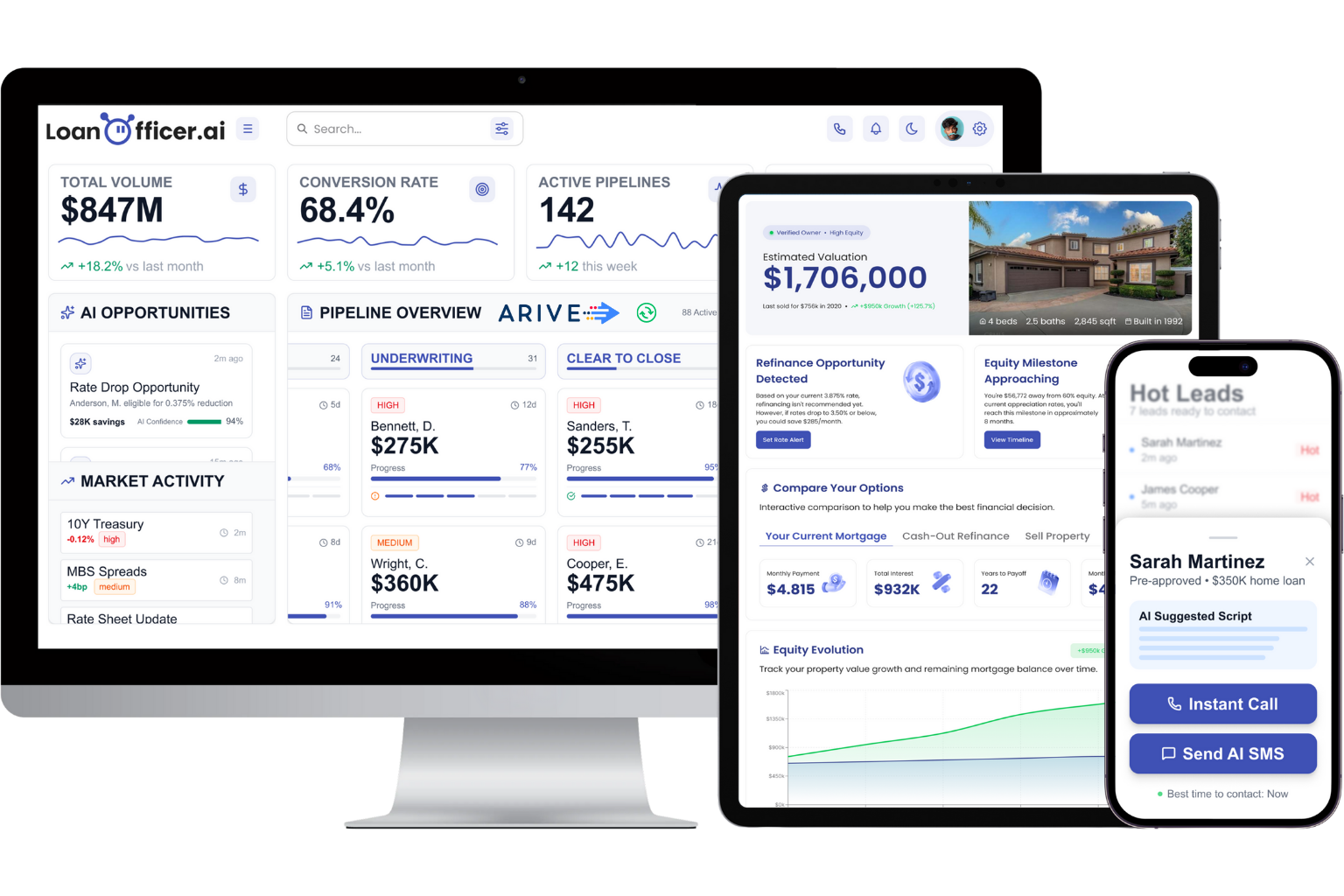
The platform is designed for loan officers and brokers who want to close more loans, not manage middleware. Onboarding includes discovery, field mapping, sandbox verification, and a phased rollout with ongoing support.
Start a trial or book a demo to see how Loan Officer AI connects to your Encompass environment and what the pipeline view looks like with live loan data.
Sources
The following resources are worth bookmarking for your integration project team.
- Encompass® Connector for Salesforce
- ICE Mortgage Technology developer portal
- Integrating LOS and CRM platforms without breaking your data stack
- Encompass HubSpot Integration: The Definitive Guide for Mortgage Lenders (2026) | Proven ROI
