Go Live in a Few Weeks With BytePro CRM Integration for Mortgage Teams
BytePro connects to a defined roster of native CRM and POS vendors, and it also exposes a REST API for anything outside that list. If your CRM is already on Byte’s vendor list, integration usually means configuration, not development. If it isn’t, your next move is either a custom API build or an integrator who has done this before. Start by pulling the vendor list PDF and mapping which data fields you actually need.
TL;DR:
- Native BytePro integrations support a limited number of CRM, POS, and loan system vendors, requiring custom development or third-party help if your vendor is not listed.
- Building a custom API connection involves mapping all relevant data fields upfront and can take several months, especially when implementing real-time webhooks for time-sensitive workflows.
- Off-the-shelf solutions like Loan Officer AI offer automated follow-up and pipeline management without requiring a developer, with plans starting at $197 per month and a simple onboarding process.
- Integration success depends on matching your CRM’s capabilities with your workflow needs, considering sync frequency, data completeness, and privacy compliance, especially for bidirectional or cross-system data consolidation.
- Hiring an experienced integrator can reduce development time and risk when merging multiple loan origination systems or managing complex field mappings, but vet for specific BytePro API experience and data security practices.
Table of Contents
- BytePro Native Integrations and Vendor Categories You Should Check First
- What Can You Build With BytePro’s REST API?
- How Do You Choose the Right CRM Integration Approach?
- How Long Does a BytePro Integration Actually Take?
- When Should You Hire a BytePro Integration Partner?
- How LOS-Aware CRMs Fit Into BytePro Workflows
- A Simple Pilot Beats a Big-Bang Rollout
- Get BytePro Integration Without the Custom Build
- Sources
- FAQ
BytePro Native Integrations and Vendor Categories You Should Check First
Byte Software maintains a vendor integration list that groups partners by function rather than name, which is the smarter way to search it. Scan by category first, then narrow to the specific product.
- Point of sale (POS): borrower-facing application tools that push data into BytePro
- CRM and client retention: platforms like BeSmartee, BNTouch, Floify, Jungo, and SimpleNexus appear as representative examples on Byte’s list
- Automated underwriting systems (AUS): connections that route files for decisioning
- Mortgage insurance (MI): rate quoting and ordering integrations
- Document management: e-signature and file storage vendors
- Pricing and lock desk tools: systems that sync rate locks back into the loan file
- Business intelligence and reporting: platforms pulling loan-level data for dashboards
A name appearing on that PDF does not guarantee full functionality. Some listed integrations sync borrower contact fields only; others handle loan status, document triggers, and two-way updates. When a vendor looks limited, check what specific objects it touches before assuming it covers your workflow. If it falls short, the BytePro support portal has a vendor request form for exactly this situation, and BytePro’s LOS overview is a useful primer if you’re still mapping out how the system fits your stack.
What Can You Build With BytePro’s REST API?
Byte Software’s REST API framework lets developers call integrated services directly and build custom applications on top of BytePro, which matters when your CRM isn’t on the native list or you need behavior the native connectors don’t support. That includes triggering automated emails from loan-status changes, pulling loan data into a separate reporting layer, or connecting a CRM Byte hasn’t formally partnered with.
Four data objects come up in nearly every custom project:
- Borrower profile and contact information
- Loan-level data and 1003 application fields
- Loan status and milestone changes
- Document metadata and upload triggers
Sync pattern matters as much as the data itself. Real-time webhooks push updates the moment something changes in BytePro, which fits time-sensitive use cases like new-lead alerts. Polling, where your system checks BytePro on a schedule, works fine for less urgent syncs like nightly reporting but introduces lag you need to plan around.
Authentication and field-mapping mismatches cause most of the early headaches. A “loan status” field in your CRM rarely maps one-to-one with BytePro’s internal status codes, and teams that skip a formal mapping exercise end up rebuilding it later.
Pro Tip:Map every field you plan to sync in a spreadsheet before writing a single line of integration code. It feels slow. It’s dramatically faster than debugging a mismatch six weeks into a build.
Custom integration makes sense when your CRM has no native connector, you need bidirectional sync BytePro’s partners don’t offer, or you’re consolidating data across multiple loan origination systems, a scenario BytePro’s enterprise integration notes also flag as an API-flexibility use case.
How Do You Choose the Right CRM Integration Approach?
Start with the job the CRM needs to do, not the feature list. A CRM built for lead nurture and follow-up automation has different integration priorities than one built purely for pipeline visibility or marketing campaigns. Once you know the job, run the choice through this checklist:
- Native support. Is the CRM on Byte’s vendor list, and does that integration cover the specific data you need, not just contact info?
- Data completeness. Does the sync include loan status, documents, and 1003 fields, or only borrower contact records?
- Sync cadence. Real-time webhook, scheduled polling, or manual export? Time-sensitive workflows like refinance alerts need near-instant sync.
- IT effort required. Native connectors typically need configuration only. Custom builds need developer hours and ongoing maintenance.
- Compliance features. Does the CRM handle borrower data in a way that satisfies your data privacy and security obligations?
- Total cost. Vendor fees, integrator hours, and middleware licensing all add up differently depending on the path.
Red flags that point toward custom work: the vendor list shows no listing for your CRM, your team needs bidirectional sync the native connector doesn’t support, or you’re trying to unify data across more than one loan origination system. Any of those, and a straightforward connector won’t get you there.
How Long Does a BytePro Integration Actually Take?
Project timelines vary sharply based on whether you’re using a native connector or building custom. The phases stay the same either way.
- Discovery. Identify which CRM, which vendor category, and which data fields matter.
- Mapping. Document how each field in your CRM corresponds to BytePro’s data model.
- Configure or connect. Turn on the native integration, or begin API development.
- Test. Run sample loans through the connection and check every synced field.
- Pilot. Roll out to a small group of loan officers before a full launch.
- Go-live. Deploy to the full team.
- Monitoring. Watch for sync failures and data drift in the first weeks.
A native connector that’s already on Byte’s vendor list can go live in a few weeks. A custom REST API build, especially one syncing multiple data objects with real-time webhooks, typically runs several months once you count development, testing, and a pilot phase.
Cost drivers include vendor licensing fees, developer or integrator hours, any middleware layer connecting the systems, and the testing and change-management time your team needs to actually adopt the new workflow.
Pro Tip:Build your pre-launch checklist around the fields that break workflows when they’re wrong, loan status, document triggers, and lock dates, and test those three exhaustively before worrying about anything cosmetic.
When Should You Hire a BytePro Integration Partner?
Some jobs are worth outsourcing. Integrators bring existing experience with field mapping, middleware setup, ongoing monitoring, and support agreements that come with actual response-time commitments, which shortens delivery time and lowers risk compared to a first-time in-house build, according to Proven ROI’s own case description of its LOS integration work connecting HubSpot and similar CRMs to platforms including Byte.
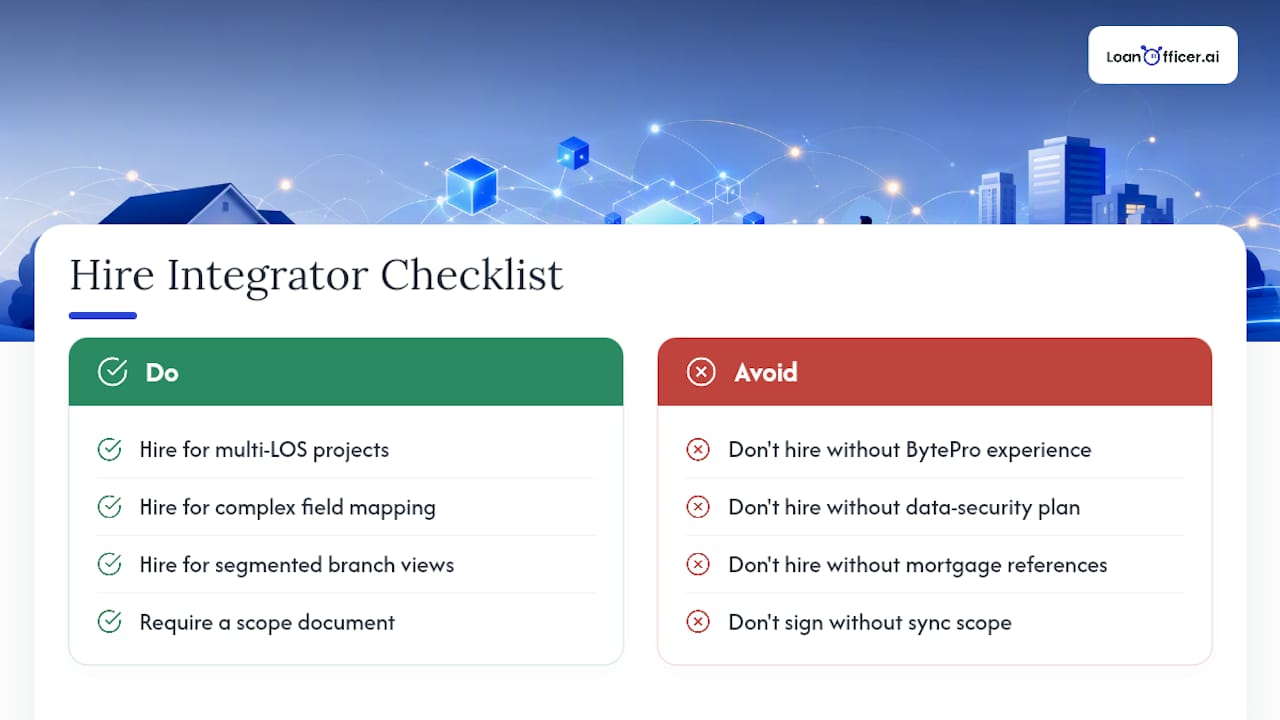
Hire an integrator when you’re consolidating more than one LOS, when your field mapping is unusually complex, or when different branches need segmented data views. Before signing anyone, vet for specific BytePro API experience, ask how they handle data security, request references from mortgage clients specifically, and insist on a scope document that spells out exactly which objects sync and how often.
How LOS-Aware CRMs Fit Into BytePro Workflows
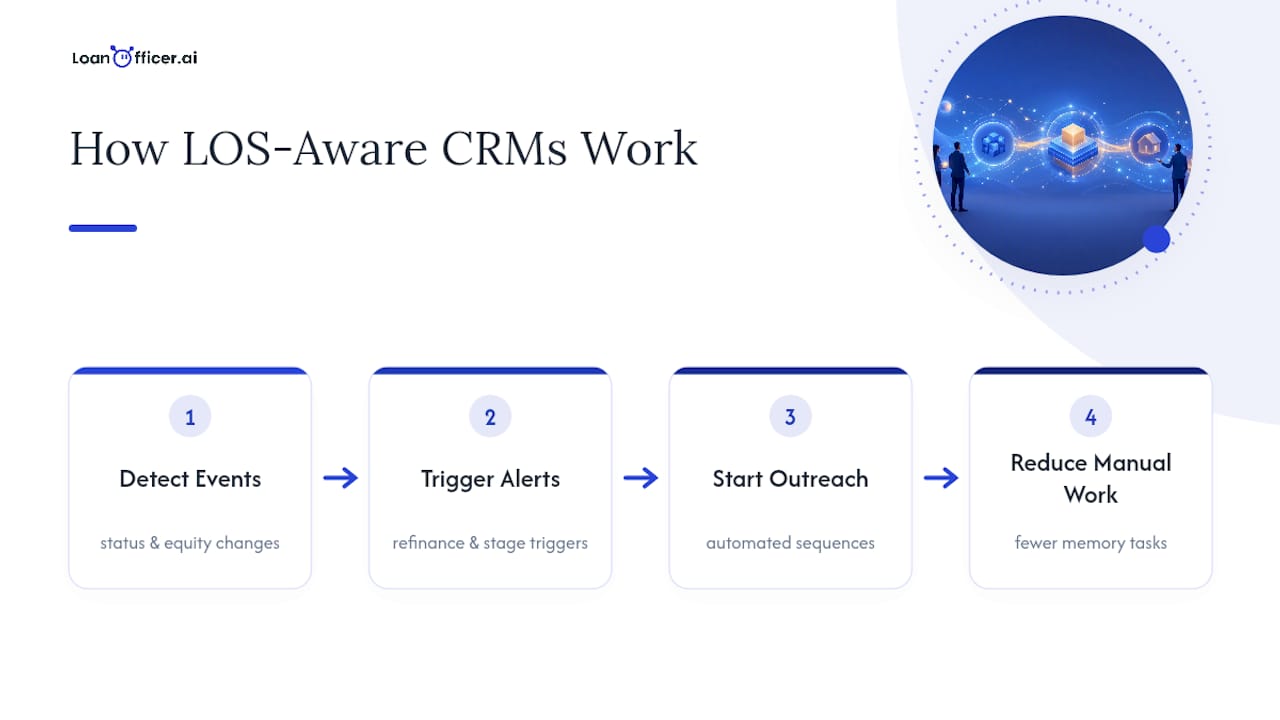
An LOS-integrated CRM does more than store contact records. It reads loan status changes and status-driven data to catch moments a human might miss, like a borrower’s equity crossing a refinance threshold or a loan sitting stalled at a milestone. Loanofficer describes exactly this kind of AI-driven opportunity detection paired with automated follow-up and pipeline management, which is the practical payoff of getting BytePro CRM integration right in the first place. Real-world use cases include refinance alerts triggered by status changes and outreach sequences that fire automatically when a loan moves stages, work that would otherwise fall on a loan officer’s memory.
A Simple Pilot Beats a Big-Bang Rollout
Run one narrow pilot: sync contacts and turn on automated follow-up for new leads only. Track response time, lead-to-application conversion, and time saved per loan. Adjust before you scale.
— Jared Hart
Get BytePro Integration Without the Custom Build
Most CRMs force a choice: settle for whatever native connector exists, or pay a developer to build something custom. Loan Officer AI skips that trade-off. It’s built specifically for mortgage professionals with LOS integration in mind, so instead of a basic contact sync, you get automated follow-up, pipeline management, and AI-driven opportunity detection running directly off your loan data, the same kind of status-driven insight that turns a stalled file or a refinance-eligible borrower into a flagged opportunity instead of a missed one.
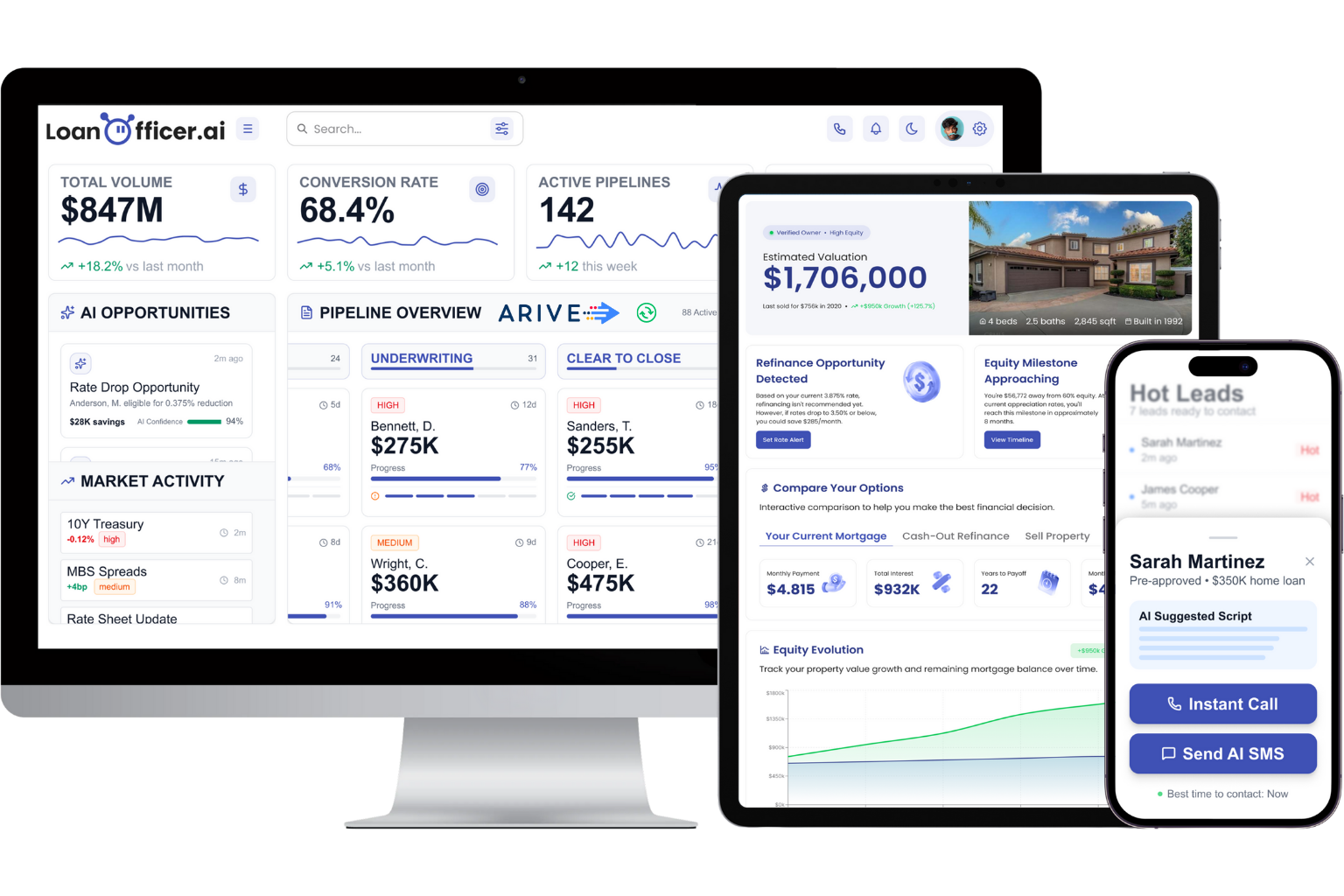
That matters most for teams that don’t have a developer on staff to maintain a custom BytePro connection. Loan Officer AI reports 93% partner retention, which tracks with what happens when a CRM actually reduces manual follow-up work instead of adding another tool to check. Plans start with the Starter tier at $197 per month, scaling up through Team and Brokerage tiers as your team grows, plus a one-time $299 onboarding fee to get your data mapped correctly from day one. If you want to see how it handles your own pipeline, start a trial and connect it to your current workflow before committing to anything larger.
Sources
Download Byte’s official vendor integration list to check your CRM by category, review the REST API and integrations page for technical documentation, and see Proven ROI’s integrator case notes for a real example of a HubSpot-to-LOS build. For automated follow-up strategy once your data is flowing, this lead nurturing guide covers the conversion side of the equation.
FAQ
Does BytePro Integrate With CRM Platforms Natively?
Yes. BytePro maintains native integrations across several vendor categories including CRM and client retention platforms, and Byte publishes an official vendor list so you can check whether your specific CRM is already supported.
What If My CRM Isn’t on BytePro’s Vendor List?
You have two paths: build a custom connection using Byte’s REST API, or hire an integrator with LOS experience to build it for you. Which one makes sense depends on your in-house development capacity and how complex your data mapping needs are.
How Long Does a BytePro CRM Integration Take?
A native connector already on the vendor list can go live in a few weeks. A custom API build, particularly one involving real-time sync across multiple data objects, usually takes several months once testing and a pilot phase are factored in.
Does Loan Officer AI Integrate With BytePro?
Loan Officer AI is built as an LOS-aware CRM with integration and automated follow-up features designed for mortgage workflows. Pricing starts with the Starter plan at $197 per month, and current details on integration scope are available directly on the site.
Is a BytePro REST API Integration Secure?
Byte’s API framework is designed to authenticate custom applications before allowing data access, and how you configure that authentication, plus how you handle borrower data once it’s synced, determines your actual security posture. Work with your integrator or IT lead to confirm encryption and access controls match your compliance requirements before going live.
