Mortgage CRM Implementation: A Step-By-Step Rollout Plan
A mortgage CRM implementation succeeds when you nail five things in order: clear goals, clean data, a working LOS integration, a phased pilot instead of a full launch, and role-specific training. Skip any one of them and adoption stalls even if the software is good.
Most mid-market teams get from kickoff to full go-live in 4 to 8 weeks, with a smaller pilot group live even sooner. Complex shops with legacy data or custom integrations should plan for several months. Your first move costs nothing: write a one-page requirements checklist naming your top goals, your current pipeline stages, and every system that needs to talk to the CRM before you configure a single field.
Key Takeaways
A successful mortgage CRM implementation depends on sequencing goals, data cleanup, and LOS integration before automation, then rolling out in phases rather than all at once.
| Point | Details |
|---|---|
| Start with requirements, not settings | Write a one-page document naming goals, pipeline stages, and integrations before configuring anything. |
| Sequence integrations by risk | Validate LOS field mapping first, then pricing engines, e-sign, and telephony in that order. |
| Migrate active deals first | Clean, dedupe, and test-import hot leads before touching archived records. |
| Pilot before full rollout | A small pilot group with named power users adopts faster than a company-wide launch. |
| Track response time from day one | Fast lead response drives conversion, and Loan Officer AI automates that first-touch follow-up out of the box. |
Table of Contents
- Why a Mortgage-Specific CRM Beats a Generic One
- How Do You Gather Requirements Before Configuration?
- Which Systems Should You Integrate First?
- What Does a Realistic Timeline and Budget Look Like?
- How Should You Plan Data Migration?
- What Compliance and Security Checks Matter?
- How Do You Drive Training and Adoption?
- Which KPIs Prove the Implementation Worked?
- What Should You Do in the First 30, 60, and 90 Days?
- Getting Live Faster With the Right CRM Partner
- Frequently Asked Questions
- Sources
Why a Mortgage-Specific CRM Beats a Generic One
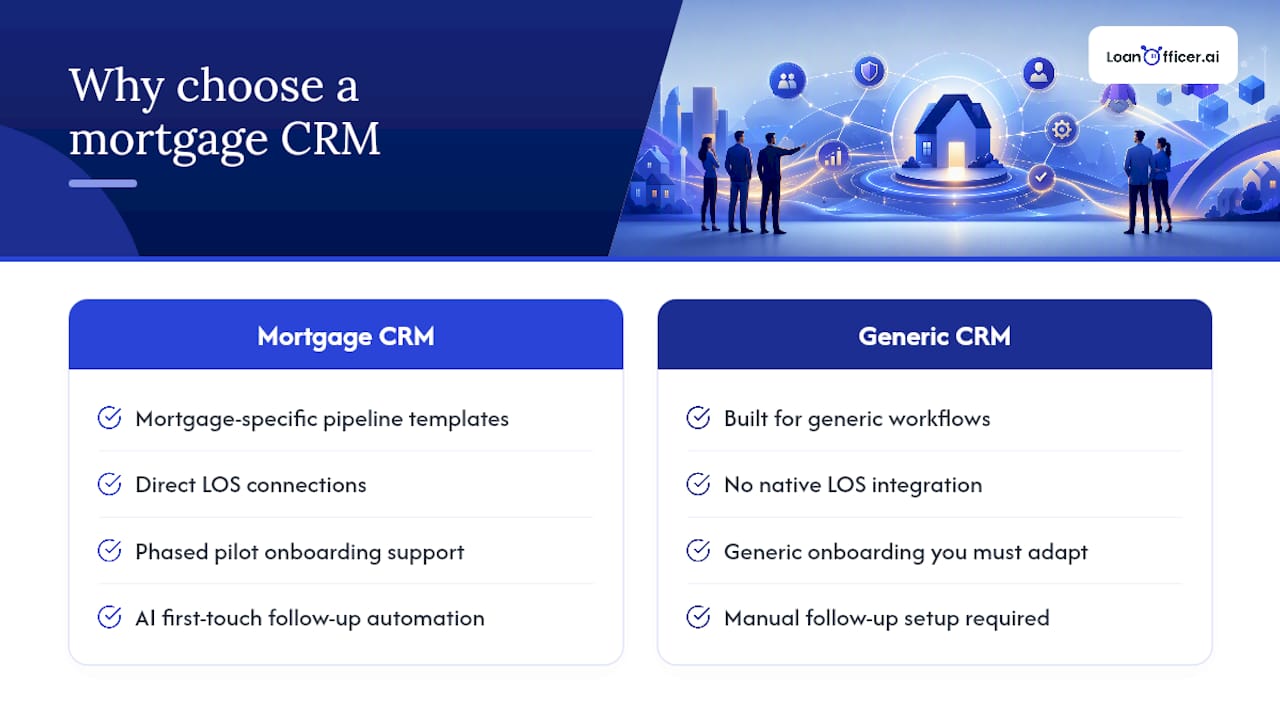
A loan doesn’t move through a sales funnel. It moves through underwriting conditions, appraisal windows, rate locks, and closing disclosures, and a generic CRM has no native concept of any of it. Mortgage-specific platforms track loan stages, referral partner activity, and compliance touchpoints that general-purpose CRMs typically lack.
Three gaps show up fastest when a broker tries to force a generic tool to do this job:
- Loan lifecycle stages don’t map to standard sales pipelines, so reps build workarounds that break reporting
- Realtor and referral partner relationships need their own tracking layer, separate from borrower contacts
- Document and consent tracking has to hold up to audit scrutiny, not just sales activity logs
How Do You Gather Requirements Before Configuration?
Configuring a CRM before you know what you’re solving for is the fastest way to end up rebuilding it in six months. Set two to four SMART goals tied to something measurable, such as cutting lead response time to under five minutes or lifting realtor referral volume by a set percentage this quarter.
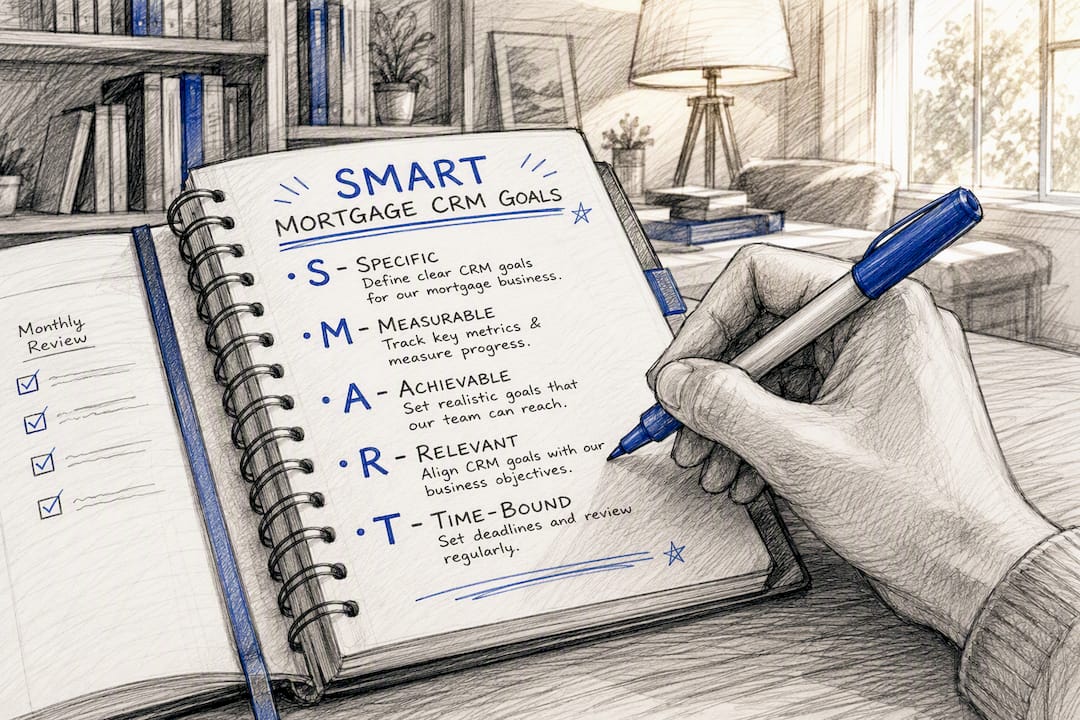
From there, map your pipeline taxonomy before anyone touches settings. A workable structure usually separates leads, loans in process, referral prospects, and recruiting into distinct pipelines rather than one messy funnel. Setting clear goals and organizing pipelines before adding automation is the sequence that keeps a rollout from spinning in circles.
Assign these roles before requirements gathering starts:
- A data owner who signs off on migration accuracy
- An admin who owns permissions and pipeline structure
- Two or three power users from different roles who test workflows before anyone else touches the system
The deliverable at the end of this stage is a single one-page requirements document. Nothing gets configured until stakeholders sign off on it.
Which Systems Should You Integrate First?
Your loan origination system is the integration that determines whether everything else works. If borrower name, loan number, loan status, and application date don’t sync cleanly between your LOS and CRM, every downstream automation fires on bad data.
Sequence integrations in this order to avoid go-live blockers:
- LOS first: test field mappings on a handful of real loan files before trusting bulk sync
- Pricing engines and POS portals next: confirm rate and status changes push through in near real time
- E-sign and document tools: verify signed documents attach to the correct loan record automatically
- Marketing platforms and telephony last: these depend on clean contact data from the integrations above
Run a one-page integration health check before go-live: confirm every field maps correctly, test a sample record end to end, and get sign-off from your data owner.
What Does a Realistic Timeline and Budget Look Like?
Simple, single-user setups can go live in two to three weeks. Mid-market teams with a handful of integrations typically land in the 4 to 8 week range, and enterprise deployments with legacy data cleanup or custom integrations can stretch to three to six months.
- Pilot (2 to 4 weeks): Launch core workflows with one small team or branch, validate integrations, and collect feedback before wider rollout.
- Core go-live (4 to 8 weeks): Roll the validated configuration out to the full team, with training running in parallel.
- Advanced automations (ongoing): Layer in more sophisticated follow-up sequences and reporting once the basics are stable.
Budget for four line items: the subscription itself, a one-time onboarding fee, integration work beyond what’s included, and training time. Per-user pricing for smaller teams commonly runs $50 to $150 a month, while enterprise contracts with heavier customization can push past $200 to $500 per user plus setup fees.
How Should You Plan Data Migration?
Bad data migration is the single most common cause of a CRM launch feeling broken in week one. A staged approach that prioritizes active deals first, then tests before committing fully, cuts that risk substantially.
- Migrate active deals and hot leads in the first batch. These are the records your team touches daily, so errors surface immediately.
- Clean before you move anything: dedupe contacts, normalize field formats, and archive stale or dead records rather than dragging them along.
- Run a test import on a subset of records and check every critical field against the source system, especially loan number, loan status, and loan officer assignment.
- Run both systems in parallel briefly, then verify counts, spot-check records, and only then retire the old system.
What Compliance and Security Checks Matter?
Compliance gaps during implementation don’t show up until an audit or a complaint, which is exactly why they belong in the project plan, not an afterthought. Confirm these before go-live:
- Encryption in transit and at rest, plus role-based access so loan officers only see what their role permits
- Activity logging that captures who accessed or changed a borrower record and when
- Clean migration of consent and opt-out records, with communication limits enforced automatically rather than manually
- A review of every integration point for exposed personally identifiable information, since data often leaks at the connection between systems, not inside them
Loop in legal or compliance before go-live, not after a borrower complaint forces the conversation.
How Do You Drive Training and Adoption?
Attendance at a training session means nothing if nobody logs in the following week. Structure the rollout around people, not a single big session.
- Start with the pilot group from your requirements phase. They already know the workflows and can troubleshoot in real time.
- Turn your strongest pilot users into power users who field peer questions instead of routing everything to IT.
- Roll out role-specific curriculum. Loan officers need pipeline and follow-up training; processors need document and status workflows; admins need permission and reporting setup.
- Keep a standing feedback channel open past week one, since pilot groups and internal champions consistently outperform full-scale launches for adoption.
Track logins, activity volume, and pipeline update frequency in the first two weeks. Silence in those numbers is your earliest warning sign.
Pro Tip:Start with two or three high-value automations, like stage-based follow-ups, rather than a complex rule set. Simple automations that solve one real problem get used; elaborate ones get ignored.
Which KPIs Prove the Implementation Worked?
Ninety days after go-live, four numbers tell you whether the rollout actually changed anything: lead response time, pipeline conversion rate, time-to-close, and contact activity per active loan.
- Assign one owner per dashboard. Split ownership dilutes accountability fast.
- Review lead response time and conversion weekly for the first month, then move to monthly once the numbers stabilize.
- Use underperforming metrics to prioritize fixes. A slow lead response time points to a workflow or notification gap, not a training failure.
Response speed is the number worth watching most closely. Leads contacted within one minute convert at meaningfully higher rates than leads that wait even a few hours, which makes automated first-touch follow-up one of the highest-leverage settings in the entire system.
Keeping the System Improving After Launch
Set a monthly adoption review and a quarterly automation sprint. Triage user requests in batches rather than reacting to every one individually, test new automations with your power users before wider release, and never push a workflow change during a high-volume closing week.
What Should You Do in the First 30, 60, and 90 Days?
Prioritize goals, clean data, and LOS integration first, run a phased pilot, then train by role. Kick off week one with the requirements document, a migration plan, and a pilot team named before configuration begins.
Jared Hart’s Take: Where Mortgage CRM Rollouts Actually Fail
The failures I keep seeing are the same three: teams automate before mapping the customer experience, they migrate messy data instead of cleaning it first, and they skip naming champions who can answer peer questions. Mortgage CRMs raise the stakes because compliance and referral workflows don’t forgive shortcuts the way a generic sales pipeline might.
Getting Live Faster With the Right CRM Partner
Most of the friction in a mortgage CRM rollout comes from stitching together a system that wasn’t built for loan workflows in the first place. Loan Officer AI skips that problem by shipping with mortgage-specific pipeline templates, direct LOS connections, and onboarding support built around the phased pilot approach this article recommends, rather than a generic setup you have to bend into shape.
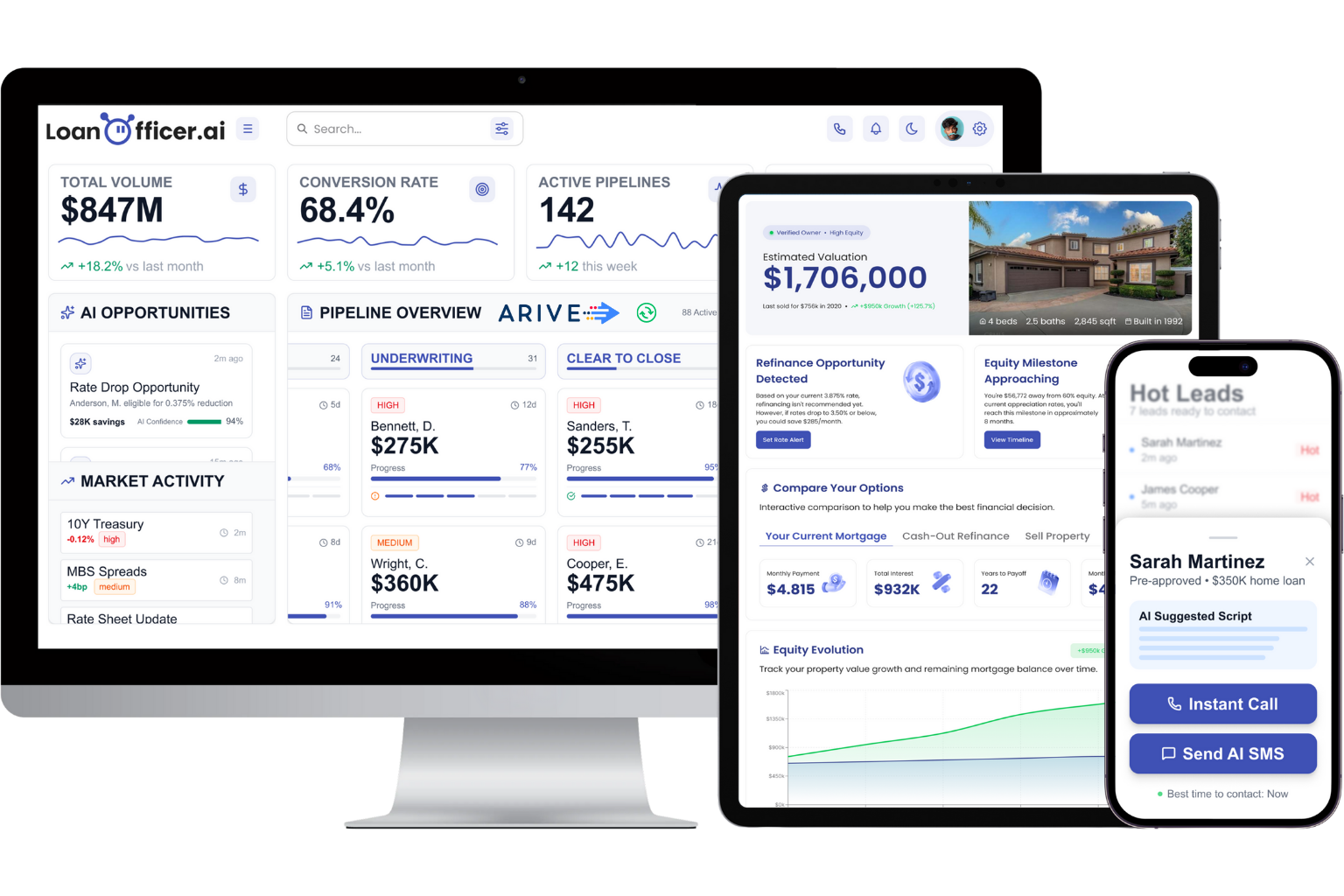
The platform’s AI follow-up automation handles the first-touch response speed that drives conversion, and its opportunity detection flags refinance and HELOC candidates automatically instead of relying on manual database mining. If you’re weighing referral partner tools, The CRE Brokers Connect guide to lender matching is a useful companion resource for the partnership side of your pipeline.
If you’re ready to move past the planning stage, start a trial and use your requirements document from Section 3 as the configuration blueprint from day one.
Frequently Asked Questions
How long does a mortgage CRM implementation usually take? Simple setups can go live in two to three weeks. Mid-market teams with several integrations typically need 4 to 8 weeks, and complex enterprise projects with legacy data can run three to six months.
What should the first pilot group look like? Pick a small, high-volume team or single branch to test core workflows and integrations first. Their feedback shapes the configuration before the full team gets access.
Which integration matters most during rollout? The loan origination system integration comes first. If borrower name, loan number, status, and application date don’t sync accurately, every other automation runs on flawed data.
How much does implementing a mortgage CRM typically cost? Smaller teams often pay $50 to $150 per user monthly, while enterprise deployments with heavier customization can run $200 to $500 or more per user, plus onboarding fees.
What KPIs should you check first after launch? Lead response time, pipeline conversion rate, time-to-close, and contact activity per loan give the clearest early read on whether the rollout is working.
Sources
- Where should you start when setting up your CRM? — HousingWire
- Mortgage Lending CRM Implementation: Timeline, Costs, and Best Practices — Bryt Software
- Mortgage Broker CRM: Complete Guide to Systems & Selection | Vida AI Agent OS
- How to choose the best CRM software for mortgage brokers — MPA Mag