SimpleNexus CRM Integration: A Setup Guide for Loan Officers
Use a native partner connector when SimpleNexus already integrates with your CRM. If it doesn’t, pair SimpleNexus webhooks with a middleware sync so application events land in your CRM in real time. Either path fixes the same problem: rekeyed data and cold leads sitting untouched after a borrower abandons an application.
- Recommended path: native connector first, middleware second, custom API only when neither fits.
- Expected payoff: fewer dropped leads, less manual entry, faster first-contact times on new applications.
- Do this now: check SimpleNexus’s partner list, confirm your CRM exposes webhooks or a REST API, or talk to Loan Officer AI about an integration-ready setup.
Key Takeaways
The fastest, lowest-risk path to SimpleNexus CRM integration is a native connector where one exists, backed by webhook-driven middleware for everything else.
| Point | Details |
|---|---|
| Start with native | Check SimpleNexus’s partner list before building anything custom. |
| Webhooks drive automation | Application abandonment and status-change events should trigger immediate follow-up. |
| Map 20 to 30 core fields | Prioritize contact info, address, and application progress first. |
| Normalize addresses at intake | Run a USPS lookup before data reaches your LOS to avoid title-match failures. |
| Loan Officer AI supports this pattern | Its marketing automation and CRM tools sync with SimpleNexus events for real-time borrower nurture. |
Table of Contents
- How Does SimpleNexus CRM Integration Actually Work?
- Which Data Fields and Events Should Sync First?
- Native Connector, Middleware, or Custom API: Which Fits?
- What’s the Rollout Plan for a SimpleNexus Sync?
- What Does This Look Like in Practice?
- Should You Buy a Connector or Build One?
- See Loan Officer AI’s Integration Capabilities
- Sources
How Does SimpleNexus CRM Integration Actually Work?
SimpleNexus connects to CRMs three ways. Native partner integrations are prebuilt, vendor-maintained connections that ship with field mapping already configured. API and webhook integrations let your CRM or a middleware tool subscribe to events and pull data on demand. Middleware sits between the two, listening for triggers and routing payloads without either system needing to know the other exists.
SimpleNexus’s open API and webhooks fire on events like user creation, application abandonment, and status changes, which eliminates the manual data entry that used to happen after every borrower interaction. The real-time data transfer capability also works in reverse, auto-updating SimpleNexus when your loan origination system changes.
- Native connectors: fastest setup, least flexibility.
- API/webhooks: real-time, requires dev resources.
- Middleware: flexible, adds a layer to maintain.
Ask any vendor how they authenticate requests and encrypt data in transit before you sign anything.
Pro Tip:Request a sandbox environment before committing. Testing webhook payloads against dummy applications catches field-mapping errors before they touch real borrower records.
Which Data Fields and Events Should Sync First?
Most integrations map 20 to 30 fields: borrower name, contact info, property address, loan purpose, loan amount, credit status flags, co-borrower details, and application progress percentage. Prioritize contact info and application status first. Everything else can follow in phase two.

The clearest proof this matters: SimpleNexus and Unify’s integration pushes data both ways, populating 32 distinct fields in the CRM while alerting on application abandonment so loan officers can trigger automated outreach before the lead goes cold. That’s the model worth copying regardless of which CRM you run.
Four use cases consistently deliver the fastest return:
- Abandoned-application nurture: trigger a call or text sequence the moment a borrower stops mid-form.
- Status-change follow-up: notify the borrower automatically when their file moves from processing to underwriting.
- Referral partner alerts: ping the real estate agent when their client’s loan status changes.
- Pipeline segmentation: sort leads by loan purpose or credit tier so campaigns target the right borrowers.
A mortgage POS handles intake while the CRM manages the relationship; syncing the two creates one reviewable record instead of two half-finished ones.
Native Connector, Middleware, or Custom API: Which Fits?
| Integration Method | Sync Direction/Latency | Setup Complexity | Timeline & Cost |
|---|---|---|---|
| Native partner | Two-way, real-time | Low | Days; usually included in licensing or a small connector fee |
| Middleware | Two-way, near real-time | Moderate | Weeks; connector subscription plus configuration hours |
| Custom API | Configurable, real-time | High | Months; developer hours billed hourly or by project |
Native connectors win on speed because someone already built the field mapping. Middleware wins when you’re running a best-of-breed stack (SimpleNexus plus a CRM plus a separate marketing tool) and no native path connects all three. Custom API work only makes sense when your workflow has logic no connector supports, or when one of your systems is closed off from partner integrations entirely.
- Pick native when SimpleNexus already lists your CRM as a partner.
- Pick middleware when you need three or more systems talking to each other.
- Commission custom development only as a last resort.
For lenders closing 20 to 300 loans a month, license fees for native connectors are usually the cheapest path per file. Middleware connector fees run higher but pay for themselves once you’re syncing more than two systems.
Pro Tip:Get a per-file cost estimate, not just a flat license quote. A connector that costs $200 a month is expensive at 20 loans and cheap at 300.
What’s the Rollout Plan for a SimpleNexus Sync?
- Inventory your fields. List every field both systems capture and flag overlaps.
- Choose your source of truth. Decide whether SimpleNexus or the CRM owns each field when they conflict.
- Map fields. Match SimpleNexus fields to CRM fields one-to-one wherever possible.
- Add address normalization. Run a USPS lookup at ingestion to catch mismatched addresses before they cause title-match failures downstream.
- Set up webhooks. Configure triggers for application start, abandonment, and status change.
- Run staging tests. Push sample payloads through before touching live data.
- Pilot with one loan officer or branch. Watch for edge cases for two to four weeks.
- Roll out fully. Expand once the pilot clears without data loss.
Discovery and field inventory typically take one to two weeks. Mapping and configuration run two to four weeks depending on connector type. Testing and pilot add another two to three weeks. Budget accordingly: self-serve native setups cost the least, middleware connectors sit in the middle, and custom development runs longest and highest.
Test multi-borrower files and partial submissions specifically. Set a rollback trigger if duplicate contacts exceed a set threshold during pilot.
Pro Tip:Run your pilot during a slower origination week. Debugging a sync issue is much easier when you’re not also juggling twenty active files.
What Does This Look Like in Practice?
Picture a typical event chain: a borrower starts an application in SimpleNexus, a webhook fires, middleware maps the payload against your field list, and a new lead appears in your CRM already tagged with loan purpose and property address. If that borrower stalls, an automated nurture sequence kicks off within minutes instead of waiting for a processor to notice.
Loan officer teams using this pattern report cutting per-file rekeying time from roughly 95 minutes down to under 20 after mapping the shared fields and wiring up the contact-created webhook. That’s not a marginal gain. Across a branch processing a moderate volume of files monthly, it adds up to real staff hours redirected toward calls instead of data entry.
- Application event fires in SimpleNexus.
- Webhook delivers payload to middleware.
- Middleware validates and maps fields.
- Lead populates in your CRM with an automated follow-up sequence already queued.
Loan Officer AI’s marketing automation tools support this exact pattern, with field-mapping assistance and testing support built into onboarding so teams don’t have to guess at payload structure.
Should You Buy a Connector or Build One?
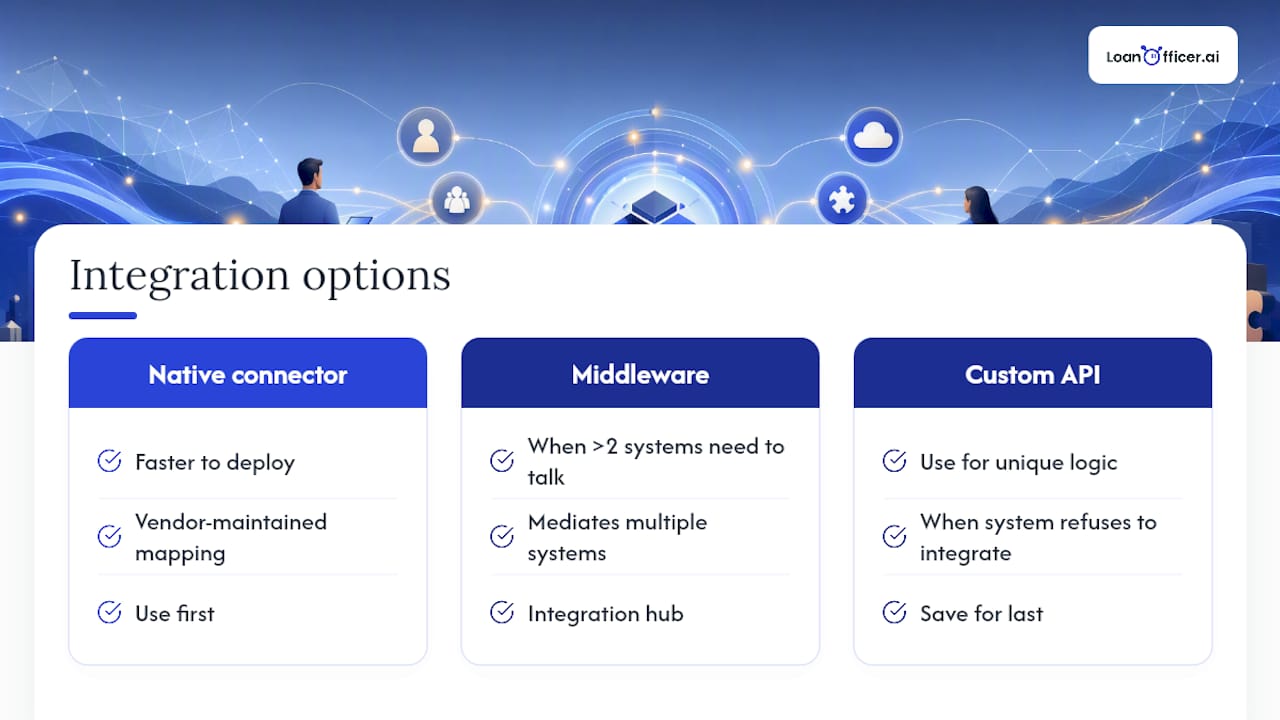
Favor native connectors first. They’re faster to deploy and someone else maintains the mapping. Reach for middleware only when your stack has more than two systems that need to talk. Save custom API work for genuinely unique logic or a system that refuses to play with anyone.
Pro Tip:Watch for duplicate contact records and unnormalized addresses. Both cause more support tickets than any other integration issue.
See Loan Officer AI’s Integration Capabilities
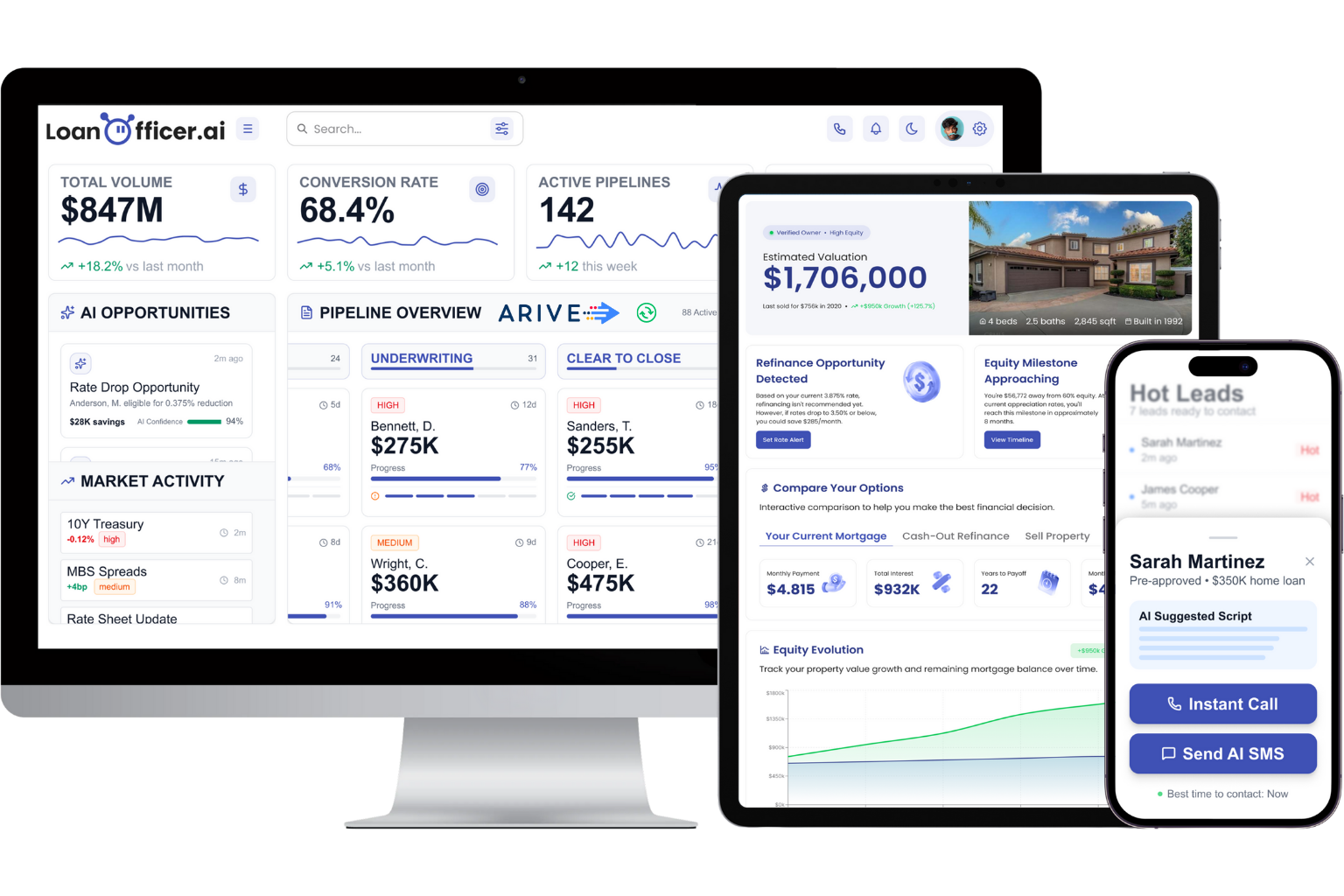
Most CRMs make you choose between native SimpleNexus support and the automation depth mortgage teams actually need. Loan Officer AI gives you both: real-time sync built for SimpleNexus event triggers, plus automated borrower nurture that starts the moment an application stalls, not a day later when someone finally checks the pipeline.
Here’s what comes with it:
- Real-time two-way sync with application status, contact, and abandonment events
- Automated multi-channel nurture sequences triggered by loan status changes
- Pipeline management built specifically for mortgage workflows, not generic sales stages
- LOS integrations that keep your CRM, POS, and back-office systems aligned
If you’re a brokerage evaluating integration partners, start with the mortgage CRM built for brokerages and see how field mapping and onboarding support work before you commit engineering hours to a custom build.
Sources
- New API Enables Real-Time Data Transfers Between SimpleNexus, Mortgage Lenders and Third-Party Systems - Send2Press Newswire
