Mortgage Teams: Blend CRM Integration That Stops Orphaned Apps
Two-way integration, with the CRM creating applications and subscribing to Blend Event Notifications, is the right architecture for most mortgage teams. It gives you real-time pipeline visibility and lets you automate abandonment recovery instead of chasing status updates by phone. Before you write a line of code, confirm two things: that your crmId field is populated and stable at application creation, and that you have a webhook endpoint ready to receive events. One-way sync or middleware still make sense if your engineering resources or compliance posture are limited.
TL;DR:
- Two-way integration provides real-time updates, automation, and abandonment recovery, which are essential for handling leads efficiently when managing multiple loans per month.
- Properly setting the crmId at application creation and subscribing to key events like status changes and abandonment alerts are critical to prevent duplicate or orphaned applications.
- Native connectors are quick to deploy but offer less customization, while middleware and custom APIs are suited for complex workflows and unique business logic requiring ongoing maintenance.
- Building a reliable webhook endpoint with idempotency and error handling is the most time-consuming and crucial step before going live.
- Use security best practices such as scoped API keys, TLS, and audit logging from the start to ensure compliance and protect sensitive borrower data.
Table of Contents
- What Is Blend CRM Integration and Which Pattern Should You Use?
- What Fields and Events Does a Blend Integration Actually Need?
- Which Connector Fits Your Team: Native, Middleware, or Custom API?
- How Do You Roll Out a Blend Integration Step by Step?
- Why Do Duplicates and Orphaned Applications Happen, and How Do You Fix Them?
- What Security and Compliance Controls Does the Integration Need?
- How Do You Turn Blend Events Into CRM Automation?
- What I’ve Learned Building Integrations That Actually Hold Up
- How LoanOfficer.ai Fits Into Your Blend Integration Plan
- Sources
- FAQ
What Is Blend CRM Integration and Which Pattern Should You Use?
Blend CRM integration connects your customer relationship management system with the Blend lending platform so borrower data, application status, and loan events move between the two without manual re-entry. There are two structural patterns, and picking the wrong one is the single most common reason mortgage teams end up rebuilding their integration a year later.
One-way integration pushes data from the CRM into Blend, typically to create a new application when a lead converts. It’s simple to build and simple to maintain, but it’s blind. Once the application exists in Blend, your CRM has no idea what happens next unless someone manually updates it.
Two-way integration syncs in both directions. The CRM creates the application, and Blend pushes real-time updates back through webhook Event Notifications whenever something changes, a document gets uploaded, a status shifts, an application goes cold. This is the pattern that actually enables automation.
The trade-off is straightforward:
- One-way integration takes less time to build and has fewer moving parts to monitor, but it can’t power status-driven workflows or abandonment recovery.
- Two-way integration requires webhook infrastructure, idempotent event handling, and ongoing monitoring, but it unlocks real-time pipeline visibility and automated follow-up.
- Hybrid setups (one-way creation plus periodic polling instead of webhooks) exist for teams not ready to build webhook consumers, though they introduce sync lag.
Consider a refinance team running rate-triggered campaigns. If a borrower starts an application through a marketing link but abandons it at the income verification step, a one-way integration never learns that happened. A two-way integration fires an event, your CRM logs the abandonment, and a loan officer gets a task to call within the hour. That single capability is usually what tips teams toward the more complex build.
For most originators managing more than a handful of loans per month, two-way integration pays for its added complexity within the first quarter, mainly through recovered abandoned applications and faster status-based follow-up.
What Fields and Events Does a Blend Integration Actually Need?
Get the identifiers wrong and you’ll spend months chasing duplicate records instead of closing loans. Three fields and a short list of webhook events do almost all the work.
crmId (LendingCrmId) is the field that ties a Blend application to its corresponding CRM record. It should be set at the moment the application is created and never changed afterward. The Blend CRM integration guide treats crmId as the vital link in the entire integration, and for good reason: inconsistent or null crmId values are the leading cause of orphaned applications and duplicate borrower records showing up in production.
Two other identifiers matter alongside it:
- losId connects the Blend application to its record in your loan origination system, which matters once the loan moves past origination into processing and underwriting.
- Blend’s application UUID and referenceNumber are Blend-native identifiers useful for support tickets and API lookups, but they shouldn’t replace crmId as your primary mapping key since they’re generated by Blend rather than owned by your CRM.
The Patch Application reference documents crmId and losId directly in the schema, describing crmId as the CRM’s unique identifier for the application, one that should stay fixed for the application’s lifetime.
Pro Tip:Set crmId in the same API call that creates the application. Retrofitting it later, once records already exist without it, is where most reconciliation headaches start.
On the event side, subscribe to at minimum:
- Application status change events, which drive pipeline stage automation (submitted, in underwriting, approved, denied).
- Consumer/borrower update events, which flag when contact info, income data, or documents change.
- Abandonment or inactivity events, which trigger time-sensitive outreach before a lead goes cold.
Blend’s webhook architecture requires you to build the receiving endpoint yourself and explicitly choose which events to subscribe to. Nothing arrives by default, so an incomplete subscription list is a silent gap, not an error you’ll get alerted to.
Which Connector Fits Your Team: Native, Middleware, or Custom API?
Pick based on how much control you need over field mapping, not just on how fast you want to launch.
Native connectors and prebuilt adapters are the right call when speed matters more than customization. Blend’s partner integrations include prebuilt adapters, and the Salesforce connector on AppExchange is a concrete example: if your team already runs Salesforce, this route gets you syncing in days rather than months, with minimal engineering involvement. The trade-off is reduced field-level control. Prebuilt connectors map a fixed set of fields, and if your CRM tracks something unusual, a custom loan-purpose taxonomy, for instance, you may not be able to bend the connector to fit it.
Middleware or iPaaS platforms earn their keep when Blend is just one piece of a larger stack that also includes your LOS, a data warehouse, and marketing automation. Middleware centralizes orchestration logic in one place instead of scattering point-to-point integrations across five systems, which makes it easier to trace a failure back to its source.
Custom API integration is worth the investment when you need business logic no connector or middleware tool supports, custom scoring on incoming leads, non-standard status mapping, or multi-instance Blend setups where one CRM organization maps to several Blend environments (a scenario Blend’s own integration FAQ specifically calls out as something integrators need to plan for).
The practical filter: if you have under two weeks of engineering time and a mainstream CRM, start with a native connector. If you’re syncing three or more systems, go middleware. If your mapping logic is genuinely unusual, budget for a custom build and plan on ongoing maintenance, not just a launch sprint.
How Do You Roll Out a Blend Integration Step by Step?
Sequence matters more than speed here. Skipping the mapping step to get to webhooks faster is the most common reason teams end up rebuilding weeks later.
Inventory your fields and lock in crmId as the canonical identifier. Decide now which system generates crmId (almost always the CRM) and document every field you’ll map between systems before writing any integration code.
Provision sandbox credentials and confirm your environment headers. Get sandbox API keys, verify TargetInstance headers point to the right environment, and configure SSO if your organization requires it for API access.
Design your webhook endpoint before you need it. Build in idempotency (track event IDs so duplicate deliveries don’t double-process), signature verification, and a retry policy for when your endpoint is briefly unavailable.
Map fields and define error handling rules. Decide explicitly what happens when a field is missing, malformed, or conflicts with existing CRM data. Silent failures here are what create orphaned records later.
Test end-to-end in sandbox. Create an application from the CRM side, simulate consumer update events, and specifically exercise the abandonment flow since it’s the workflow most teams forget to test until it fails in production.
Build your go-live checklist. Confirm monitoring and alerting are live, define a reconciliation cadence (daily is typical for active pipelines), and write down a rollback plan before you flip the switch, not after something breaks.
Pro Tip:Run your first full sandbox test with a deliberately incomplete application, missing income data, no property address, and confirm your error handling logs a clear, actionable message rather than failing silently. That single test catches more production issues than a dozen “happy path” runs.
Budget more calendar time for step 3 than any other. Webhook consumer design is where most of the real engineering work lives, and where cutting corners costs you the most later.
Why Do Duplicates and Orphaned Applications Happen, and How Do You Fix Them?
Almost every duplicate or orphaned application traces back to one root cause: an inconsistent or missing crmId. If the field is null on creation, or if two systems generate competing values for the same application, Blend and your CRM lose the thread connecting them.
A few operational rules prevent most of this:
- Treat crmId as immutable once set. Never let a later sync step overwrite it.
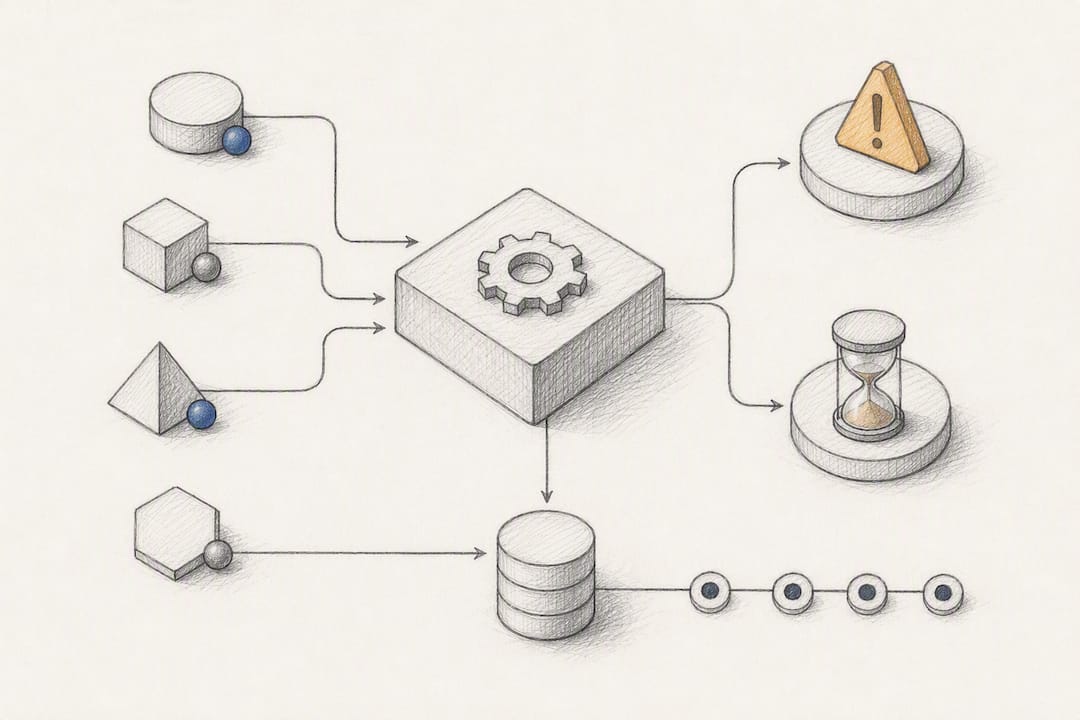
- Build your webhook consumer to be idempotent. Record each event’s unique ID and skip duplicates instead of reprocessing them, since Blend’s webhook architecture can and will redeliver events.
- Run a scheduled reconciliation job that compares your CRM’s crmId records against Blend application UUIDs, flagging anything unmatched for manual review.
- Normalize names and addresses before matching. Small formatting differences (“123 Main St” versus “123 Main Street”) are a frequent source of false non-matches when reconciling borrower records.
Pro Tip:Keep a reconciliation table with crmId, the Blend application UUID, and a last-synced timestamp. When something breaks, that table tells you in seconds whether the problem is a missing sync, a stale record, or a genuine orphan.
On observability, log every webhook receipt with its event type and crmId, and alert specifically on failed deliveries and on any application that goes 48 hours without a status update during active underwriting. Those two alerts alone catch the majority of production issues before a borrower notices anything is wrong.
What Security and Compliance Controls Does the Integration Need?
Borrower data sitting in transit between two systems is exactly the kind of exposure a security review will flag first, so build these controls in from day one rather than retrofitting them after an audit.
- Use scoped API keys, limited to the specific endpoints and data the integration actually needs, and rotate them on a defined schedule rather than leaving them static indefinitely.
- Verify every incoming webhook using signature validation or IP allowlisting, and require TLS on every connection, both inbound and outbound.
- Log every integration event with a full audit trail, who or what triggered it, what changed, and when, since mortgage compliance reviews routinely ask for exactly this kind of record.
- Apply least-privilege access to service accounts. The integration’s credentials should only reach the data and actions it strictly needs, nothing broader.
- Coordinate with your compliance team on data retention and PII minimization before launch, not after a borrower or regulator asks how long you’ve kept their information.
None of this is exotic. It’s the same baseline you’d apply to any system handling regulated financial data, but it’s easy to skip when a team is racing toward a launch date.
How Do You Turn Blend Events Into CRM Automation?
The real payoff of two-way integration isn’t the sync itself, it’s what you build on top of it. A few workflows consistently deliver the most value for mortgage teams:
Abandonment recovery. When Blend fires an inactivity or abandonment event, trigger an outreach task immediately, ideally within the hour. The longer the gap between abandonment and contact, the less likely the borrower resumes with you instead of a competitor.
Status-driven pipeline automation. Map each Blend status change (submitted, in underwriting, approved, denied) to a corresponding CRM pipeline stage, and trigger the right internal notification or client communication automatically instead of relying on a processor to remember.
Pre-fill workflows. Use data your CRM already holds on a borrower to pre-populate fields in the Blend application, cutting the friction that causes drop-off during the application itself.
Refinance and equity opportunity detection. Combine Blend application data with CRM segmentation to build targeted outreach lists, borrowers whose rate or equity position now makes a refinance worthwhile. This is the kind of workflow a refinance-focused CRM setup is built specifically to support.
Lenders who tie CRM data tightly into Blend workflows report faster file throughput and higher completion rates as a direct result. That’s the case for building automation on top of sync rather than treating the integration as a one-time data migration.
What I’ve Learned Building Integrations That Actually Hold Up
The integrations that fail aren’t the ones with bad code. They’re the ones nobody owned. If compliance, ops, and engineering aren’t in the same room before the first field gets mapped, someone builds the wrong thing, usually a webhook consumer that ops didn’t know existed until it broke.
Start with one automation that clearly moves the needle, abandonment recovery is almost always it, and get that reliable before adding anything else. Teams that try to map every field and wire every event in one release tend to launch late and debug in production. Minimal, correct mappings beat ambitious, fragile ones every time.
Where a platform like Loanofficer earns its place is in how much of this scaffolding, mortgage-specific pipeline stages, event handling built for loan workflows, comes pre-built rather than assembled from scratch. That’s less a feature checklist than a head start on the sequencing that actually determines whether an integration survives its first year.
— Jared Hart
How LoanOfficer.ai Fits Into Your Blend Integration Plan
LoanOfficer.ai is built with mortgage-native fields and pipeline stages already aligned to how Blend applications move through underwriting, so the mapping work described above starts from a much shorter list than a generic CRM would give you.
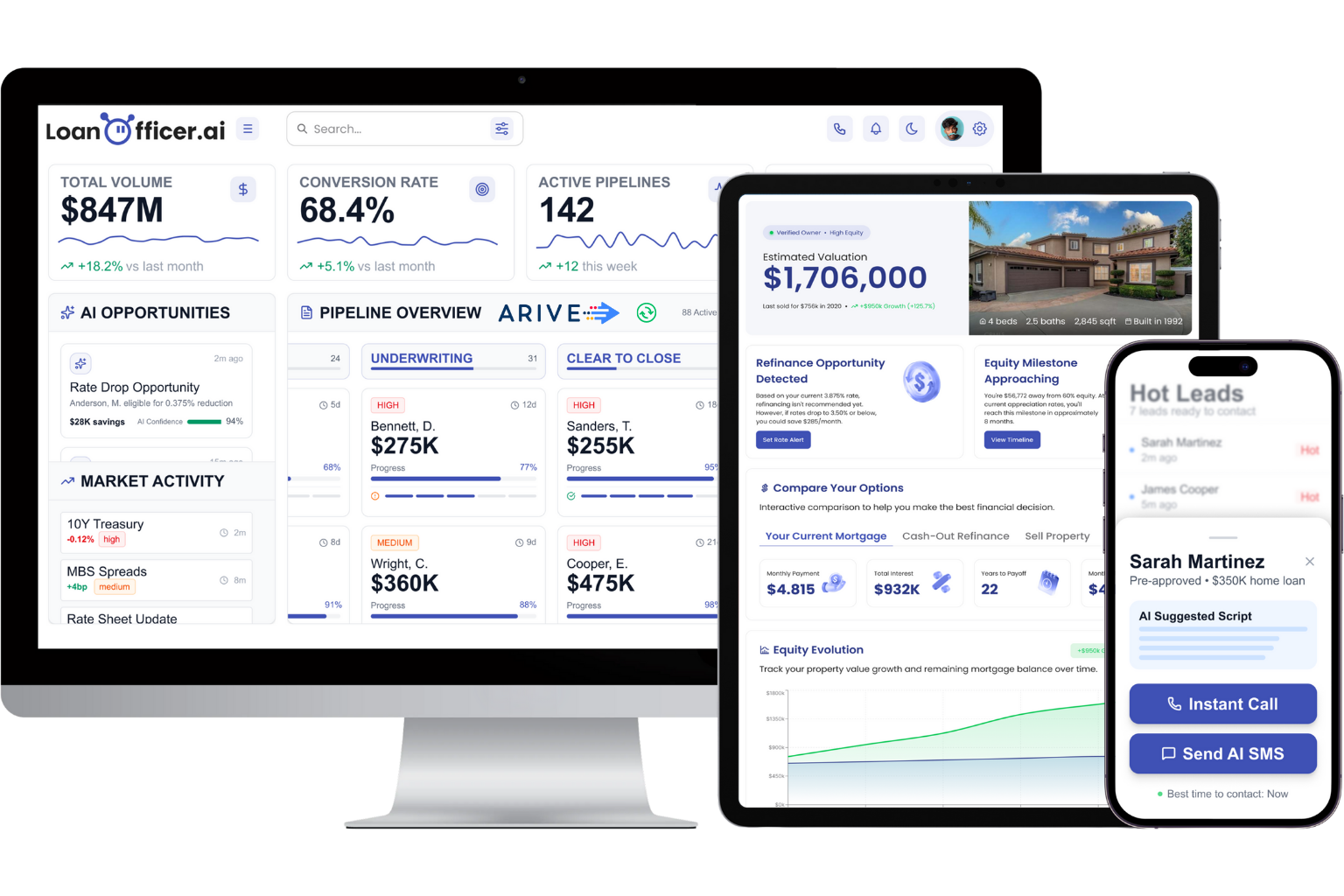
Instead of building status-change automation and abandonment recovery from a blank slate, you get automation templates already shaped around loan events, plus AI-driven opportunity detection that flags refinance and HELOC candidates from your existing borrower database. When you evaluate it, ask specifically about crmId mapping conventions, how webhook events are consumed and surfaced in the pipeline view, and what the onboarding timeline looks like for your loan volume. Those three questions will tell you more about fit than any feature list.
If you’re weighing whether to build this integration internally or bring in a platform that already speaks Blend’s language, start with a trial of the mortgage CRM and walk through your actual field list with the team. It’s the fastest way to find out how much of the checklist above you can skip entirely.
FAQ
Is Blend a POS?
Yes. Blend operates as a digital point-of-sale platform for mortgage lenders, handling the borrower-facing application experience that CRM systems then sync with through crmId and webhook events.
Who Is the CEO of Blend?
Blend’s leadership has changed over time as the company has grown; check Blend’s own about or newsroom page for the current executive team rather than relying on older third-party listings.
Is Blend a Real Company?
Yes. Blend is a publicly documented lending software company that publishes developer documentation, maintains partner integration pages, and lists prebuilt connectors, including on Salesforce’s AppExchange.
What Is the Blend Platform?
Blend is a digital lending platform mortgage companies use to run borrower-facing applications, and it exposes APIs and webhook events so CRM systems like LoanOfficer.ai can sync application data and status changes in real time.
Should I Choose One-Way or Two-Way Blend CRM Integration?
Choose two-way integration if you want automated abandonment recovery and status-driven pipeline updates; choose one-way only if your team lacks the engineering resources to build and maintain a webhook consumer.
