Mortgage CRM Migration: A Step-by-Step Playbook
A phased mortgage CRM migration, built around a discovery audit, a controlled data import, and a delta pass during overlap, protects live deals and keeps your pipeline moving. Low-complexity teams can compress this into 30 days; anything with multiple LOS connections or enterprise-scale data usually needs a longer, staged approach.
Quick checklist:
- Discovery and audit: inventory systems, users, and data before touching anything.
- Staged import with validation: move data in phases and check it at each step.
- Delta cutover plus hypercare: capture last-minute activity, then support the team hard for two weeks.
If you’re juggling more than one loan origination system, a large historical database, or a hard deadline, bring in a migration partner rather than absorbing that risk solo.
Key Takeaways
A phased migration with discovery, staged import, delta capture, and hypercare protects pipeline continuity better than a rushed one-time data dump.
| Point | Details |
|---|---|
| Choose your timeline honestly | Clean data and one LOS support a 30-day playbook; multiple systems need 3 to 6 months. |
| Inventory before you export | Map every user, system, and data point before touching a single record. |
| Delta migration is non-negotiable | Capture live activity during overlap so no loan status or lead falls through the cracks. |
| Validate with real numbers | Compare record counts and spot-check 50 to 100 records before trusting the new system live. |
| Loan Officer AI supports mortgage-specific migrations | LOS connectors, delta tooling, and hypercare onboarding built around loan pipeline workflows. |
Table of Contents
- Why a Mortgage-Specific CRM Migration Plan Matters
- What Should You Inventory Before You Touch Any Data?
- Which Systems Have to Integrate on Day One?
- Migration Timeline: 30 Days or a Phased 3 to 6 Months?
- What Exactly Should You Export, and How Do You Map It?
- How Do You Test and Validate a Migration Before Going Live?
- What Compliance and Security Steps Can’t Be Skipped?
- How Do You Keep Loan Officers Productive During the Switch?
- What Does Go-Live and the First 90 Days Look Like?
- What Are the Warning Signs a Migration Is Going Wrong?
- How Does a Mortgage-Focused Vendor Actually Run a Migration?
- A Practitioner’s View on What Actually Derails Migrations
- Get Migration Support Built for Mortgage Teams
- Frequently Asked Questions
- Sources
Why a Mortgage-Specific CRM Migration Plan Matters
Generic CRM migration advice ignores what actually breaks in mortgage: rate locks that silently expire, loan files that lose status history, and LOS webhooks that stop firing mid-pipeline. A mortgage-specific plan protects loan velocity, preserves borrower history, and keeps LOS sync accurate through the transition.
Consider a webhook mismatch between your old CRM and your loan origination system. If the new platform isn’t listening for the same triggers, loans can sit stalled in a stage nobody’s watching. A delta migration that captures activity during the overlap window is what prevents that gap from ever forming.
- Pipeline disruption from incomplete or delayed data transfer
- Loan file errors that create compliance exposure
- Broken rate-lock or LOS triggers that stall active deals
What Should You Inventory Before You Touch Any Data?
Before you export a single record, build a full inventory of what feeds your current CRM. This is the scoping work that determines whether your migration takes 30 days or three months.
- Users and roles across loan officers, processors, and branch managers
- LOS instances, versions, and any custom fields tied to them
- Document storage systems and how files link to loan records
- Marketing automation platforms and active campaigns
- Telephony, email, and SMS providers
- Custom objects, webhooks, and any third-party API consumers
Set success criteria before you start moving data: a minimum acceptable record count, a sample set of records you’ll manually validate, the automations you must recreate, and the length of your delta window.
Pro Tip:Name a data steward and an integration owner before kickoff. Give each upstream system, your LOS, your document vault, your dialer, a single point person who signs off when their piece is verified.

Which Systems Have to Integrate on Day One?
Not every connection deserves the same urgency. Sort your integrations into three tiers so your team isn’t trying to solve everything simultaneously.
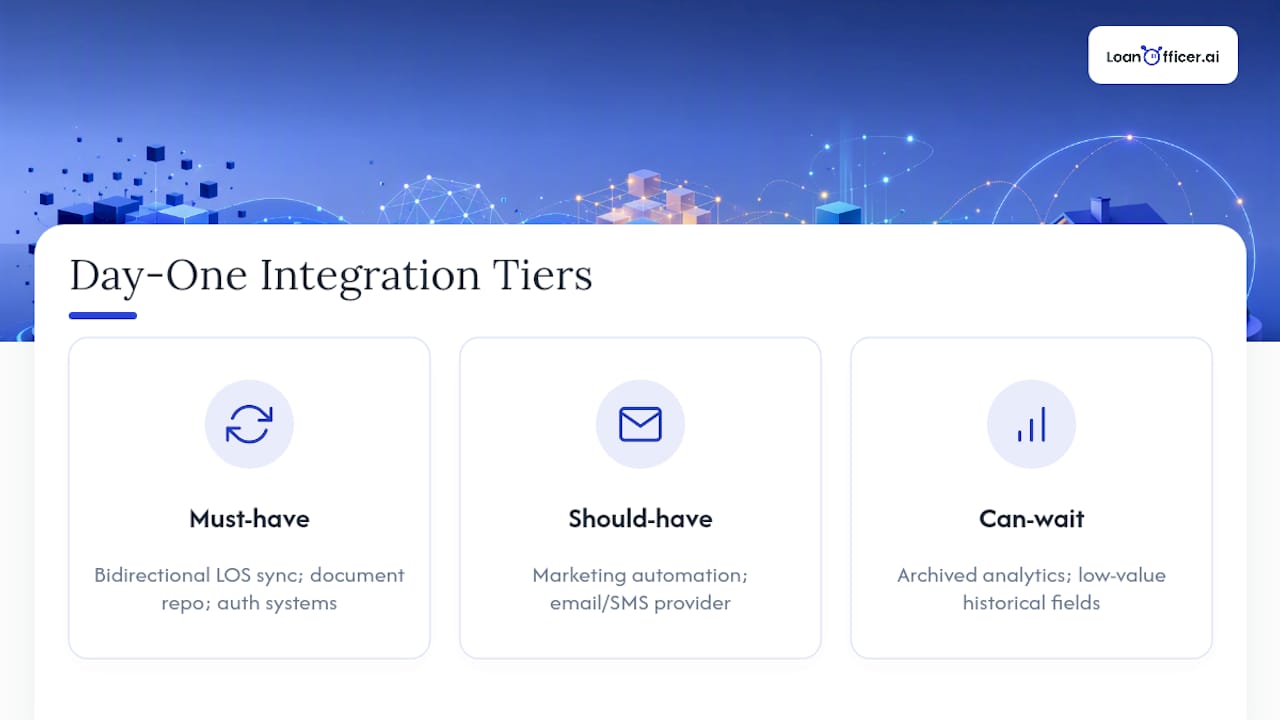
Must-have: bidirectional LOS sync, your document repository, and identity or authentication systems. Should-have: marketing automation and your email/SMS provider. Can-wait: archived analytics and low-value historical fields nobody queries anymore.
Before go-live, confirm your authentication checklist: API keys, OAuth tokens, service accounts, and any firewall or IP allowlisting your LOS vendor requires. The general rule on sync direction: if loan officers act on a field daily, it needs bidirectional sync; if it’s reference data, a one-way feed is enough.
Migration Timeline: 30 Days or a Phased 3 to 6 Months?
Your timeline depends on data cleanliness and integration count, not preference. Small-team CRM projects with clean data and limited integrations can go live in six to ten weeks; mid-market teams typically need three to five months; enterprise migrations with heavy data volume or multiple systems often run six to nine months.
The 30-day quick playbook works for teams with one LOS, minimal custom fields, and manageable contact volume:
- Week 1: Freeze non-essential data changes, run your discovery audit, and confirm export formats.
- Week 2: Export all data, build your field-mapping sheet, and clean duplicates.
- Week 3: Run a controlled import into a staging environment and validate sample records.
- Week 4: Execute the delta pass, cut over live traffic, and enter hypercare.
The 3 to 6 month phased rollout fits teams with multiple LOS instances or large historical databases. It follows a broader version of the same structure: discovery, mapping and a pilot group, phased team rollout, integration and automation rebuild, full cutover, then optimization.
Assign ownership clearly. Discovery and data mapping usually fall to an ops lead or migration coordinator; integration work belongs to whoever owns your LOS relationship; QA needs someone outside the migration team who can spot check with fresh eyes; training belongs to branch managers who know their teams’ habits.
- Set go/no-go checkpoints at the end of each phase, not just at the finish line
- Require sign-off from both the data owner and the integration owner before advancing
Pro Tip:Don’t let “we’ll fix it after go-live” become the plan for automations. Rebuild your top three revenue-driving campaigns before cutover, not after.
What Exactly Should You Export, and How Do You Map It?
Your export checklist should cover contacts, borrower profiles, loan records (including loan IDs and full status history), document metadata and file pointers, communication logs, lead source tags, and current record ownership by team.
Build a field-mapping template with these columns: old system object, old field name, data type, sample values, target field name, transformation rules, and whether the field is required or optional. This becomes your reference document when disputes arise about where a piece of data landed.
- Set canonical rules for phone and email formatting before you dedupe
- Standardize addresses to one format across the entire dataset
- Decide upfront which stale leads get archived instead of migrated
Skipping this step is the single biggest source of downstream reporting problems after a migration, according to implementation guidance that treats CRM moves as data-quality projects first and technical exports second.
How Do You Test and Validate a Migration Before Going Live?
Run these checks before you trust the new system with live pipeline activity:
- Compare record counts between source and destination systems.
- Spot-check 50 to 100 records manually for accuracy across contacts, loans, and documents.
- Run smoke tests on your top automations to confirm they fire correctly.
- Validate API responses from your LOS integration under real conditions.
Your delta migration schedule depends on volume: a 48 to 72 hour window works for smaller teams, while high-volume shops often need a multi-week rolling delta to capture live activity without gaps.
- Define which fields your reconciliation report compares
- Set a mismatch tolerance before you start (zero tolerance for loan status, some tolerance for notes fields)
- Name who signs off on the reconciliation and what triggers a rollback
What Compliance and Security Steps Can’t Be Skipped?
Mortgage data carries PII and regulatory weight most CRM guides ignore. Confirm encryption at rest and in transit, role-based access control, audit logging, SSO/SAML support, and secure API credential storage.
Vendor due diligence matters just as much: SOC 2 Type II certification, a signed data processing agreement, an incident response SLA, and data residency terms if your compliance team requires them. Vendor instability, including rebrands or acquisitions mid-project, is a real risk worth vetting before you commit.
- Run full data exports and versioned snapshots before migration starts
- Test your restore process before you need it, not during a crisis
Roughly 20 percent of CRM project delays trace back to skipped backup or validation steps rather than the migration itself, based on implementation patterns across small and mid-market rollouts.
How Do You Keep Loan Officers Productive During the Switch?
Roll out training in waves: pilot users first, then superusers, then your full team. Give loan officers, processors, and branch managers short, role-specific playbooks instead of one generic manual.

Set up a dedicated support channel for the first two weeks post-launch, with fast triage for anything blocking an active pipeline. Track daily active users, unowned record counts, automated task completion rates, and time-to-first-contact to see if adoption is actually sticking.
What Does Go-Live and the First 90 Days Look Like?
Go-live day needs a final delta sync, confirmed record ownership across every account, automations switched fully over, live monitoring dashboards, and clear escalation contacts if something breaks.
From there, run a 30/60/90-day optimization plan: tune automations in the first month, retire or rebuild legacy campaigns by day 60, and refine dashboards and reporting by day 90. Measure success through time-to-close, pipeline conversion rates, data accuracy against your original reconciliation report, and direct feedback from loan officers using the system daily.
What Are the Warning Signs a Migration Is Going Wrong?
Watch for major record-count mismatches, records with no assigned owner, loans stalled in a stage with no activity, or integrations creating duplicate files.
If you see these, pause automated actions immediately, revert to your last known good export, and open a high-priority incident rather than trying to patch live. Roll back entirely if data integrity falls below your set threshold, downtime stretches past your tolerance, or regulatory exposure becomes a real possibility.
How Does a Mortgage-Focused Vendor Actually Run a Migration?
A documented consolidation of multiple mortgage CRMs into one platform followed six steps: discovery, system design, architecture planning, data migration and integration, team rollout training, and system optimization, with an explicit delta pass to preserve live activity throughout.
Timelines vary by scope. A pilot migration typically runs 6 to 10 weeks; full enterprise rollouts with multiple LOS connections and large datasets often take 3 to 6 months. Vendor-managed delta passes during that window are what separate a clean cutover from one that loses deals in the gap.
- LOS connectors that handle bidirectional sync without custom development
- Delta migration tooling built specifically for high-volume loan pipelines
- Role-based dashboards for loan officers, processors, and branch managers
- Onboarding support through hypercare, not just at kickoff
LoanOfficer.ai reports 93% partner retention, a figure worth weighing when you’re deciding whether a vendor’s migration process actually holds up after the sales conversation ends.
A Practitioner’s View on What Actually Derails Migrations
Most failed migrations don’t fail on technology. They fail because nobody scoped the integrations honestly before committing to a timeline, and the LOS connection gets treated as an afterthought instead of the backbone it actually is.
Start this week: run a one-week discovery audit and identify your three hardest integrations before you pick a go-live date. If your delta window or LOS complexity outpaces what your team can handle internally, that’s the signal to bring in a migration partner rather than pushing through alone.
Get Migration Support Built for Mortgage Teams
Loan Officer AI is built specifically for mortgage workflows, not retrofitted from a generic sales CRM, so your LOS connections, loan status fields, and rate-lock triggers migrate as first-class data instead of custom workarounds. The platform includes LOS connectors, delta migration support to catch activity during your overlap window, and automated follow-up rebuilding so your nurture campaigns don’t start from zero.
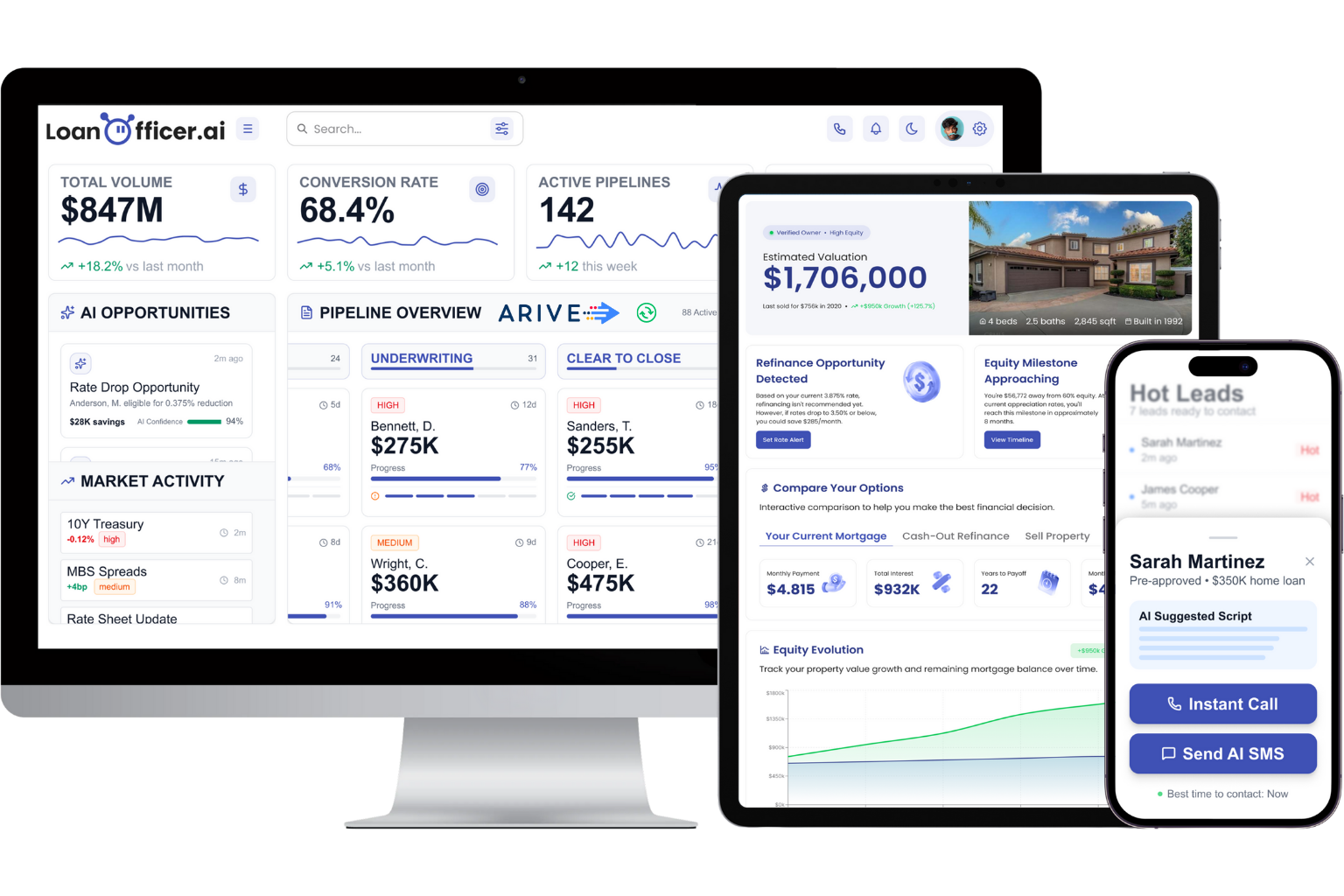
Onboarding includes hands-on hypercare support through your first weeks live, which matters most in the two weeks right after cutover when most issues actually surface. If your migration involves enterprise-scale data or custom API work across multiple LOS platforms, a managed enterprise onboarding path is worth discussing directly rather than guessing at scope. For most brokerages and teams, the fastest way to see fit is a live assessment where you walk through your actual current setup with someone who’s done this migration before.
Frequently Asked Questions
How long does a mortgage CRM migration typically take? Small teams with clean data can complete a mortgage CRM migration in 30 days to 10 weeks. Mid-market teams usually need three to five months, and enterprise migrations with multiple LOS connections often run six to nine months.
What is a delta migration and why does it matter for mortgage CRMs? A delta migration captures new activity, updated loan statuses, and fresh leads, during the overlap window between your old and new systems, so nothing gets lost between your final export and go-live.
Do I need a migration partner, or can my team handle it internally? Teams with a single LOS, clean data, and modest contact volume can often run the 30-day playbook internally. Multiple LOS instances, large historical datasets, or tight regulatory deadlines usually justify bringing in a migration partner.
What data should I prioritize exporting first? Contacts, active loan records with full status history, and current document pointers come first. Historical or archived data with low ongoing value can move later in a phased rollout.
Sources
- CRM Implementation Guide (2026)
- Integrating LOS and CRM Platforms Without Breaking Your Data Stack
- National Mortgage Broker Migrates to HubSpot CRM
