Stop Double Booked Days: Mortgage CRM Calendar Sync in 30 Days
The fix for double-booked appointments and missed follow-ups is bi-directional, team-aware calendar sync that ties your booking tool, each loan officer’s calendar (Google or Outlook), and your LOS/CRM together into one live loop. Done right, this setup catches conflicts before they happen, logs every appointment straight to the borrower file, and fires reminders without anyone touching a spreadsheet. The rest of this guide covers the wiring, the configuration traps that break it, and a checklist you can run this month.
TL;DR:
- Full conflict checks must evaluate all connected calendars, including shared and LOS-synced ones, to prevent double-bookings effectively.
- Automatically logging appointment data to the borrower’s file and updating the LOS reduces manual data entry and minimizes scheduling errors.
- Setting a minimum 15-minute buffer between appointments helps avoid back-to-back scheduling and accommodates note-taking time for loan officers.
- Proper wiring of webhooks and API support across scheduling tools, LOS, and CRM ensures real-time updates and maintains an accurate appointment loop.
- Restrict manual calendar editing to prevent conflicts, establish escalation alerts for conflicts, and test the end-to-end booking process within 30 days for reliable operation.
Table of Contents
- What Two-Way Calendar Sync for a Mortgage CRM Actually Looks Like
- Key Features to Prioritize When Choosing Calendar Sync Tools
- How to Wire Scheduler, Calendar, LOS, and CRM Together
- Operational Rules That Keep Calendar Sync Reliable
- Quick Implementation Checklist: Day 1, Week 1, Month 1
- Why Loan Officers Should Stop Treating Scheduling as an Afterthought
- How Loan Officer AI Handles Calendar Sync for Mortgage Teams
- Sources
- FAQ
What Two-Way Calendar Sync for a Mortgage CRM Actually Looks Like
One-way sync pushes data in a single direction, usually from your calendar into a scheduler, so it shows you as “busy” but never writes anything back. Bi-directional sync reads and writes both ways: book a slot through Calendly, and it blocks the loan officer’s Google Calendar instantly; add a personal dentist appointment directly to that calendar, and the scheduler marks the same window unavailable within seconds.
The booking lifecycle in a mortgage shop typically runs like this: a borrower books through a public scheduling link, that action fires a webhook, the webhook creates a calendar event, the event gets logged in the LOS or CRM against the borrower’s file, and a reminder sequence kicks off automatically. Every link in that chain has to sync with every other link, which means you’re really managing four connected calendars at once:
- The loan officer’s primary calendar (Google or Outlook)
- The scheduling tool (Calendly, Cal.com, or Microsoft Bookings)
- Any shared team or branch calendar
- LOS-generated events tied to loan milestones
Most breakdowns happen because one of these four gets treated as an afterthought. A common failure: the scheduler only checks the primary calendar for conflicts, so a borrower books a 2:00 PM slot the loan officer already filled with a closing call added directly to their calendar. The scheduler never saw it, because it wasn’t watching that source.
Key Features to Prioritize When Choosing Calendar Sync Tools
Not every scheduling tool marketed to mortgage teams handles sync the same way. Before you commit to one, run it against this checklist.
- Team-aware routing. The tool should support round-robin assignment, plus rules based on ZIP code, language, loan type, or officer capacity, so leads land on the right calendar automatically instead of piling up on whoever set up the link first.
- Full conflict-check scope. It needs to inspect every calendar connected to a loan officer, not just the one marked “primary,” including shared and LOS-synced calendars.
- LOS webhook and API support. The scheduler should be able to auto-create blocking events from loan milestones, so a scheduled closing or underwriting call shows up on the calendar without manual entry.
- Automated confirmations and reschedule flows. Multi-channel reminders (email plus SMS) and a one-tap reschedule link cut down on the back-and-forth that eats up an assistant’s morning.
- Configurable buffers and appointment types. Fifteen-minute buffers between calls, separate booking types for consultations versus closings, and capacity caps per day all belong in the base configuration.
Pro Tip:Test conflict-check scope by adding an event directly to a loan officer’s personal calendar, not through the scheduler, then try to book that same slot publicly. If the booking goes through, your sync is only watching one calendar, and that gap is exactly where double-bookings come from.
How to Wire Scheduler, Calendar, LOS, and CRM Together
The wiring itself isn’t complicated, but the order of operations matters. Start with the scheduler trigger, usually an event like invitee.created, and connect it to a workflow that writes a calendar block and logs the appointment. Cal shows how an API-first scheduler can trigger downstream actions, updating deal stages or sending documents the moment an event is booked, rescheduled, or completed.
On the LOS side, watch for milestone events such as milestone.updated. US Tech Automations found that connecting these LOS webhook events to calendar APIs eliminates most scheduling conflicts and opens the door to post-booking automation like prep checklists and SMS alerts.
Set your conflict-check to inspect every connected calendar, personal, shared, and LOS-synced, not just the default one. This single setting is the difference between a scheduler that actually prevents overlap and one that just looks like it does.
A few more things to get right during setup:
- Route appointment data back to the borrower’s file automatically, updating pipeline stage the moment a call is booked or completed.
- If your LOS has no webhook support, a middleware layer or a workflow platform like Zapier that listens for scheduler events and writes to the LOS through its API is a reasonable bridge, particularly for mid-market brokerages without in-house developers.
- Lock down API credentials and calendar scopes to the minimum access needed, and keep an audit log of every sync event for compliance review.
A fully wired setup means a borrower’s appointment gets logged, blocked, and confirmed across every system within seconds, with no assistant re-entering the same booking three times.
This is also where compliance quietly benefits. A synced system creates a timestamped record of every scheduling action, which gives you an audit trail if a borrower disputes a missed callback or a regulator asks how appointments tie to loan milestones. Manual calendars rarely produce that kind of paper trail. A mortgage CRM for loan officer teams that reads from and writes to each officer’s primary calendar closes this loop without extra data entry.
Operational Rules That Keep Calendar Sync Reliable
The technology only holds up if the team follows a few consistent rules. Treat each loan officer’s calendar as the single source of truth, and route every external booking, whether from a realtor referral or a borrower inquiry, through the scheduler rather than a phone call that ends with someone manually typing an event.
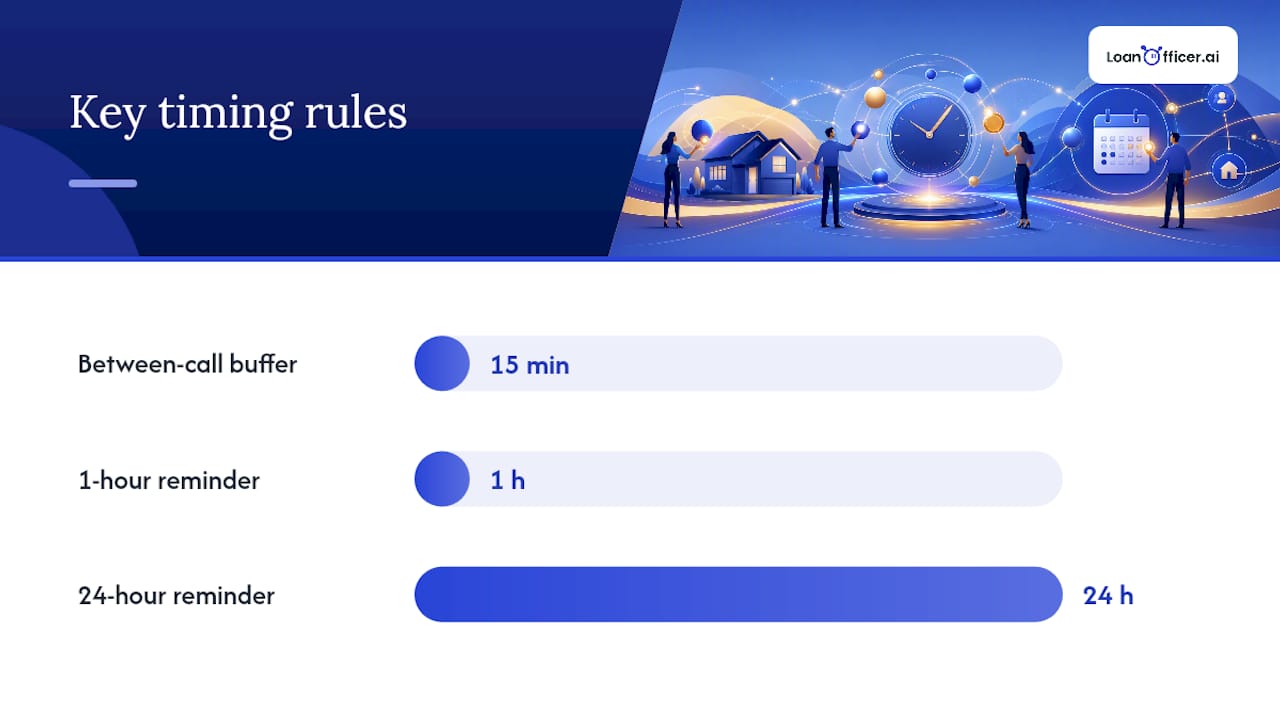
Buffer times matter more than most teams realize. A 15-minute buffer between calls gives loan officers room to finish notes before the next borrower shows up, and it prevents the scheduler from stacking back-to-back appointments that leave zero breathing room. Cap how many consecutive slots can be booked in a single block.
- Publish a one-tap reschedule link in every confirmation email so borrowers self-serve instead of calling the office.
- Send a 24-hour reminder and a 1-hour reminder as a standard pair; HighLevel’s guidance on scheduling and pipeline tracking backs this sequence for cutting no-shows.
- Restrict who can create events directly on shared team calendars, since manual additions are the most common source of phantom conflicts.
- Set up an escalation path (a Slack alert or a flagged CRM task) so someone reviews conflict alerts within the hour instead of finding out at appointment time.
Pro Tip:If your team still lets loan officers add appointments directly to shared calendars, that habit alone accounts for most sync failures. Move all shared-calendar bookings through the scheduler, no exceptions.
Quick Implementation Checklist: Day 1, Week 1, Month 1
You don’t need a quarter-long rollout to get calendar sync working. Most teams can validate the core setup inside 30 days.
- Day 1: Connect every calendar (personal, shared, LOS-synced) to the scheduler and turn on full conflict checking across all of them. Publish booking links to your team and referral partners.
- Week 1: Wire LOS webhooks to auto-create calendar blocks from loan milestones. Turn on reminder sequences and set default buffer times. Test routing rules with a handful of real bookings.
- Month 1: Audit conflict alerts and no-show rates from the first few weeks. Adjust routing rules based on what actually happened, and add CRM logging plus post-call automation for the appointments that convert.
Run the acceptance tests before calling it done: book publicly and confirm the event lands on the loan officer’s calendar within 60 seconds, create an LOS appointment and confirm it blocks the calendar, then add a direct calendar event and confirm the scheduler marks that slot unavailable. If all three pass, the loop is closed.
Why Loan Officers Should Stop Treating Scheduling as an Afterthought
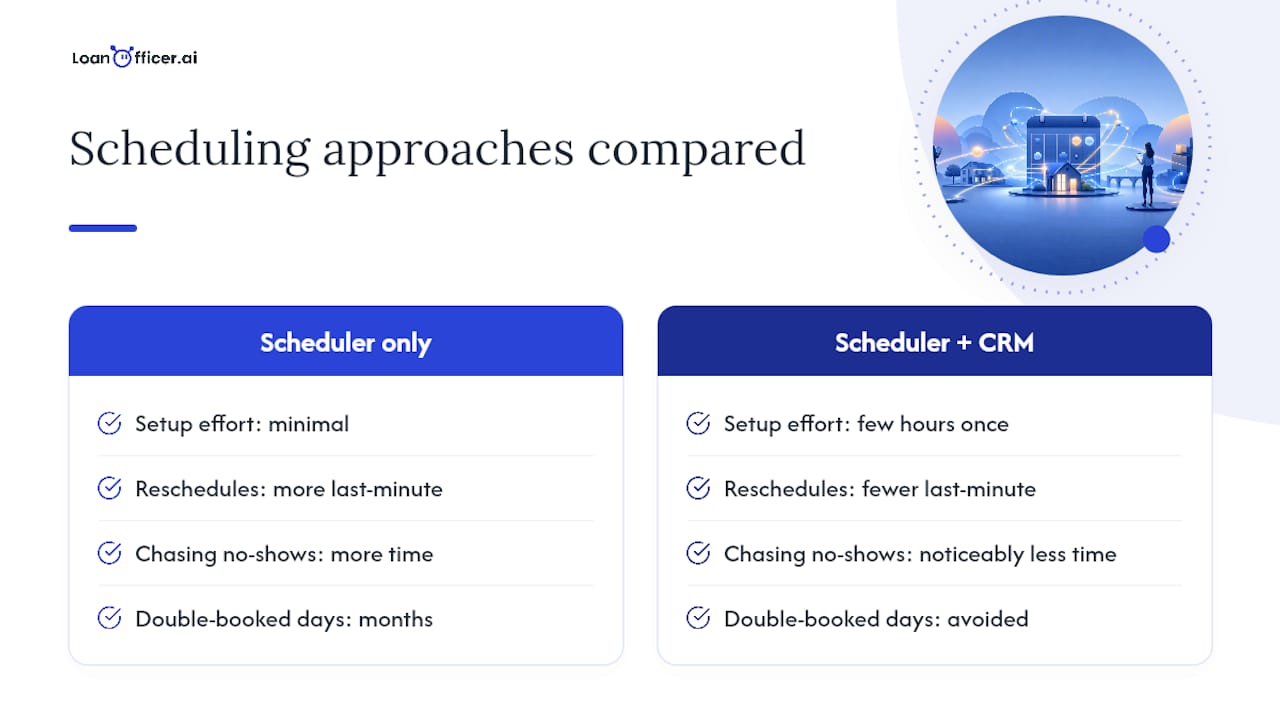
Lightweight schedulers solve the booking-link problem but leave the harder problem untouched: getting that appointment into the LOS and CRM without someone retyping it. Teams that wire the two together tend to report fewer last-minute reschedules and noticeably less time spent chasing borrowers who no-showed because a reminder never went out.
The trade-off is upfront setup work, webhook configuration, conflict-check scope, buffer rules, that most teams underestimate. But it’s a few hours once, against months of double-booked Tuesdays.
— Jared Hart
How Loan Officer AI Handles Calendar Sync for Mortgage Teams
Most disconnected scheduling setups force someone on your team to manually copy appointment details from a booking link into the CRM, then again into the LOS. Loan Officer AI closes that gap by reading from and writing to each loan officer’s calendar directly, automating reminder sequences, and logging every appointment back to the borrower’s record without a second data entry step.
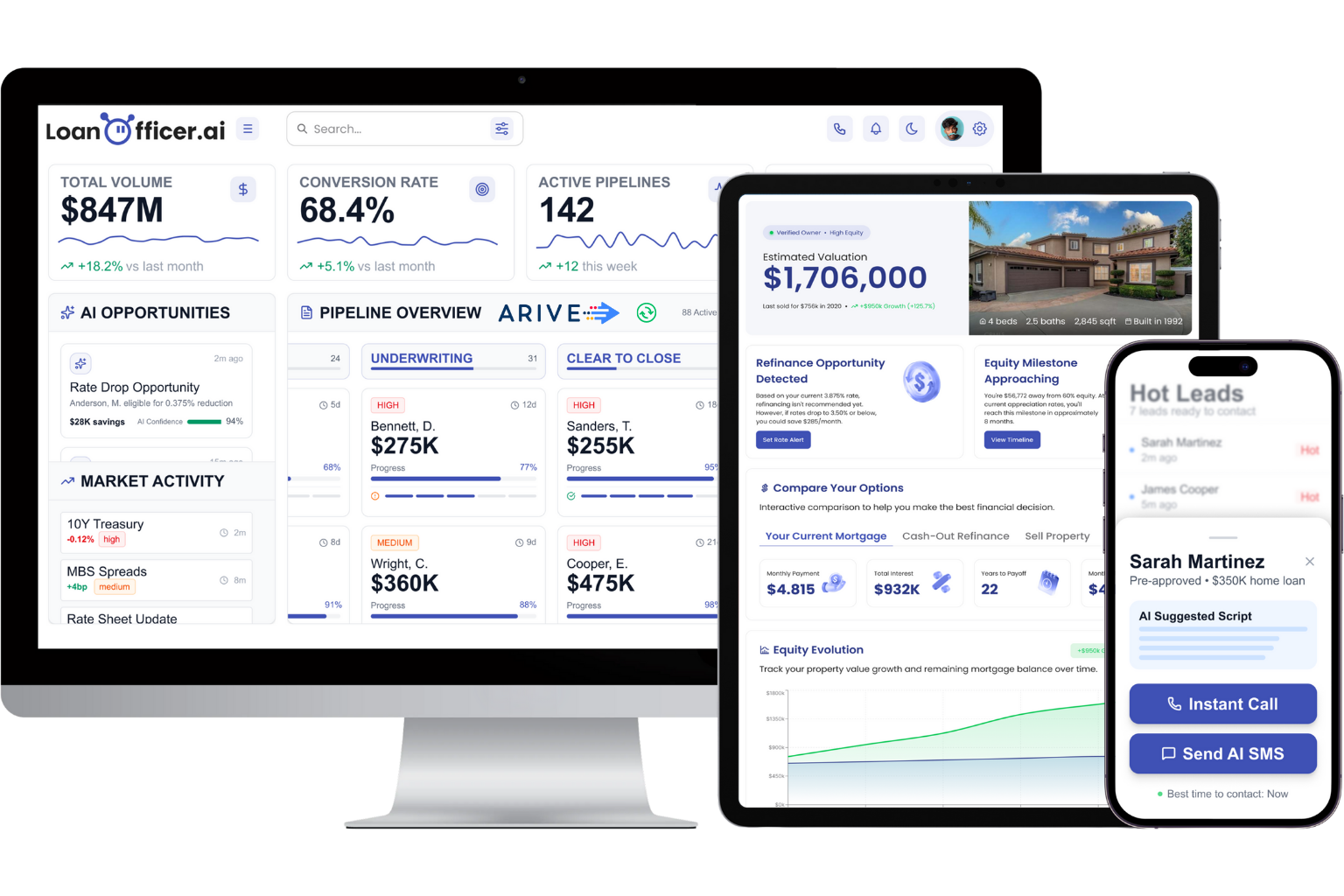
This fits scenarios where loan officers and small broker teams juggle a scheduler, a calendar app, and a CRM that don’t talk to each other, exactly the setup that produces the double-booking and no-show problems covered above. Instead of stitching together three separate tools, the AI Mortgage CRM handles booking, calendar sync, and pipeline updates from one dashboard, with plans starting at $197 per month for the Starter tier.
If your current sync setup still relies on someone manually checking two calendars before confirming a call, it’s worth seeing what a fully wired system looks like. You can start a trial and test the calendar and LOS integration against your own booking volume before committing to anything.
Sources
- Cal
- Double-Booked Appointments in Mortgage: Fix It in 2026 | US Tech Automations
- Run a High-Converting Mortgage Brokerage with Smart Scheduling, Communication, and Deal Flow Management — HighLevel Support
FAQ
What Is Bi-Directional Calendar Sync?
It’s a setup where booking a slot updates the loan officer’s calendar instantly, and adding an event directly to that calendar also blocks the slot in the scheduler, keeping both systems accurate in real time.
Why Do Double-Bookings Still Happen With Sync Enabled?
Usually because the conflict-check is scoped to only the primary calendar, missing events on shared or LOS-synced calendars where the actual overlap occurred.
What Buffer Time Should I Set Between Appointments?
A 15-minute buffer is a reasonable default for most mortgage teams, giving loan officers time to finish notes before the next call starts.
Does Loan Officer AI Sync With Google and Outlook Calendars?
Yes. Loan Officer AI reads from and writes to each loan officer’s primary calendar and logs appointment activity directly to the borrower’s CRM record.
What If My LOS Doesn’t Support Webhooks?
A middleware or workflow platform that listens for scheduler events and writes to the LOS through its API works as a practical bridge until native webhook support is available.
