Go Live in 30 Days: Floify CRM Integration for Mortgage Teams

Yes, Floify supports integrations that push applicant and milestone data to CRMs, enabling automatic contact creation and milestone-triggered borrower communications. The right next step is not picking a connector at random. It’s identifying your CRM, pulling your LOS and API credentials together, and confirming whether a native connector already exists or you need Floify’s team to enable one.
TL;DR:
- Native integrations with select CRMs like Unify and Total Expert enable automatic contact creation and milestone syncing, often within 30 days with proper preparation.
- Data from Floify typically flows into the CRM as borrower contacts, loan details, referral sources, and loan stage updates, which trigger automated tasks and messages.
- Proper setup requires field mapping, owner assignment, credential gathering, sandbox testing, and close monitoring over 7 to 14 days to prevent common failures like mismatches or duplicate records.
- Milestone triggers linked to application submission, document verification, or refinance opportunities can significantly enhance borrower engagement and operational efficiency.
- For AI-powered CRMs like Loan Officer AI, accurate field mapping and deliberate trigger setup are crucial to leveraging automation that detects refinance or HELOC opportunities from pipeline data.
Table of Contents
- What Does a Floify CRM Integration Actually Do?
- What ROI Should Loan Officers Actually Expect?
- What Integration Options Connect Floify to a CRM?
- How Do You Set Up the Floify CRM Integration?
- Which Milestone Triggers Actually Improve Borrower Engagement?
- Why Do Floify CRM Syncs Fail, and How Do You Fix Them?
- What Should You Look for in a CRM Built for Floify Data?
- How Do AI Mortgage CRMs Compare for Floify Integration?
- How Do You Configure Floify With an AI-Powered CRM?
- Is Floify CRM Data Secure When You Connect a Third-Party Tool?
- What Does a Real Integration Outcome Look Like?
- What Loan Officers Get Wrong About CRM Integration
- Why Loan Officer AI Fits Naturally With Your Floify Data
- FAQ
What Does a Floify CRM Integration Actually Do?
A Floify CRM integration moves data in one direction that matters most: from the point-of-sale system into whatever tool your team uses to manage relationships. When a borrower fills out an application in Floify, that data doesn’t just sit there waiting for someone to copy it into a spreadsheet or a second login.
The typical flow looks like this: a borrower or referral partner submits an application through Floify, the platform captures application fields, borrower and co-borrower contact details, and referral source, then pushes that data into the connected CRM as a new lead or contact record. From there, milestone syncs take over. As a loan moves from application to processing to underwriting to closing, Floify sends those stage changes into the CRM, where they can trigger automated tasks or borrower messages.
The real objective isn’t just moving data. It’s replacing manual re-entry with verification. Instead of a loan officer re-typing a borrower’s name and phone number into three different systems, the systems confirm the record already exists and update its status automatically.
What typically syncs in a well-built integration:
- Borrower and co-borrower contact information, including phone, email, and mailing address
- Loan application details like loan amount, property type, and loan purpose
- Referral source data, so marketing attribution doesn’t get lost
- Milestone or status changes, from application received through clear to close
What ROI Should Loan Officers Actually Expect?
The measurable gains from a Floify CRM integration show up in three places: speed, conversion, and time saved on paperwork.
Speed comes first. When a lead lands in Floify and instantly creates a CRM record, the loan officer’s follow-up clock starts immediately instead of waiting for someone to notice a new application in a queue. Fewer duplicate records also means less time reconciling two databases that have drifted out of sync.
Conversion is the bigger prize. Floify’s own material on its Surefire CRM partnership describes how milestone-triggered outreach, personalized messages sent the moment a loan hits a specific stage, converts more applications into funded loans than generic follow-up sequences.
Statistic Callout: Floify’s Copy Loan Docs and Prospect from LOS 1003 features are designed to cut manual document handling by letting loan officers pull prior loan data and pre-fill new applications instead of starting from scratch each time.
Time savings from those pre-fill tools compound across a pipeline. A loan officer running 20 to 30 files a month who saves even a few minutes of data entry per file recovers hours that go straight back into borrower calls.
Where the gains actually land:
- Faster lead-to-contact time because records populate automatically
- Higher pull-through when milestone messages replace generic drip campaigns
- Less administrative drag from copying loan data between systems
What Integration Options Connect Floify to a CRM?
Three technical paths exist, and picking the wrong one is the most common reason integrations stall before they start.
Native connectors are the simplest route when your CRM already has one. Floify’s press release on its Unify CRM integration describes exactly this: automatic contact creation the moment an application comes in, paired with milestone syncing that updates the CRM as the loan progresses. No middleware, no custom code, just a connection you turn on.
LOS-enabled import is the second path, useful when your CRM pulls from your loan origination system rather than connecting directly to Floify. Floify’s enhanced Total Expert integration uses this model, pre-populating borrower applications with data the CRM already holds, which cuts down on what the borrower has to type themselves.
Third-party middleware covers everything else. Floify commonly connects to e-signature tools, document storage, and income or employment verification services. A SoftwareAdvice profile of Floify lists integrations like Docusign and Dropbox alongside verification services, useful when your CRM doesn’t have a direct line to Floify and you need a connector app to bridge the two.
Which path fits depends on one question: does your CRM already show up on Floify’s documented partner list? If yes, start there. If not, LOS import or middleware becomes the fallback.
How Do You Set Up the Floify CRM Integration?
Most go-lives fail for the same reason: someone skips the boring setup work and jumps straight to flipping the switch. Here’s the order that actually works.
- Audit your fields first. List every field your CRM needs from Floify: contact info, loan details, referral source. Mismatched field names are the number one cause of failed syncs.
- Assign an owner. One person, not a committee, should own credentials, testing, and the go-live decision.
- Gather API credentials or request the connector. If your CRM has a native Floify integration, contact support to enable it. If not, request API access and sandbox credentials.
- Map fields and set dedupe rules. Decide how the systems will recognize an existing contact versus creating a duplicate.
- Enable milestone syncs. Turn on stage-change notifications so the CRM updates automatically as loans progress.
- Run sandbox tests. Submit test applications, confirm contact creation, and verify milestone triggers fire correctly.
- Go live and monitor closely for 7 to 14 days. Watch for missed syncs, duplicate leads, or mismatched stages, and revise mappings as issues surface.
Pro Tip:Run at least five test applications through the sandbox before go-live, not one. A single clean test hides the edge cases, like hyphenated last names or co-borrowers with no email, that actually break syncs in production.
Floify’s own materials note that lenders working with a dedicated implementation specialist are often fully live within about 30 days. That timeline assumes the field audit and credential gathering happen before configuration starts, not during it.
Which Milestone Triggers Actually Improve Borrower Engagement?
Milestone syncs only pay off when they trigger something a human would otherwise have to remember to do. Here are three workflows worth copying directly.
- Application submitted → CRM lead created → automated welcome message. The borrower gets a text or email within minutes confirming receipt, before the loan officer has even opened the file.
- Documents uploaded and verified → pipeline stage advances → task assigned to the loan officer. The CRM doesn’t just log the status change. It puts a task on someone’s desk and sends the borrower a status update, closing the loop without a manual check-in.
- Refinance opportunity detected → automated re-marketing sequence. Past borrowers whose rate or equity position now supports a refinance get pulled into a nurture sequence automatically, rather than waiting for someone to run a manual database query.
That last workflow is where the highest-value integrations separate from the basic ones. Simply copying data from Floify into a CRM is table stakes. Triggering a campaign off a milestone change, without anyone lifting a finger, is what actually moves the needle on production.
Why Do Floify CRM Syncs Fail, and How Do You Fix Them?
Most sync failures trace back to one of three causes, and all three are fixable without a developer.
Field mismatches happen when the CRM expects a field named one way and Floify sends it named another. Check your mapping documentation first. If a specific field type, like a co-borrower’s employment status, consistently fails to sync, it’s almost always a naming or format mismatch rather than a broken connection.
Duplicate records usually mean your dedupe rules aren’t matching on the right identifier. Email and phone number together, not just one or the other, tend to catch more true duplicates without accidentally merging two different borrowers.
Permission and API errors show up when a credential expires or a user’s access level changes. Run a quick credential check any time syncs stop working with no obvious mapping issue.
- Confirm field names match exactly between Floify and CRM configuration screens
- Test dedupe logic against a batch of near-identical test records
- Verify API keys and user permissions haven’t lapsed or changed
Pro Tip:Keep a single shared mapping document that lists every synced field, its source, and its destination. When something breaks six months from now, that document saves hours versus reverse-engineering the setup from scratch.
Schedule a quarterly audit of the integration, even when nothing seems wrong. CRM vendors update their field structures more often than most teams expect.
What Should You Look for in a CRM Built for Floify Data?
Not every CRM handles Floify’s milestone data the same way. Three factors separate a CRM that actually uses that data from one that just stores it.
Native connector depth matters more than the marketing page suggests. Some connectors only create a contact record. Others sync milestones, referral sources, and loan details, then let you build automation on top of all of it. Ask specifically what fields sync, not just whether an integration “exists.”
AI capability is where the gap has widened fastest. A basic CRM logs a milestone change. An AI-powered CRM reads that change against the borrower’s rate, equity position, and history, then flags a refinance opportunity or triggers a campaign without a human deciding to look. That distinction is the difference between a system of record and a system that actively works your pipeline.
User experience for the loan officer, not just the admin setting up the integration, decides whether the tool gets used. A CRM with a clean mobile app and a dialer built around your existing pipeline gets touched daily. One that requires switching screens to see what Floify just sent gets ignored within a month.
Ask three questions before choosing: Does the connector sync milestones or just contacts? Does the CRM act on data or just display it? Can a loan officer use it without a training manual?
How Do AI Mortgage CRMs Compare for Floify Integration?
Mortgage CRMs built for Floify data generally fall into two categories: established platforms with mature native connectors, and newer AI-first platforms built specifically to act on that data rather than just store it.
Total Expert and Surefire represent the established category. Both have documented native integrations with Floify, Total Expert through pre-populated application data, Surefire through milestone-triggered marketing campaigns. These platforms are built around marketing automation and campaign management layered on top of loan data.
Unify takes a similar native-connector approach, with Floify’s own press release describing automatic contact creation and intelligent data syncing as its core value.
Where Loan Officer AI differs is in what happens after the sync. Rather than just logging a milestone change or launching a scheduled campaign, it’s built to detect refinance and HELOC opportunities from the equity and rate data already flowing through your pipeline, then automate the follow-up itself. For a loan officer comparing options, the practical question isn’t which CRM connects to Floify. Most of the names above do. It’s which one turns that connection into fewer manual tasks and more closed loans without added headcount.
How Do You Configure Floify With an AI-Powered CRM?
The mechanics of connecting Floify to an AI-powered CRM follow the same backbone as any other integration, with one added step: confirming the AI features have the data they need to work.
Start with the standard setup: confirm whether a native connector exists, gather API credentials if not, and complete the field mapping and dedupe work covered earlier. From there, AI-specific configuration adds a layer.
First, confirm which fields feed the AI’s opportunity detection. Refinance and HELOC alerts depend on equity, rate, and loan term data flowing through cleanly. If those fields aren’t mapped correctly during setup, the AI has nothing to analyze.
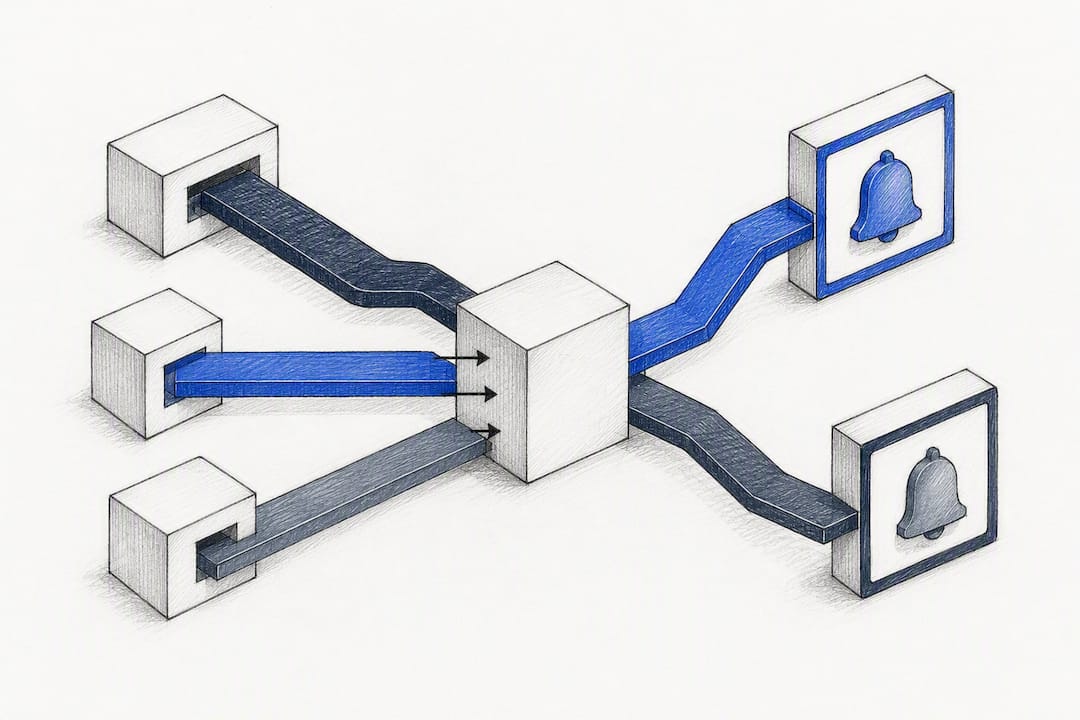
Second, set the automation triggers deliberately rather than accepting defaults. Decide which milestone changes should launch an automated borrower message versus which should simply create a task for a human to review. Not every stage change deserves an automated text.
Third, test the opportunity detection logic against real historical data before go-live, not just synthetic sandbox records. Feed the system a batch of past borrowers whose rate or equity position would have qualified for a refinance offer, and confirm the CRM actually flags them.
Finally, set review cadence. AI-driven detection improves with feedback, so schedule a monthly check on flagged opportunities to confirm they’re converting, not just generating noise.
Is Floify CRM Data Secure When You Connect a Third-Party Tool?
Connecting Floify to any CRM means borrower personal and financial data crosses a system boundary, and that boundary is where most security gaps appear.
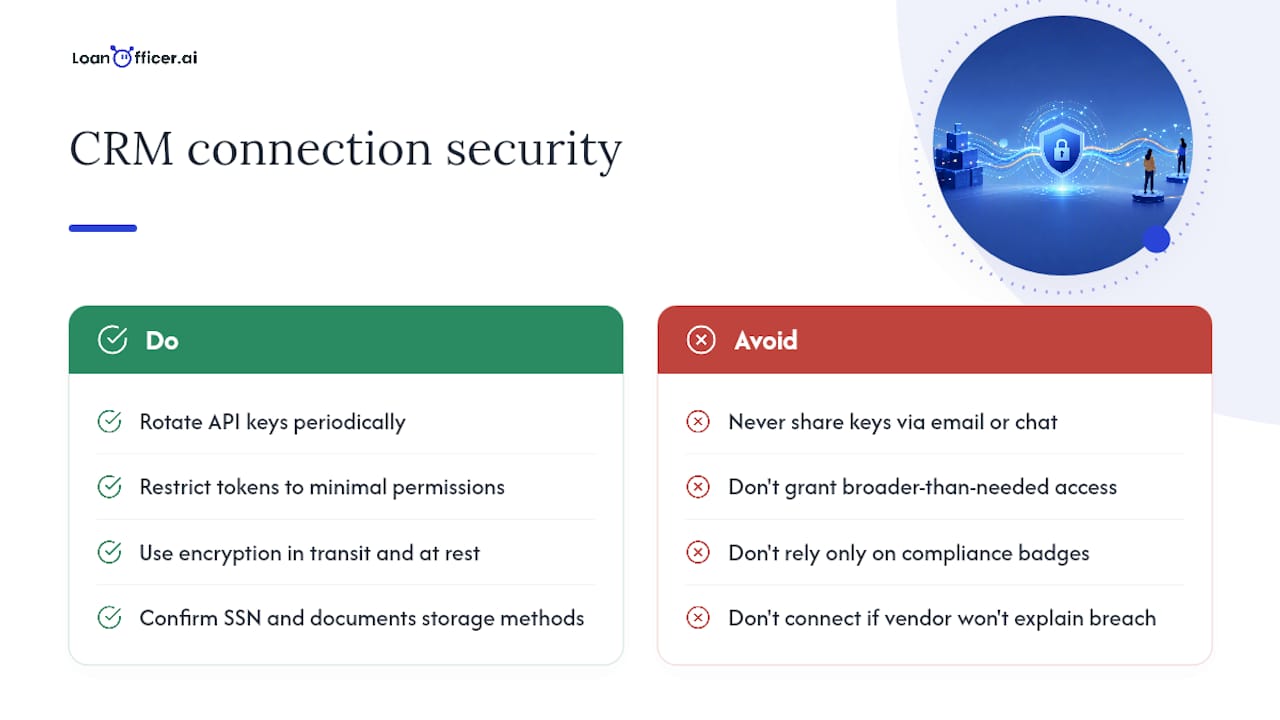
Start with credential hygiene. API keys and integration tokens should be treated the same way you’d treat a bank login: rotated periodically, restricted to the specific permissions the integration needs, and never shared over email or chat. If a CRM asks for broader access than the integration actually requires, that’s a reason to ask questions before connecting.
Encryption in transit matters as much as encryption at rest. Confirm that any data moving between Floify and your CRM travels over an encrypted connection, and that the CRM vendor can describe, specifically, how borrower Social Security numbers and financial documents are stored once they land in the system.
Access controls inside the CRM matter just as much as the connection itself. Not every team member needs to see every borrower’s full loan file. Role-based permissions limit exposure if a login is ever compromised.
Finally, ask about compliance posture directly. Mortgage data falls under regulations like the Gramm-Leach-Bliley Act, and any CRM handling that data should be able to speak plainly about how it meets those obligations, not just point to a badge on its website. If a vendor can’t answer a direct question about data retention or breach notification, that’s worth weighing before you connect a live pipeline to it.
What Does a Real Integration Outcome Look Like?
The clearest evidence for what a well-built Floify CRM integration accomplishes comes from Floify’s own documented partnerships, not from abstract promises.
The Surefire partnership is the most concrete example available. Floify’s blog post on the integration describes how milestone syncs let loan officers send personalized, stage-specific messages automatically, replacing the generic monthly newsletter approach with communication tied to exactly where a borrower sits in the process. The stated outcome is a higher rate of applications converting into funded loans, driven by contact that arrives when it’s actually relevant to the borrower.
The Unify integration offers a second, structurally different example. Rather than campaign automation, Floify’s press release frames the value around eliminating manual contact creation entirely, with intelligent syncing handling that task the moment an application comes in.
Both examples point to the same underlying lesson: the integrations that produce a measurable outcome are the ones where milestone data triggers an action, whether that’s a campaign, a task, or a contact record, rather than just sitting in a second database waiting for someone to check it.
What Loan Officers Get Wrong About CRM Integration
The mistake most loan officers make with Floify CRM integration isn’t technical. It’s sequencing. Teams get excited about the CRM’s features, features like a smart dialer or a campaign builder, before anyone has confirmed the underlying data will actually flow cleanly between systems. Then three months later, someone’s chasing down why half the leads never made it into the pipeline.
The conventional advice treats integration as an IT checkbox: connect the API, confirm the green light, move on. That undersells what’s actually happening. Milestone syncs are the real product here, not the connection itself. A CRM that receives contact data but never reacts to a stage change is barely better than a spreadsheet with a nicer interface.
What the evidence in this guide actually supports is prioritizing the workflow before the platform. Decide which milestone should trigger which action, then pick the CRM that executes it without a person in the loop. That’s also where AI-driven detection, the kind that flags a refinance opportunity from equity data without anyone asking it to, separates a modern setup from a glorified contact list. Get the sequencing right, and the technical setup stops being the hard part.
— Jared Hart
Why Loan Officer AI Fits Naturally With Your Floify Data
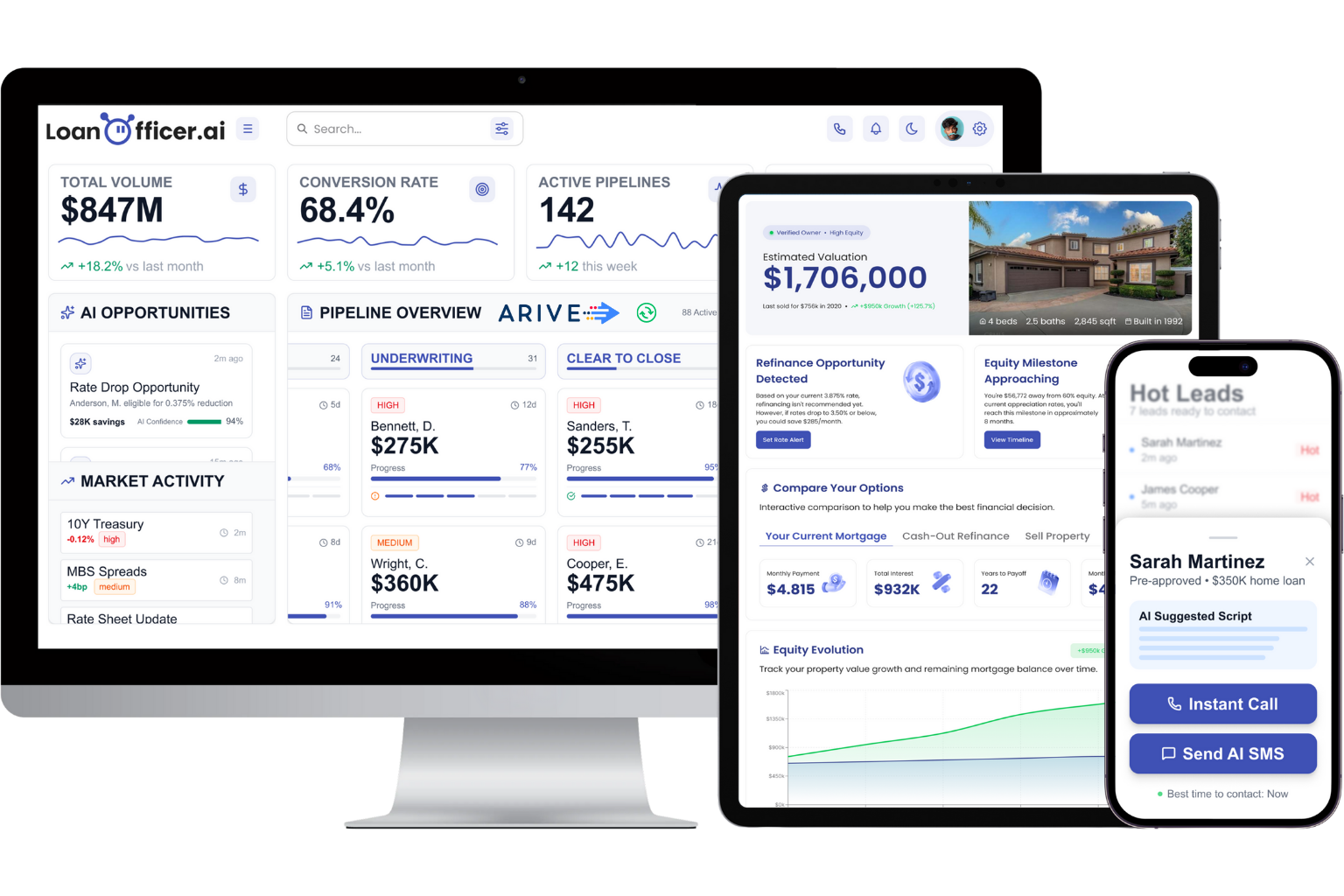
Once Floify pushes applicant and milestone data somewhere, the question becomes whether that data actually does anything or just sits in another database. Loan Officer AI is built to make that data work: it centralizes follow-ups, flags refinance and HELOC opportunities from the same equity and rate signals your pipeline already generates, and manages your pipeline without requiring a person to remember which borrower needs a nudge this week.
Before connecting any CRM to Floify, check four things: does it support a documented connector or require middleware, can it map fields the way your process needs, what’s the realistic onboarding timeline, and what support you get if something breaks after go-live. Loan Officer AI reports a 93% partner retention rate, a figure worth weighing against any platform you’re considering.
If you’re ready to see how milestone-triggered automation looks with your own pipeline, start a trial or request a demo and connect your Floify data directly.
FAQ
Does Floify Have a Native CRM Integration?
Floify has documented native integrations with several CRMs, including Unify and Total Expert, that automatically create contacts and sync milestone data without middleware.
How Long Does a Floify CRM Integration Take to Go Live?
Floify’s own materials indicate most lenders working with a dedicated implementation specialist are live within about 30 days, assuming field mapping and credentials are prepared in advance.
Can Floify Integrate With an AI-Powered CRM Like Loan Officer AI?
Yes. An AI-powered CRM can connect to Floify through the same API or LOS import path as any other CRM, then use the synced milestone and equity data to automate opportunity detection and follow-up.
What Data Actually Syncs Between Floify and a CRM?
Typical syncs include borrower and co-borrower contact details, loan application fields, referral source, and milestone or pipeline stage changes.
Why Do Floify CRM Syncs Fail After Setup?
Most failures come from field mismatches, expired API credentials, or dedupe rules that don’t correctly match existing borrower records.
