Pilot a Mortgage CRM API in 30 Days for Loan Officers
A mortgage CRM API connects your CRM to your loan origination system, pricing engine, and document platforms so status updates, milestones, and borrower documents flow automatically instead of through manual rekeying. The immediate next step: pull up your LOS event list, pick two or three stage-change triggers worth automating first, and check the encryption and authentication requirements before you connect anything to production.
TL;DR:
- Connecting your CRM directly to your loan origination system allows automatic updates of loan status, documents, and milestones, reducing manual data entry errors.
- Support for the MISMO API Toolkit 1.1 and OAuth2 authentication ensures standardized, secure, and efficient data exchange, with webhooks preferred over polling.
- Start with automating key triggers like loan status changes, rate-lock expiries, and clear-to-close notices before expanding the integration scope.
- Encryption must be in transit and at rest, with role-based access, audit logs, and regular security reviews mandatory to meet compliance standards.
- Using a packaged connector, middleware, or custom build depends on volume and control needs, but most teams should begin with a few stable triggers and expand gradually.
Table of Contents
- What a Mortgage CRM API Enables for Loan Officers
- What Standards and Authentication Should You Expect?
- Choosing Between a Connector, Middleware, or a Custom Build
- Security and Compliance Requirements You Can’t Skip
- How Do You Roll Out a Mortgage CRM API Integration?
- Where to Find the Actual Developer Documentation
- Why This Matters More Than Most Loan Officers Think
- Pilot an API-Connected CRM Without Rebuilding Your Stack
- Essential Resources for Building or Evaluating an Integration
- Sources
- FAQ
What a Mortgage CRM API Enables for Loan Officers
The core benefit is simple: one source of truth. When your CRM pulls directly from Encompass or another LOS instead of relying on someone re-entering data, you stop reconciling spreadsheets against pipeline reports that are already three hours stale. API-driven mortgage software ties your LOS to credit bureaus, pricing engines, and compliance databases so a status change in one system shows up everywhere else without anyone touching a keyboard.
Five automations tend to deliver the fastest return:
- Application status updates that push straight into borrower-facing timelines
- Document receipt logging that closes the loop on “did they get my W2?”
- Rate-lock expiry alerts that fire before, not after, a lock blows
- Milestone notifications tied to underwriting, conditions, and clear-to-close
- Referral tracking that credits the right realtor or partner automatically
Picture the sequence: an LOS webhook fires when a loan moves to “conditional approval.” An orchestration layer catches that event, writes the new stage into your CRM, and triggers a borrower text explaining next steps, all within seconds of the underwriter’s decision. No one on your team touched it.
What Standards and Authentication Should You Expect?
Most modern mortgage CRM integrations run on REST and JSON. If a vendor is still pitching SOAP as their primary interface, treat that as a signal you’re inheriting legacy integration debt, not a modern platform.
Webhooks matter more than most loan officers realize. A webhook pushes a change the moment it happens; polling means your CRM asks “anything new?” every few minutes and lives with the lag. Webhook-first architecture avoids both the delay and the wasted API calls.
Three things worth confirming before you sign anything:
- Does the vendor support the MISMO API Toolkit 1.1? MISMO’s toolkit standardizes hierarchy and cardinality rules across vendors, which cuts down the custom mapping work your integration team would otherwise redo from scratch.
- Is authentication OAuth2 based, with token refresh and defined rate limits?
- Is there a sandbox environment for testing before anything touches live loan data?
Pro Tip:Put “MISMO API Toolkit 1.1 compliant” directly into your RFP or statement of work language. Vendors who can’t answer that question quickly usually can’t answer the security questions either.
Choosing Between a Connector, Middleware, or a Custom Build
You have three realistic paths, and the right one depends on volume and how much control you actually need.
- Packaged connector. Vendor-maintained, fastest to launch, and generally the right call if you’re syncing standard objects like contacts, loan status, and basic milestones. Lower maintenance burden, less flexibility.
- Middleware or iPaaS layer. Worth it once you’re orchestrating multiple systems at once, because a middleware layer centralizes retry logic, field mapping, and error logging in one place instead of scattering it across point-to-point connections. One example in the mortgage space, MortgageExchange, normalizes Encompass events and handles OAuth and rate-limit backoff for downstream systems, so your CRM never talks directly to the LOS.
- Custom API build. Maximum control, maximum upkeep. You own every version change the LOS vendor ships, and you need someone watching for deprecation notices year-round.
The practical move for most teams: start with two or three triggers, loan status, rate-lock expiry, and estimated closing date, and resist the urge to wire up everything at once. Get those stable, watch them run clean for a few weeks, then expand.
Security and Compliance Requirements You Can’t Skip
Encryption is not optional and it’s not a “nice to have” line item in a vendor pitch deck. Data needs to be encrypted both in transit and at rest, full stop, and your integration should run on TLS 1.2 or higher with modern certificate practices.
Beyond encryption, four things belong on every integration checklist:
- Role-based access with least-privilege API credentials, not one shared admin key
- Scheduled credential rotation, not “set it once and forget it”
- Audit logs that record who accessed what, and when
- Vendor SOC or SSAE reports on file, plus penetration test evidence for anything touching borrower data
Fannie Mae’s integration guidance is blunt about what happens when teams skip this: interfaces left out of compliance for more than 120 days carry real operational risk, not a theoretical one. The NMLS security overview sets a useful benchmark here too, requiring TLS 1.2 or better, RSA 2048-bit certificates, and periodic penetration testing across its own systems.
If your integration has gone more than four months without a security or version review, you’re not maintaining it anymore. You’re just hoping it keeps working.
How Do You Roll Out a Mortgage CRM API Integration?
Treat this like any system rollout, not a weekend project.
- Discovery. List every LOS event you actually need (status change, document received, condition cleared) and map each one to a specific CRM field. Decide, in writing, which system owns each data point.
- Testing. Use sandbox endpoints and a batch of closed loans before touching a live pipeline. Confirm the integration handles idempotency correctly, meaning a duplicate webhook firing twice doesn’t create two borrower notifications or double-log a document.
- Monitoring. Log every 4xx and 5xx response and alert on it. Run a monthly integration health check, and build a fallback playbook so a failed sync creates a manual task instead of silently dropping data.
- Maintenance. Track API version deprecation notices, rotate credentials on a fixed schedule, and run a full end-to-end test every quarter.
| Phase | Primary risk if skipped |
|---|---|
| Discovery | Two systems claim ownership of the same field, causing conflicting writes |
| Testing | Duplicate webhooks create duplicate borrower communications |
| Monitoring | Failed syncs go unnoticed for weeks |
| Maintenance | An LOS version change breaks the integration with no warning |
The most common failure mode isn’t a dramatic outage. It’s quiet bidirectional sync corruption, where stale LOS data overwrites a fresher CRM entry because nobody declared a system of record. Fix that on paper before you fix it in code. LoanOfficer.ai’s own implementation playbook walks through this mapping step in more detail if you want a template to start from.
Where to Find the Actual Developer Documentation
Skip the vendor sales deck and go straight to source documentation before you scope anything.
- Encompass Developer Connect is ICE Mortgage Technology’s REST-based platform, with endpoints for loan data, pipeline management, document handling, and webhook subscriptions, plus Postman collections you can test against immediately. ICE has also phased out legacy SDK integrations, so if your current setup still relies on an old SDK, migrating to Developer Connect is worth prioritizing now rather than after something breaks.
- The MISMO API Toolkit 1.1 and Reference Model files cut down the mapping guesswork between vendor systems.
- Fannie Mae’s security guidance and the NMLS security overview cover encryption and audit expectations you’ll need to satisfy regardless of which vendor you pick.
Look for sandbox access, documented rate limits, and real example payloads before signing anything. If a vendor can’t produce those on request, that’s your answer.
Why This Matters More Than Most Loan Officers Think
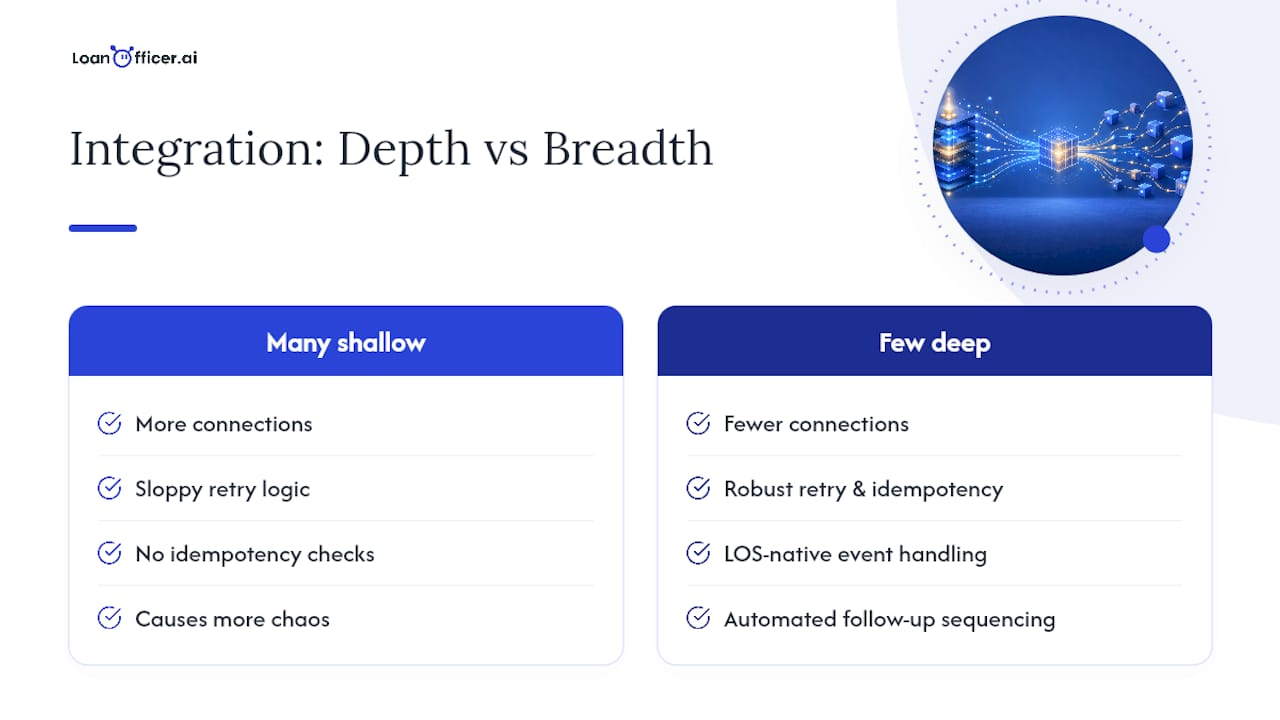
Most of the industry treats CRM integration as an IT afterthought, something to bolt on after the CRM is already live. That’s backwards. The integration surface, what events you can actually consume from your LOS, should shape which CRM you buy in the first place, not the other way around.
The bigger blind spot: teams chase more connections instead of deeper ones. A CRM wired into five systems with sloppy retry logic and no idempotency checks will cause more chaos than one wired into two systems that actually hold up under load. Loan Officer AI’s approach leans toward LOS-native event handling and automated follow-up sequencing precisely because that depth, not breadth, is what keeps a pipeline view trustworthy. Scope one milestone pilot, watch it for 30 days, and only then decide what’s next.
— Jared Hart
Pilot an API-Connected CRM Without Rebuilding Your Stack
Loan Officer AI is built specifically to consume LOS events instead of forcing your team to build that plumbing from scratch. Where a generic CRM leaves you hiring a developer to wire up webhooks and mapping logic, Loan Officer AI ships with LOS integrations, automated follow-ups, and pipeline management already built for mortgage workflows, so the pilot described above, one milestone trigger tracked for 30 days, takes days to set up instead of months.
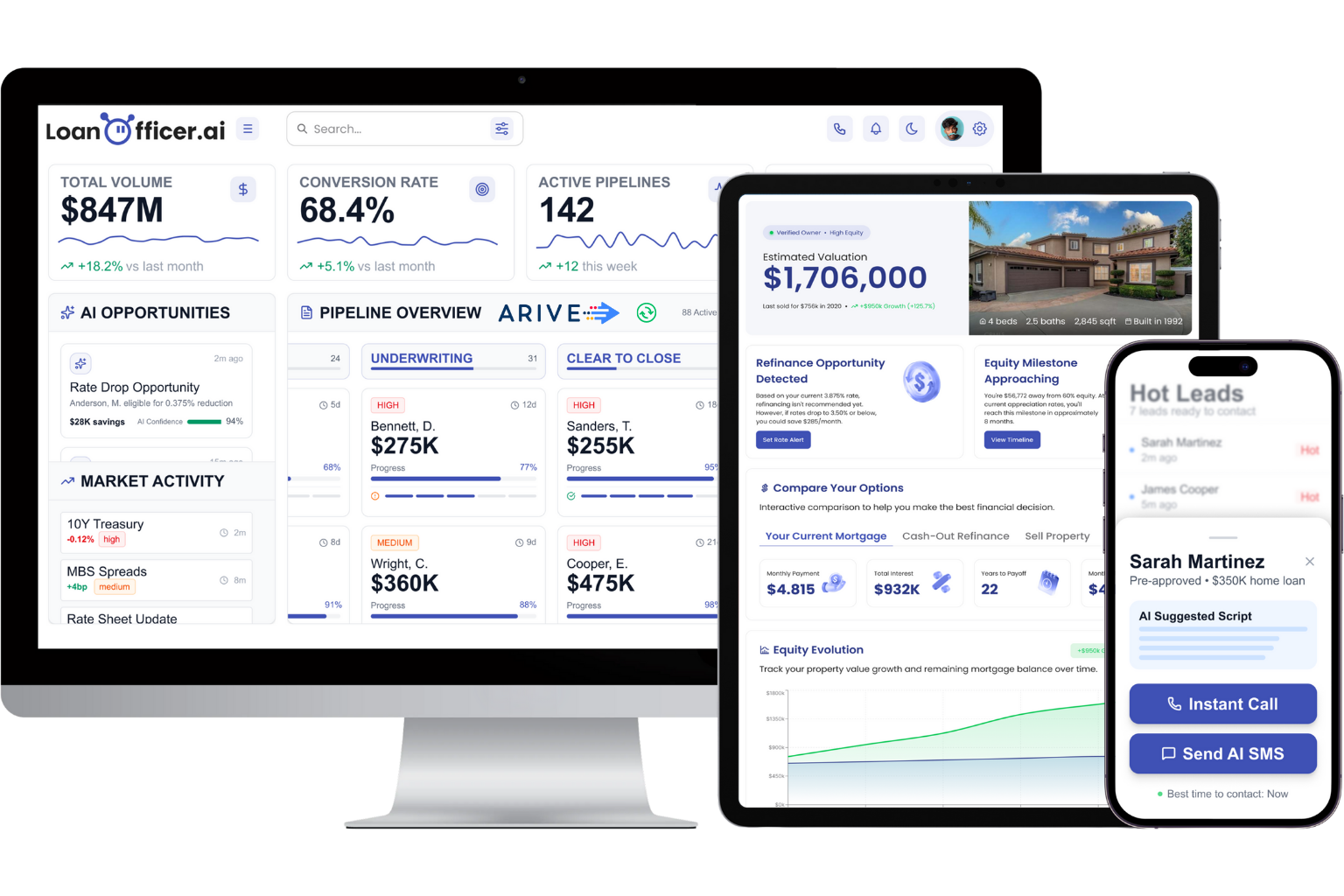
Start with a single trigger: rate-lock expiry or clear-to-close notifications are the easiest to validate fast. If it holds up, expand from there using the same team-focused CRM setup many brokerages already run pipeline automation through. Plans start with the Starter tier at $197 per month, and you can see the full platform in action through a free trial before committing to a rollout.
Essential Resources for Building or Evaluating an Integration
Bookmark these before your next vendor call:
- Encompass Developer Connect documentation for REST endpoints, webhook subscriptions, and Postman collections
- MISMO API Toolkit 1.1 for standardized mapping and cardinality rules
- Fannie Mae’s integration and security guidance for encryption and compliance timelines
- NMLS data security overview for audit and certificate standards
- A partner marketing automation checklist for teams extending automation beyond the CRM itself
Sources
- Fannie Mae: Integration and security guidance (display)
- MISMO API Toolkit 1.1
- Encompass Developer Connect - ICE Mortgage Technology
FAQ
What Is the Best CRM for Mortgages?
The best mortgage CRM is the one that integrates directly with your LOS event stream rather than relying on manual updates or CSV imports. Platforms like Loan Officer AI are built specifically around LOS integrations, automated follow-ups, and pipeline tracking for loan officers, which matters more than generic CRM features borrowed from other industries.
What CRM Do Mortgage Brokers Use?
Mortgage brokers generally use CRMs built specifically for loan workflows rather than general-purpose sales CRMs, since standard platforms don’t natively track loan stages, rate locks, or LOS milestones. Purpose-built options connect to systems like Encompass through Developer Connect to automate the parts a generic CRM would leave manual.
What Is an API in Mortgage?
An API, or application programming interface, is the connection that lets your CRM, LOS, pricing engine, and compliance systems exchange data automatically instead of requiring manual entry in each system. In mortgage lending, this typically means REST-based endpoints and webhooks, standardized in part by the MISMO API Toolkit, that push loan status and document updates in real time.
What Is CRM in Mortgage?
A mortgage CRM is software that tracks borrower relationships, loan pipeline stages, and follow-up tasks specific to the lending process. The most useful ones go further than contact tracking. They connect through a mortgage CRM API to your LOS so pipeline data updates automatically, which is the core function platforms like Loan Officer AI are built around.
How Much Does Loan Officer AI Cost?
Loan Officer AI’s plans start at $197 per month for the Starter tier, with Team and Brokerage tiers priced higher for larger operations. Enterprise pricing is available on request, and there’s a one-time $299 onboarding fee for setup.
