Kanban Pipeline for Mortgage: Set Up Your Board in 2026

A kanban pipeline for mortgage work is a visual board where every borrower is a card and every column is a stage, from new lead to funded. You see what is moving, what is stuck and who owes the next action at a glance. The board only pays off when each column has a clear entry rule, each card has a dated next step, and stalled files get pushed out or revived on a schedule. This guide shows you how to build that, step by step.
TL;DR
- Use 7 to 9 columns that match how your files actually move, and put one owner and one dated next action on every card.
- Write a rule for entering and leaving each column. A card with no rule is a card that sits.
- Review the board daily for cards with no activity, and archive or re-engage files that have stalled so they stop crowding live deals.
- Track a few numbers: days in stage, response time, pull-through rate and how many past clients you re-contact each month.
- Let software move cards and trigger follow-up, but keep sensitive data out of AI tools and keep a human in the loop.
Table of Contents
- What a kanban pipeline means in mortgage lending
- The stages to put on your board
- Set up the board in seven steps
- Rules for moving, stalling and archiving files
- Use the board to assign next actions and keep borrowers informed
- Turn the board into a source of refinance and HELOC leads
- Measure whether the board is working
- What belongs on the board and what does not
- Perspective: why the board has to do the follow-up too
- Try it on your own pipeline
- A first-week plan
- FAQ
- Sources
What a kanban pipeline means in mortgage lending
Kanban comes from lean manufacturing: work is shown as cards, cards sit in columns that represent steps, and you limit how much sits in any one step so bottlenecks show up fast. In a loan office, the “work” is a borrower file and the “steps” are the stages a loan passes through.
Compare that with a spreadsheet or a list view. A list tells you who is in your pipeline. A board tells you where each person is, how long they have been there and what is blocking them. For a loan officer juggling 30 to 80 live conversations, that second view is the one that prevents a rate-lock deadline or a silent lead from slipping.
A good board answers four questions in under ten seconds:
- How many files are in each stage?
- Which files have not moved in too long?
- Whose turn is it on each file: you, the borrower, the processor or the realtor?
- What is the single next action and when is it due?
If your board cannot answer those, it is decoration. Everything below is about making it answer them.
The stages to put on your board
There is no universal stage list. Your lender, your LOS and whether you work alone or with a processor all shape it. Still, most loan officers land on a version of the same seven to nine columns, running from first contact through funding:
| Column | What belongs here | Moves out when |
|---|---|---|
| New lead | Anyone who inquired and has not yet spoken with you | You have had a real two-way conversation |
| Nurture | Interested but not ready: renting, saving, waiting on rates | They set a timeline or ask for numbers |
| Pre-qualified | Conversation done, income and credit picture reviewed, scenario fits | They have a property under contract or are ready to apply |
| Application in | Application submitted, initial disclosures going out | Documents are requested and the file goes to processing |
| Processing | Conditions and documents being collected | File is submitted to underwriting |
| Underwriting | File with the underwriter, conditions coming back | Final approval, or a suspense you must clear |
| Clear to close | Everything approved, closing being scheduled | Loan closes and funds |
| Closed and funded | Done | Post-close follow-up begins |
| Post-close and past clients | Closed borrowers on a retention schedule | They show a refinance, HELOC or referral signal |
Two columns deserve a note. First, keep Nurture separate from New lead. Mixing them is the most common reason boards fill with warm-looking cards that nobody has touched in a month. Second, add a Post-close column. The board should not end at funding, because your next loan often comes from a borrower you already closed.
A word on “pre-qualified”: this is your own working label for a borrower whose scenario you have reviewed. It is not a pre-approval letter, and your board should not imply one. Use whatever wording your lender and your state’s rules allow for the documents you actually issue.
Keep it short
Every column you add is a column you must maintain. If you cannot say what moves a card in and out of a column in one sentence, delete the column or merge it with its neighbor. Solo officers often do well with six columns. Teams that split work between officers, processors and assistants may need nine.
Set up the board in seven steps
- Map your real process first. Write down what happened on your last ten funded loans and your last ten that fell out. Where did they stall? Those stalls tell you which columns you need.
- Name columns after states, not tasks. “Underwriting” is a state a file is in. “Chase docs” is a task. States keep the board stable and tasks live on the card.
- Write entry and exit rules. One line each, written down, shared with anyone who touches the board.
- Require a next action and a due date on every card. A card without both is incomplete. This one habit does more for follow-up than any other setting.
- Assign an owner. When a file moves to processing, the processor owns the next step. When it returns to you for a borrower question, it comes back to your column and your name.
- Set a stall threshold per column. A new lead untouched for an hour is a problem. A file in underwriting for three days may be normal. Decide the number for each column.
- Schedule a review. Ten minutes at the start of the day, then a longer weekly pass to clean up.
If you want your board to live inside the tool you already use for borrower contact, mortgage pipeline management in LoanOfficer.ai is built around exactly this stage-by-stage view, so the cards, the follow-up and the borrower history stay in one place.
Rules for moving, stalling and archiving files
A board decays when cards drift. The fix is a small set of rules that are applied the same way every time.
Movement rules
- A card moves only on an event. The borrower signed the application, the underwriter issued a decision, the closing date was confirmed. Never move a card because you are hopeful.
- A card moves one column at a time. Skipping hides the work that should have happened in between.
- Backward moves are allowed and visible. If a file returns from underwriting because of a missing document, put it back in Processing. A board that never moves backward is lying to you.
Stall rules
Decide in advance what “stalled” means for each column, then make the board show it. Some pipeline tools turn a card red after a set number of days in stage and send a short morning digest of files that need a nudge. Whether you use software or a sticky-note rule, the principle is the same: the board should tell you what is aging before you have to go looking.
A workable starting set of thresholds:
| Column | Flag a card after |
|---|---|
| New lead | 1 hour with no contact attempt |
| Nurture | 30 days with no touch |
| Pre-qualified | 7 days with no contract or application |
| Application in | 2 days with no documents requested |
| Processing | 3 days with no document received |
| Underwriting | 3 business days with no update |
| Clear to close | 2 days with no scheduled closing |
These numbers are starting points from common loan-office practice, not industry standards. Tune them against your own funded loans.
Archive rules
Dead files clog the board and make real work harder to see. Many brokers handle this with three simple buckets: active, completed and archived. When a file has stalled and the borrower has gone quiet, archive it so it stops competing for your attention.
But archiving is not deleting. Before a file goes to the archive, do three things:
- Make two more contact attempts on different channels, such as a call, a text where you have consent and an email.
- Record the reason: bought elsewhere, rate too high, credit needs work, went silent.
- Set a revisit date. Credit-repair borrowers might come back in 90 days. Renters saving for a down payment might be six months out.
Archived files with a reason and a revisit date become a ready-made list for later outreach. Archived files with no reason become a graveyard.
Use the board to assign next actions and keep borrowers informed
The board is where you decide what to do today. Work it in this order:
- Speed first. Any card in New lead goes to the top. Fast response is the single biggest controllable factor in whether a new inquiry turns into a conversation, and it is why speed to lead deserves its own column rule.
- Clear to close and underwriting next. These are the files closest to revenue and closest to a problem.
- Aging cards. Anything flagged red gets a call, not an email.
- Nurture and post-close last. Important, but they can be batched.
Tie next actions to column changes
The cleanest boards trigger work automatically when a card moves. Examples that loan offices use:
- Card moves to Processing: the processor is assigned the next task and the borrower gets a short message saying what documents are next.
- Card moves to Clear to close: the card gets a high-priority flag and a closing-day checklist.
- Card moves to Closed: a post-close task appears, with a check-in about a week later, an annual review reminder and a referral ask.
That last chain matters most. Borrowers rarely hear from their loan officer after the closing table, which is exactly when a short, human check-in builds the relationship that produces a referral or a second loan.
Keep the borrower informed without a second job
Borrowers go quiet when they do not know what is happening. For each column, write one plain-English update you can send in under a minute: what stage you are in, what you are waiting on, what you need from them and when you will next be in touch. Save these as templates. When the card moves, the message goes out, and you add the personal line on top.
The same logic works for realtors. A short status note to the buyer’s agent when a file reaches Clear to close, or when a document is outstanding, protects the deal and the relationship. Realtors send business to the loan officer who keeps them informed without being chased.
Turn the board into a source of refinance and HELOC leads
Most boards stop at the funded column. The most profitable ones keep a living view of past clients, because they are your cheapest source of new loans.
The idea is simple: watch each closed borrower for signals, then move their card back into an active column when something changes. The signals worth watching:
- A rate drop that could lower their payment meaningfully
- Home equity growth big enough to support a HELOC or cash-out conversation
- A life event: a new baby, a job change, a move
- The anniversary of their closing
Large lenders are already doing this at scale. UWM, for example, launched KEEP in September 2024, a technology that checks borrower data points on previously closed loans, identifies who could save on their monthly payment, and emails them the savings with a link to a short application. An independent loan officer cannot match a wholesale lender’s engineering, but you can run the same play at your own size.
That is where our tools fit. Rate monitoring and refi and HELOC detection flag past clients whose situation has changed, and Property Pulse sends automated rate watch and refinance alerts so a past client hears from you at the moment it matters. If refinance work is your specialty, our page for refinance specialists shows how that workflow fits together.
A simple weekly routine for the post-close column
- Sort the post-close column by the signals above.
- Pick the five strongest cards.
- Call each one with a specific reason: “rates moved and I ran your numbers.”
- Move any interested borrower to Pre-qualified. Leave the rest with a new revisit date.
Five calls a week is 250 conversations a year with people who already trust you.
Measure whether the board is working
A board without numbers is a feeling. You do not need a dashboard of fifty metrics. Track these six:
| Measure | How to calculate it | What it tells you |
|---|---|---|
| Speed to first contact | Time from inquiry to your first call or text | Whether new leads are being caught |
| Days in stage | Average days a card spends in each column | Where files stall |
| Stalled-file count | Cards past their threshold on any given day | Whether your daily review is working |
| Pull-through rate | Funded loans divided by applications over the same period | How many applications turn into closings |
| Fallout reasons | Count of lost files by reason code | What to fix upstream |
| Past-client touches | Number of closed borrowers contacted per month | Whether retention is a habit or an intention |
For example, if 40 borrowers submit applications in a quarter and 30 fund, your pull-through rate is 75%, and your fallout rate is the other 25%. The number alone does not tell you what to do. The fallout reasons do. If most losses are “went silent after pre-qualified,” your fix is a follow-up cadence on that column, not more leads.
Compare yourself to your own history. Pick a baseline for one month, change one rule, then measure again the next month. Changing five things at once teaches you nothing.

What belongs on the board and what does not
Automation makes a board faster, and it also makes mistakes faster. Two habits keep you safe.
Keep sensitive data out of AI tools. One broker who automated much of his routine work told Mortgage Professional magazine he sets hard limits on what his AI tool can see: no Social Security numbers, no loan origination system data and no passwords. He also stressed human oversight on top of software guardrails. A board card needs a name, a stage, a next action and context notes. It does not need a Social Security number.
Get consent before you contact. Automated texts and calls for marketing purposes fall under federal consent rules, and some states add their own disclosure rules for AI-driven conversations. Confirm your consent and disclosure practices with your lender’s compliance contact or your attorney before you switch on any automated outreach. You can read how we approach this on our responsible AI page.
Perspective: why the board has to do the follow-up too
We talk to loan officers every week, and the pattern is consistent: the board is rarely the problem. The follow-up behind it is.
A kanban pipeline shows you that a card has been sitting in Nurture for six weeks. It does not call the borrower. Officers who keep their numbers up are the ones where the board and the outreach are the same system: when a lead arrives, the response goes out in seconds; when a card ages, a nudge appears; when a past client’s equity or rate situation changes, the card comes back to life.
That is why we built LoanOfficer.ai around pipeline management with AI follow-up, speed to lead, a smart dialer, AI appointment scheduling, rate monitoring, refi and HELOC detection and post-close retention in one place. We would rather a loan officer spend the morning talking to people than moving cards around. Our design goal is simple: the board tells you who to call, and the platform makes it easy to make that call.
If you take one thing from this guide, make it this: never let a card sit without a next action and a date.
Jared Hart
Try it on your own pipeline
If you would rather not rebuild this by hand, LoanOfficer.ai puts your pipeline, automatic follow-up, Property Pulse equity and rate insights and a smart dialer in one platform made for loan officers and brokers. You can review options on the pricing page, or see how new loan officers build a pipeline quickly.
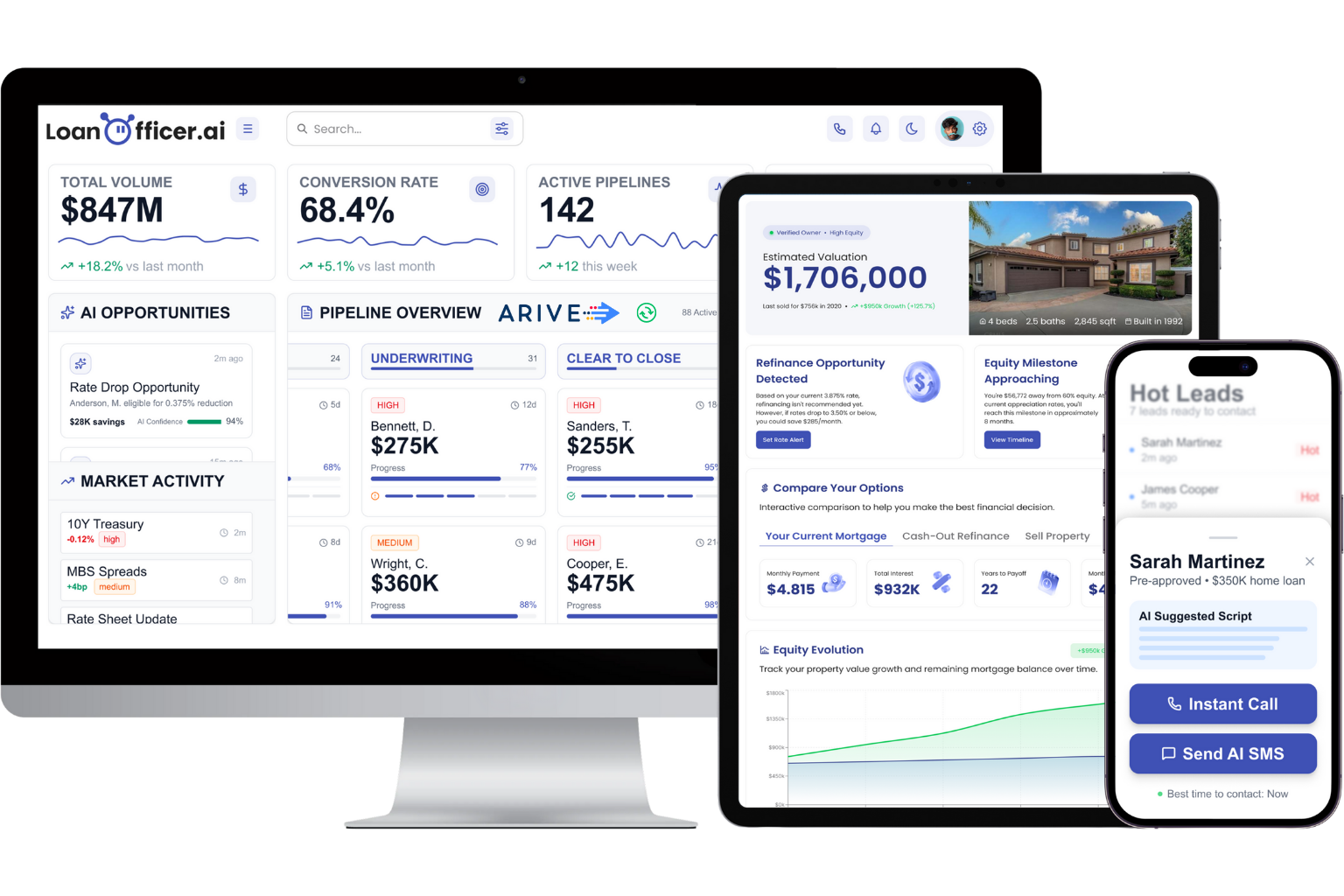
If you are comparing platforms in general, our overview of the best loan officer software covers that decision in one place. If you are rolling something out, the step-by-step implementation plan helps you avoid the usual first-month mistakes.
A first-week plan
You can have a working board by Friday.
- Day 1: Pull every open file and prospect. Sort them into the columns above. Anything you cannot place goes to Nurture or the archive.
- Day 2: Add a next action and due date to every card. Archive any card you cannot assign one to, with a reason.
- Day 3: Write your entry and exit rules and your stall thresholds. Share them with your processor and assistant.
- Day 4: Write your column update templates for borrowers and realtors.
- Day 5: Build the post-close column from your last 12 months of closings and pick your first five calls.
- Following Monday: Start the daily ten-minute review and record your baseline numbers.
The first board will be wrong in small ways. That is fine. Adjust one rule a week and keep the columns few.
FAQ
How many columns should a mortgage kanban board have?
Solo loan officers usually do well with six to eight columns, and teams that split work with processors may use nine. Keep a separate column for nurture and one for post-close, because those two are where most missed revenue hides. If you cannot describe the exit rule for a column in one sentence, merge it with a neighbor.
How do I decide when to archive a stalled file?
Set a stall threshold per column, then make at least two more contact attempts on different channels once a card crosses it. If the borrower still does not respond, archive the card with a reason code and a revisit date. That keeps your live board clean and gives you a ready list for future outreach.
Can I use a general project board instead of mortgage-specific software?
Yes, many officers start that way by mapping stages to statuses and viewing them as a board. The gap appears in follow-up: general boards do not know about rate changes, equity growth or borrower history, so you must connect those pieces yourself. A platform built for loan officers handles that in one system.
Which metrics matter most for a kanban pipeline?
Start with speed to first contact, days in stage and pull-through rate, which is funded loans divided by applications in the same period. Add fallout reasons so you know what to fix, and past-client touches so retention does not slip. Compare against your own previous months rather than a generic benchmark.
Is it safe to let AI move cards and send messages?
It can be, with limits. Keep Social Security numbers, credit data and passwords out of AI tools, and keep a person reviewing what goes out to borrowers. Confirm consent and disclosure requirements for automated calls and texts with your compliance contact before you turn on outreach.
Sources
- UWM press release, September 11, 2024: KEEP technology
- Mortgage Professional: How one broker automated the busywork slowing other LOs down
Ready to put your pipeline on autopilot? Start the $1 14-day trial of LoanOfficer.ai and run your next week of follow-up from one board.
