Loan Officers: Standardize, Automate 5 Loan Update Workflows
Loan updates automation means using your CRM to handle borrower follow-ups, status notifications, and refinance alerts automatically instead of manually. It works only when your pipeline stages, required fields, and consent data are clean first. The recommended first step is not buying software. It’s standardizing your process, then layering in LOS-driven triggers and AI-drafted messages through a mortgage-specific CRM like Loan Officer AI.
TL;DR:
- Standardize your pipeline stages, required fields, and owner assignments before automating to prevent confusing or incorrect borrower messages.
- Focus automation on five key workflows: instant lead response, application confirmation, real-time milestone updates, document follow-ups, and conditional approval messaging.
- Build a refinance detector using rate feeds, portfolio filters, and stop conditions to ensure timely outreach without over-communication.
- Pilot automation with a moderate-volume file set, monitor key performance metrics weekly, and assign ownership for exception management to maintain system integrity.
- Avoid automation without clarity on what “conditional approval” means, as standardization is crucial for reliable, scalable messaging and borrower trust.
Table of Contents
- How Do You Set Up Loan Updates Automation Correctly?
- Which Loan Update Workflows Should You Automate First?
- How Do You Build a Refinance Opportunity Detector?
- What’s the Right Rollout Order for Loan Update Automation?
- How Do You Measure If Your Automation Is Working?
- What Loan Officers Get Wrong About Automation
- A CRM Built Around This Exact Problem
- Sources
- FAQ
How Do You Set Up Loan Updates Automation Correctly?
Automation doesn’t fix a messy pipeline. It photocopies the mess and sends it to every borrower faster. That’s the core warning behind most failed CRM rollouts: teams wire up triggers before they’ve agreed on what a “stage” even means, and the result is automated confusion instead of automated clarity.
Before any workflow goes live, define what actually separates “conditional approval” from “in underwriting” in your shop. If two loan officers on your team would categorize the same file differently, automation will send the wrong message to the wrong borrower at the wrong time. This standardization step is the single most-cited failure point in lender automation rollouts, and it’s the one teams skip because it feels like paperwork instead of progress.
Your CRM needs these fields populated and required, not optional, before a single trigger fires:
- Assigned owner (no orphaned files, ever)
- LOS loan ID for cross-system matching
- SMS opt-in status with a timestamp, for TCPA compliance
- Next-contact date and preferred channel
- Current milestone, pulled from the LOS, not typed by hand
Build exception routing alongside this. Missing owner, conflicting stage data, or incomplete documents should trigger manual review instead of silently entering a sequence. That single safeguard, drawn from pre-automation checklist guidance, catches most of the errors that make automation look untrustworthy to borrowers.
Pro Tip:Run a two-week audit of your current pipeline before flipping on any automation. Automating on top of it just scales the error.
Which Loan Update Workflows Should You Automate First?
Five workflows deliver most of the value, and they follow a natural order from lead intake to closing.
- Instant lead response. New lead enters the CRM, a personalized reply goes out within minutes, and a task lands on the loan officer’s desk with full context attached.
- Application confirmation. Once the application is received, the borrower gets a confirmation, a document checklist, and secure upload links, no manual email required.
- LOS milestone status updates. This is where automated borrower communication earns its keep. Systems like Encompass fire webhook events (
loan.milestonecompleted) that push real-time updates the moment a file moves, a method confirmed in mortgage status-update automation research. - Document follow-ups. The CRM parses which document is missing, sends a targeted (not generic) request, and escalates to the loan officer after a set number of days with no response.
- Conditional-approval messaging. This stage carries the highest payoff and the highest risk.
A generic “your loan is in underwriting” text tells the borrower nothing. Parsing the actual condition list and separating borrower-action items from lender-action items changes that completely:
- Borrower items (pay stub, updated bank statement) get a direct message with an upload link.
- Lender items (appraisal review, title clearance) stay internal, no borrower message needed.
- Every sent message logs the type, timestamp, and delivery status to the CRM automatically.
That parsing step is what separates useful automation from noise, according to workflow patterns in the same conditional-approval automation research.
How Do You Build a Refinance Opportunity Detector?
A working refinance detector needs three components working together: a rate-monitoring feed, a portfolio match filter, and an outreach sequence that stops the moment a borrower engages.
Rate data can come from an API like Optimal Blue or the Federal Reserve Economic Data (FRED) service, a daily parsed feed, or manually forwarded secondary market desk emails. APIs give you speed and reliability but cost more to integrate. Parsed feeds are cheaper but need monitoring for format changes. Desk emails work for small shops but don’t scale past a handful of files a week.
Threshold logic matters more than most loan officers assume. A borrower with a $180,000 balance and 22 years remaining needs a different rate spread trigger than one with $650,000 and 8 years left, since the breakeven math on closing costs shifts with both loan size and remaining term. Document your rationale for each threshold band so you can defend it later and adjust it as rates move.
| Queue Field | Why It Matters |
|---|---|
| Estimated monthly savings | Primary personalization token for outreach |
| Rate spread vs. current note | Drives priority ranking in the queue |
| Unpaid principal balance | Affects savings math and lender economics |
| Last contact date | Prevents duplicate or overlapping outreach |
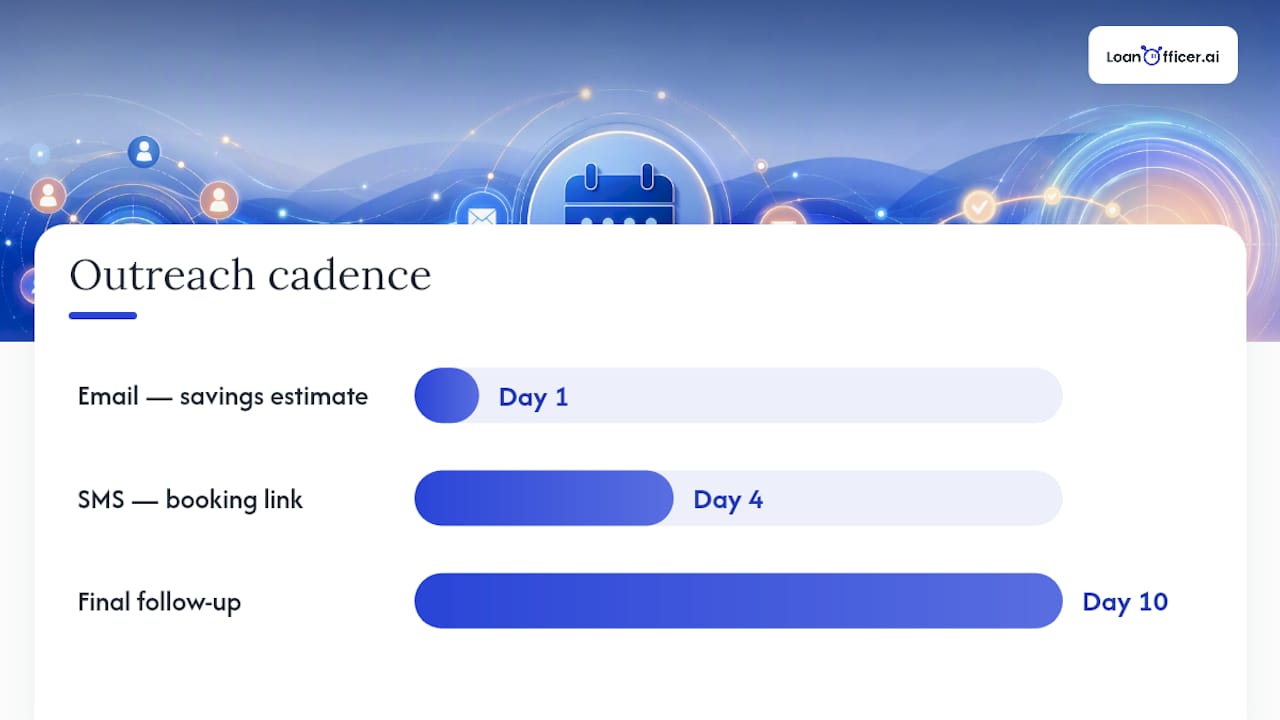
The outreach cadence that tends to work: an email on day one with a specific savings estimate, an SMS with a booking link on day four, and a final follow-up on day ten. Stop conditions matter as much as the sequence itself, according to refinance detector build guidance: a booked call, a link click, or a reply should immediately pause the sequence so the borrower isn’t hearing from a bot after they’ve already responded to a human.
What’s the Right Rollout Order for Loan Update Automation?
Skipping steps here is how teams end up automating chaos. Work through this in order.
- Map every LOS event to a CRM trigger. For example, Encompass’s
loan.milestonecompletedevent should map to a specific status-update template, not a generic one. - Build templates that stay inside the lines. Never let a draft assert a rate, an approval, or an eligibility outcome. Templates that touch underwriting or conditions should be flagged for loan officer review before sending, a control emphasized in CRM follow-up guidance for loan officers.
- Test in a sandbox. Simulate LOS events, confirm personalization tokens populate correctly, verify stop conditions actually stop sequences, and check that every message writes to the audit log.
- Pilot with 10 active files. Run it for two to four weeks before scaling. This is small enough to catch problems and large enough to see real patterns.
- Assign an exception owner and audit weekly for 90 days. Someone specific, not “the team,” needs to own missing-data flags and routing failures.
At low volume, a general automation tool like Zapier can technically connect your LOS to your CRM. It tends to break down once you’re running multiple concurrent workflows across dozens of files, a limitation noted in comparisons of orchestration approaches for mortgage teams. A purpose-built mortgage CRM handles the branching logic (conditional approval parsing, stop conditions, consent tracking) that generic tools weren’t built for.
Pro Tip:Don’t pilot on your busiest loan officer’s files. Pick a moderate-volume book so you can actually read every automated message before it scales, not just spot-check a sample.
How Do You Measure If Your Automation Is Working?
Five numbers tell you whether the system is helping or quietly causing problems: send and delivery rates, open and click rates, borrower response rate, the drop in inbound status-check calls, and average time spent in conditional approval.
Every message needs a paper trail: content sent, who approved the draft if it touched underwriting language, exact send timestamp, delivery status, and any borrower reply. This audit log is your defense if a compliance question ever comes up, and it’s the difference between “automated” and “automated and defensible.”
Engagement signals do double duty. A borrower who opens every status email but never clicks is telling you something different than one who clicks the upload link within an hour. Feed both signals back into your CRM to prioritize which borrowers get a human callback first.
- Weekly checks during the first month of rollout
- Monthly template performance reviews after that
- Quarterly tests of your LOS API or webhook version, since vendors update these without much warning
Parsing borrower-only conditions and targeting messages accordingly can shave real days off time-in-conditional-approval, based on practitioner observation of teams that made this specific change. That’s the metric worth watching most closely in your first quarter.
What Loan Officers Get Wrong About Automation
The mistake I see repeated most often isn’t a bad template or a clunky trigger. It’s skipping the boring part: agreeing on what “conditional approval” means before wiring up the messages that depend on it. Standardization isn’t optional homework, it’s the foundation everything else sits on.
Done right, automation doesn’t just save time. It kills the inbound “what’s my status?” call, which frees you to spend that hour on borrowers who are actually ready to move. Keep one person accountable for exceptions and audits. Skip that, and you’ll find out about a broken workflow from an angry borrower instead of a dashboard.
— Jared Hart
A CRM Built Around This Exact Problem
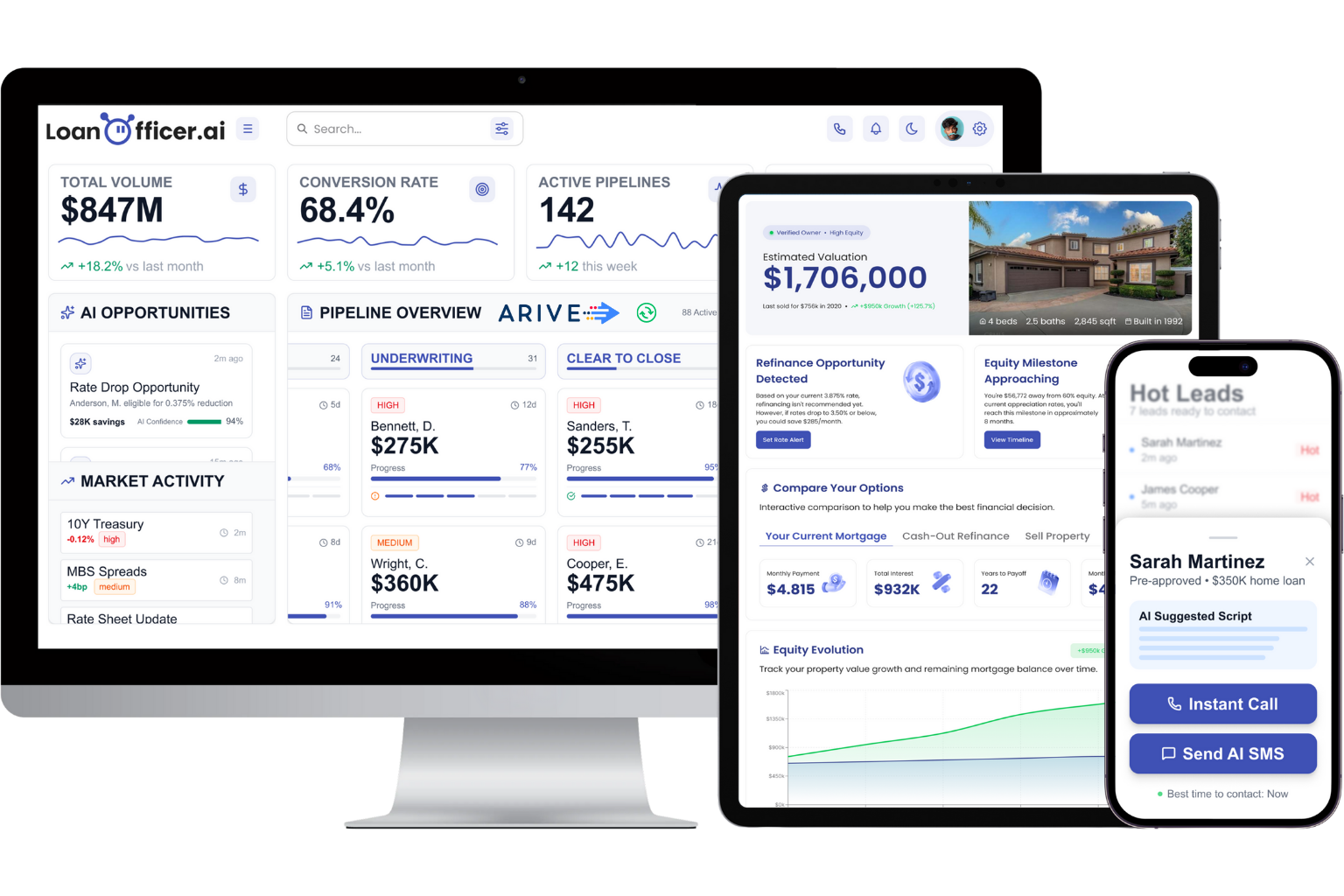
A CRM platform can be built to handle the issues discussed in this guide, such as LOS-synced status updates, AI-drafted messages that respect guardrails around rate and approval language, and a refinance opportunity detector that runs the rate-monitoring and outreach logic automatically instead of manually. Such a system can centralize pipeline management, follow-up sequencing, and opportunity scoring into one platform instead of multiple disconnected tools.
There are reports of partner retention among loan officers using these platforms, alongside measurable time savings on manual follow-up work. If you’re weighing whether an AI assistant can actually draft borrower-safe messages, the AI assistant feature page shows how the drafting and review workflow functions in practice. Independent loan officers and small teams evaluating a switch can see the fit directly on the independent loan officer CRM page, and brokerages managing multiple originators can review brokerage-specific pipeline tools. If you’re ready to see the refinance detector and status-update automation running on your own pipeline, start a trial and test it against a small cohort of your active files first.
Sources
- Loan Officer CRM Follow-Up Before Automation | EmerickTech
- Capture Mortgage Client Status Updates Automatically in 2026
- AI adoption pitfalls lenders get wrong about automation | Ocrolus
FAQ
What Is Loan Updates Automation Exactly?
It’s the use of CRM workflows to automatically send borrower-facing communications, loan status updates, and follow-ups based on triggers from your loan origination system, rather than manual calls or emails.
Do I Need Full LOS Integration to Start?
No. You can start with a rate-alert list or manual portfolio query while building toward webhook or API integration, though full integration delivers the fastest, most reliable status updates.
How Do I Stay TCPA and RESPA Compliant When Automating?
Store SMS opt-in status with a timestamp for every contact, never send disclosure-triggered messages outside required timing windows, and route any file with ambiguous consent data to manual review.
What’s the Biggest Mistake Teams Make When Automating Loan Updates?
Automating before standardizing pipeline stages, required fields, and ownership rules, which causes the system to send accurate-looking but wrong messages at scale.
Can an AI CRM Like Loan Officer AI Handle Conditional Approval Messaging?
Yes. Platforms built for this parse the condition list, separate borrower-action items from lender-action items, and send targeted messages instead of generic status notices, which is the workflow step tied to the biggest reduction in time-in-conditional-approval.
