Loan Officers: Seven Step Mortgage Task Automation to Launch in a Week
Mortgage task automation means letting software handle instant lead response, follow-up drips, pipeline status updates, and opportunity alerts, so your CRM does the busywork a coordinator used to do by hand. The payoff is faster response times, fewer manual tasks, and more closed loans from the same lead flow. The first move: turn on instant response for new leads and wire an exit trigger that pulls them out of nurture the moment they submit a pre-qualification form.
TL;DR:
- Automated lead response should be instant, ideally within seconds, with follow-up calls within five minutes to maximize engagement rates.
- Nurture sequences must include branching logic based on lead behavior, ensuring personalized communication instead of generic email blasts.
- Integrating your CRM, LOS, and messaging channels requires testing, validation, and maintaining data discipline to prevent miscommunication or trust issues.
- Excluding sensitive data from automation workflows and implementing role-based access help ensure compliance and prevent errors.
- Regular pipeline audits, setting clear KPIs, and testing automation on small lead samples improve accuracy and effectiveness of the system.
Table of Contents
- What Mortgage Workflow Automation Actually Covers
- The 7-Step Nurture Recipe You Can Build This Week
- Connecting Your CRM, LOS, and Messaging Channels
- Compliance and Data Guardrails for Automated Workflows
- Measuring Whether Your Automation Is Actually Working
- What Loan Officers Actually Get Wrong About Automation
- Ready to Put This Recipe on Autopilot?
- Sources
- FAQ
What Mortgage Workflow Automation Actually Covers
Most loan officers think automation means “email drips.” That undersells it. Real mortgage workflow automation touches four distinct jobs, and each one carries its own payoff.
Instant lead response across email, SMS, and webchat is the highest-leverage piece. Speed changes outcomes: a lead contacted within minutes engages at a far higher rate than one left waiting an hour, which is why automated follow-up systems built for mortgage brokers recommend an instant text plus a follow-up call attempt within five minutes of the inquiry.
Nurture drips with branching logic beat flat, one-size-fits-all sequences. A branching flow reads opens, clicks, and form fills, then routes each lead down a different path instead of blasting the same five emails to everyone.
Pipeline status updates tied directly to loan origination system (LOS) events keep borrowers informed without a phone call. Automating these updates from LOS events cuts inbound “what’s my status” calls by roughly half, according to one mortgage broker automation analysis.
Referral and re-engagement sequences for real estate agent partners and past clients close the loop on relationships that would otherwise go cold.
Here’s what automating these four areas typically delivers:
- Faster time-to-first-contact, often within seconds instead of hours
- Higher lead-to-application conversion from consistent, timed follow-up
- Fewer manual status calls and administrative touches per loan
- Better retention of past clients through scheduled check-ins
One number worth remembering: automated status updates tied to LOS events can cut inbound status-check calls by roughly half, freeing up hours that used to go to phone tag.
The 7-Step Nurture Recipe You Can Build This Week
This sequence, adapted from a tested mortgage lead nurturing framework, takes a cold inquiry through pre-qualification without a human touching it, until the branching logic says otherwise.
- Immediate acknowledgment. The moment a lead submits a form or calls in, fire an automated text and email from the loan officer’s own name and address, not a generic company inbox. Create the lead record and tag the source (Zillow, referral, website form) at this step. Personalized, sender-level messages consistently pull higher open rates than corporate-branded blasts, per that same nurture recipe research.
- Day 1: education email. Send content matched to loan type. A first-time buyer gets a down payment explainer; a refinance lead gets a rate comparison.
- Day 3: rate update trigger. Send a personalized rate snapshot and watch for replies. A reply should route straight to the loan officer’s task queue, not sit in the drip.
- Day 7: pre-qual prompt. Push a soft call-to-action toward pre-qualification. This is where you wire the exit trigger, so a form submission here pulls the lead out of the nurture sequence and into active pipeline instantly.
- Branching by behavior. Leads who open every email but never click get moved to a “rate-sensitive” track. Leads with low email engagement shift to SMS-first messaging. Anyone who submits pre-qual exits immediately, no exceptions.
- Day 21: personal outreach task. For leads who engaged (opened, clicked) but never converted, generate a task for the loan officer to call personally. Automation gets them warm; a human closes the gap.
- Long-tail re-engagement. Past clients get a check-in around the 24-month mark, timed to typical refinance and equity windows, while referring agents get their own light-touch nurture to keep the partnership active.
Pro Tip:Build and test the exit trigger before you turn on the entry trigger. If a lead can get into the pipeline without a corresponding exit from the drip campaign, you’ll double-message people who already applied, which is the fastest way to make a borrower distrust your process.
For wiring: most of this runs on webhooks that fire when a form is submitted or an LOS status changes, mapped so the CRM and LOS update in the same transaction. Pilot the full recipe on a slice of 50 to 100 leads before rolling it out to your whole pipeline. That gives you enough volume to catch mapping errors without risking your entire lead flow on an untested sequence.
Connecting Your CRM, LOS, and Messaging Channels
The recipe above only works if the systems underneath it agree on what stage a borrower is actually in. When your CRM says “pre-qualified” and your LOS says “application started,” someone gets the wrong email, and that’s how trust erodes fast.
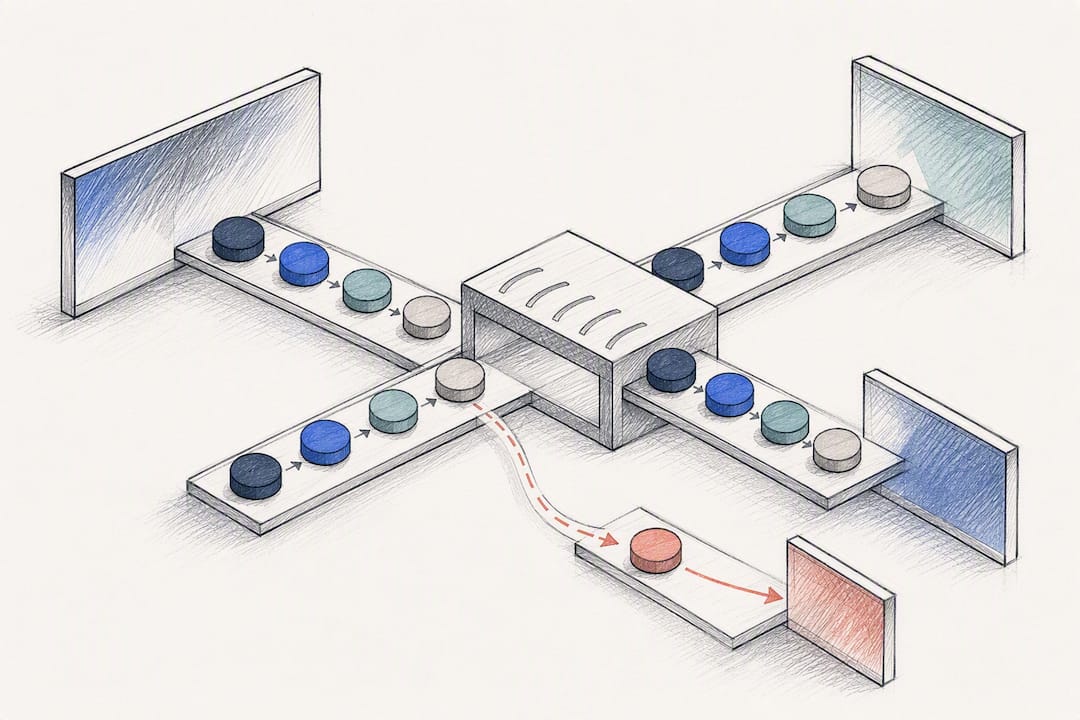
Integration generally happens one of three ways: native connectors built into your mortgage CRM, middleware tools like Zapier or n8n for teams stitching together separate platforms, or a dedicated orchestration layer for brokerages running higher lead volume. Status mapping is the most common failure point in any of these setups, so validate it before leads start flowing through live.
A few habits keep the wiring honest:
- Test every status mapping with a dummy lead before sending real borrower traffic through it.
- Reserve phone calls and SMS for time-sensitive moments (rate locks, missing documents) and let email carry routine education content.
- Build exit triggers as part of the entry logic, not as an afterthought bolted on later.
- Set up alerts for sync failures so a broken webhook doesn’t sit unnoticed for a week.
- Keep a rollback option ready. If a sequence misfires, you need to pull affected leads out fast.
A platform like Loan Officer AI’s CRM handles the LOS sync and status correction natively, which removes a lot of this wiring risk for teams that don’t have an in-house integrator.
Compliance and Data Guardrails for Automated Workflows
Automation moves fast, which is exactly why it needs boundaries. Never let an automated workflow touch Social Security numbers, live credit pulls, or anything that requires explicit consent, without hard technical restrictions in place.
Set role-based access so only authorized team members can approve messages that could be read as lending advice. Every automated message that goes out should leave an audit trail, so if a compliance question comes up six months later, you can show exactly what was sent and why.
- Restrict AI and automation tools to non-sensitive fields by default; grant broader access only after review.
- Require human approval on any message template that touches rate quotes or eligibility language.
- Log every automation change, who made it and when, the same way you’d log a change to loan documents.
- Schedule a compliance audit on your sequences at least quarterly.
Pro Tip:Treat a new AI automation the way you’d treat a new hire. Give it limited access on day one, watch what it does for a few weeks, and expand its permissions only once you trust its output.Loan Officer AI’s guardrails follow this exact logic, restricting data access by default and building human review into anything customer-facing.
Measuring Whether Your Automation Is Actually Working
Four numbers tell you almost everything: time-to-first-contact, lead-to-application rate, pre-qual completion rate, and hours of manual task time saved per week. Track these before and after you launch, or you’re just guessing.
Run small tests inside the bigger sequence rather than changing everything at once. Try two subject lines on the Day 1 email, or test SMS-first against email-first for leads with low open rates, and let the data pick a winner.
- Pilot on a 30-day window with a representative slice of your lead volume, not just your best leads.
- Compare pre-launch and post-launch numbers on the same four KPIs.
- Set a go/no-go threshold before you start (for example, a 20% lift in time-to-first-contact) so the decision to scale isn’t a gut call.
- Review results biweekly during the pilot, then move to monthly once the sequence stabilizes.
What Loan Officers Actually Get Wrong About Automation
Most write-ups on mortgage automation focus on the shiny features: instant texts, AI scoring, dashboards. What they skip is the boring part that actually determines whether the thing works: exit triggers and data discipline.
One broker’s audit of a CRM system, using an AI platform to review and correct pipeline records, found dozens of contacts sitting in the wrong stage entirely, some tagged as active leads months after they’d closed or gone cold. The full audit corrected roughly 85 mis-staged contacts and let that broker retire several paid tools he no longer needed. That’s not a story about clever AI. It’s a story about a pipeline nobody had cleaned in a long time, and automation surfacing the mess.
The lesson I keep coming back to: build your exit triggers before your entry triggers, restrict what your automation can touch, and check your pipeline health the way you’d check a car’s oil, on a schedule, not when something smells wrong. Loan Officer AI’s approach, centralizing follow-up, opportunity detection, and pipeline sync in one system, reflects that same discipline, and it’s part of why the platform reports 93% partner retention among the teams using it.
— Jared Hart
Ready to Put This Recipe on Autopilot?
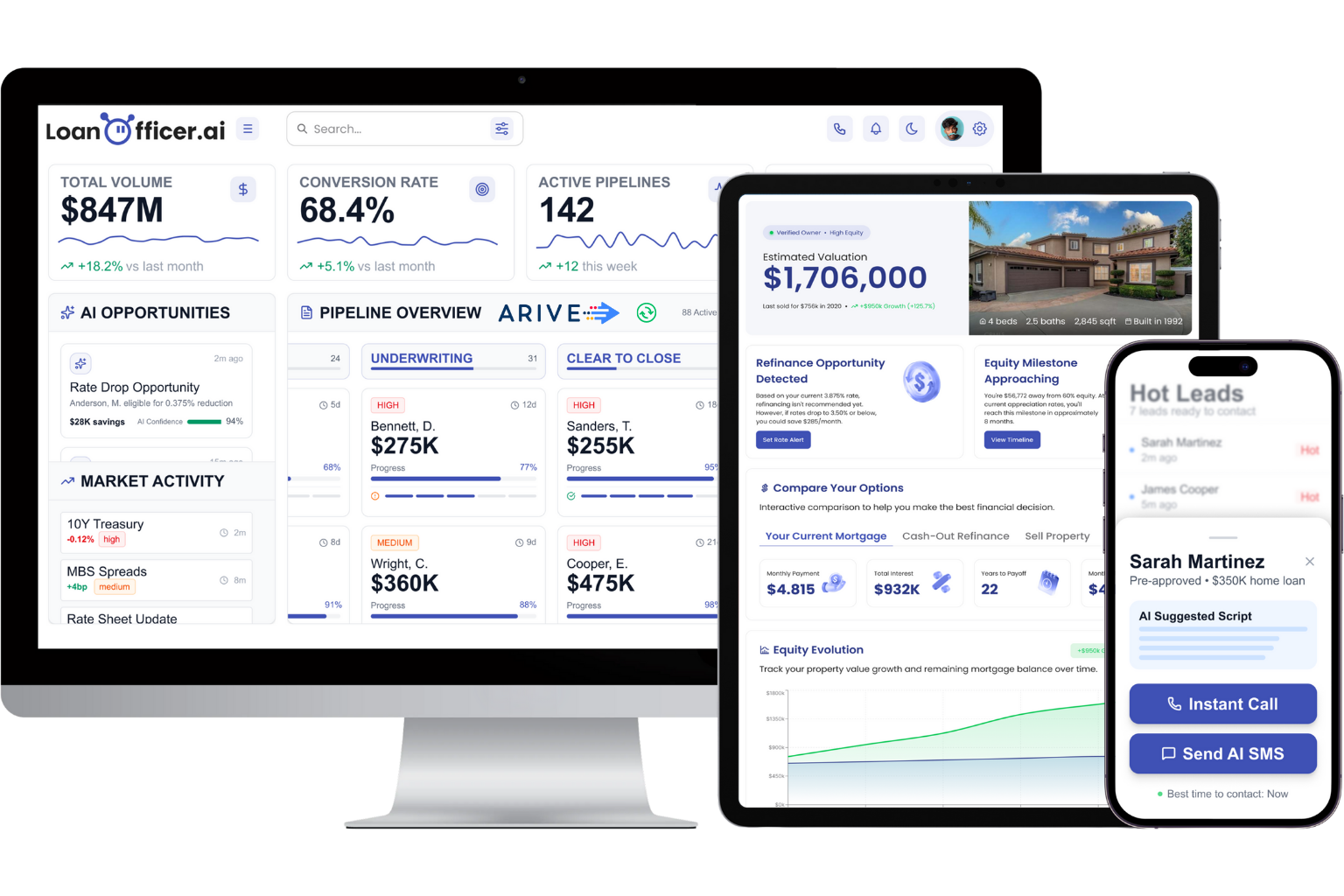
You’ve seen the seven steps. Building that sequence by hand, wiring webhooks between your CRM and LOS, and setting exit triggers correctly, usually takes a developer or a very patient weekend. Loan Officer AI runs that entire recipe natively: instant lead response, branching nurture, LOS-synced pipeline updates, and automated opportunity alerts for refinance and HELOC candidates all inside one platform built specifically for loan officers.
Plans start at $197 a month for the Starter tier, scaling up to Team and Brokerage plans as your lead volume grows, with a $299 one-time onboarding fee to get your CRM and LOS properly connected from day one. If you’d rather see it running on your own pipeline first, start a free trial and test the exit triggers on a small batch of leads before you commit to anything.
Sources
For deeper technical detail, the 7-step nurture recipe covers branching logic in full. The broker case study walks through a real pipeline audit. For general rollout planning, this SMB automation checklist offers a useful pilot framework.
- 7-Step Mortgage Lead Nurturing Automation Recipe 2026
- How one broker automated the busywork slowing other LOs down | Mortgage Professional
- Mortgage Broker Automation Guide (2026)
- How to Automate Customer Follow Up for Mortgage Brokers
FAQ
What Is Mortgage Task Automation?
It’s the use of software to handle repetitive CRM work automatically, instant lead response, follow-up drips, pipeline status updates, and opportunity alerts, so loan officers spend less time on manual outreach and data entry. Platforms like Loan Officer AI build these tasks into a single connected system rather than relying on disconnected tools.
How Fast Should a Lead Get a Response?
Aim for an automated text or email within seconds of the inquiry, followed by a call attempt within five minutes, based on mortgage follow-up automation guidance. Waiting even an hour measurably hurts engagement compared to near-instant contact.
What Is an Exit Trigger and Why Does It Matter?
An exit trigger removes a lead from an active nurture sequence the moment they take a key action, like submitting a pre-qualification form. Skipping this step causes “sequence bleed,” where a borrower who already applied keeps getting nurture emails meant for cold leads.
How Much Does Loan Officer AI Cost?
Loan Officer AI’s Starter plan runs $197 per month, with Team and Brokerage plans priced higher for larger teams, plus a one-time $299 onboarding fee. Enterprise pricing is available on request through the pricing page.
Can Automation Replace a Loan Officer’s Personal Touch?
No. Automation handles the repetitive first contact and nurture stages, but personal outreach still closes the gap for engaged leads who haven’t converted, typically around the three-week mark in a nurture sequence. The strongest setups pair automated speed with a scheduled human task, not one instead of the other.
