Cut 60–80% CRM Work: Pipeline Stage Automation for Loan Officers
Start with document intake and classification, then wire your LOS to push stage changes into your CRM automatically. Those two moves fix the two biggest time drains in a mortgage pipeline: chasing paperwork and manually updating loan status. Layer in conditions tracking and rate-lock expiry alerts next. Build automation around the loan origination system you already run, not by ripping it out and replacing it.
TL;DR:
- Automating document intake and classification can eliminate a significant portion of manual work, potentially reducing 60 to 80 percent of CRM updates.
- Syncing loan processing stages between the LOS and CRM addresses the common issue of outdated pipeline data, improving follow-up accuracy.
- Prioritizing automation of conditions tracking and rate-lock expiry alerts offers quick wins with minimal technical effort and high impact on efficiency.
- Implementing automation in phases, starting with the most prolonged bottleneck in the pipeline, ensures manageable setup and measurable results within two to three weeks.
- Built-in validation, idempotency, and exception handling are essential details that prevent duplicated tasks and unnoticed failures during system integration.
Table of Contents
- What Does Pipeline Stage Automation Mean in Mortgage Lending?
- Which Automations Should You Prioritize First?
- How Do You Actually Implement This?
- What Metrics Actually Prove the Automation Is Working?
- How a Mortgage-Specific CRM Handles This in Practice
- When Should a Loan Officer Not Automate a Step?
- Where Loan Officer AI Fits Into This Playbook
- Sources
- FAQ
What Does Pipeline Stage Automation Mean in Mortgage Lending?
Pipeline stage automation means using software rules and integrations to move loans through predictable checkpoints without a human retyping data at every step. It’s the practical application of mortgage process automation to the specific bottlenecks that slow deals down between intake and post-close. The goal isn’t replacing loan officers. It’s removing the clerical work that eats the hours you should be spending on the phone with borrowers and referral partners.
Each stage in a mortgage pipeline has a natural owner, and confusion about who owns what is where most manual busywork creeps in.
- Intake: owned by the CRM or point-of-sale (POS) system. This is where leads and applications first land, and where document classification and missing-doc detection matter most.
- Application/POS: owned by the POS. Validation, initial pricing display, and disclosure triggers happen here.
- Loan processing: owned by the LOS. Underwriting conditions, verification, and status changes live in this stage, and it’s the system of record for compliance.
- Post-close: owned by the CRM. Retention sequences, servicing handoffs, and future refinance or HELOC monitoring belong here.
For each stage, the automation stack looks a little different. Intake benefits from OCR-based document classification paired with missing-document detection, so a loan officer isn’t manually sorting bank statements from pay stubs. The POS stage runs best on automated validation rules and real-time pricing display. The LOS stage should fire webhooks on every status change, pushing that update into the CRM instead of waiting for someone to log in and change a dropdown. Post-close runs on automated drip sequences that watch for rate movement or equity changes.
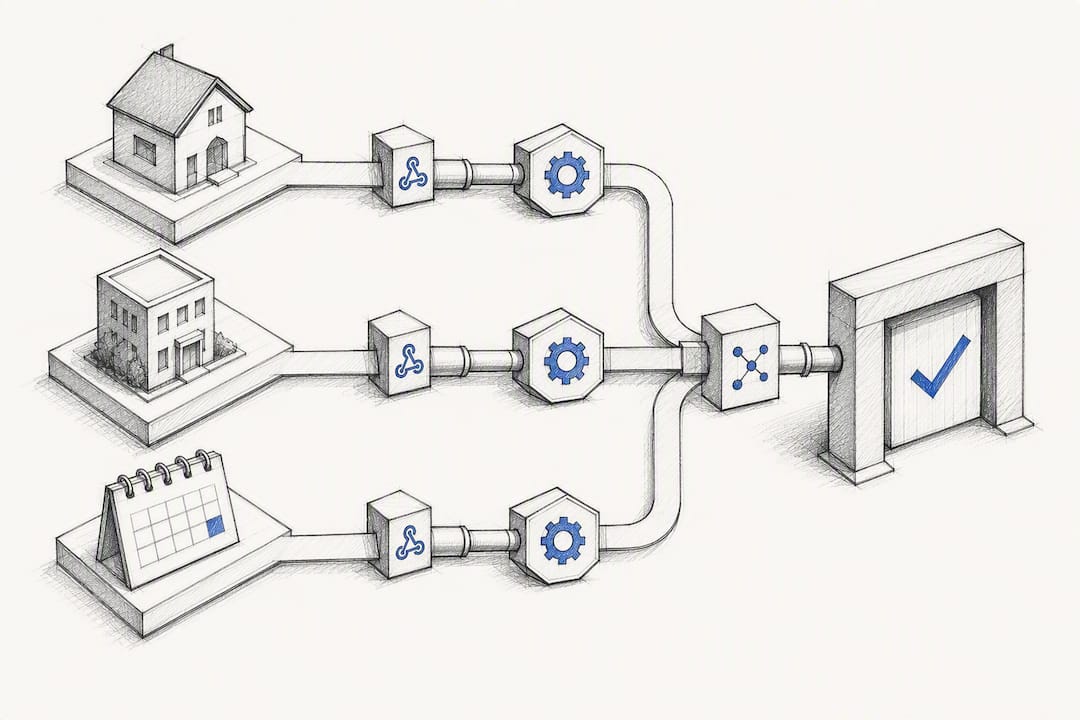
The integration pattern behind all of this is consistent: a webhook fires in the LOS, an orchestration layer catches it, and that layer writes the update to the CRM through its API. Build in idempotency checks so a duplicate webhook doesn’t create duplicate tasks, and route anything that doesn’t match your expected format into an exception queue for manual review. MISMO’s Life of Loan framework gives you a standardized way to name these stages, which matters more than it sounds. Mapping table confusion between LOS event names and CRM pipeline stages is one of the most common reasons automation projects stall.
Which Automations Should You Prioritize First?
Rank your automation pilot by speed of setup and size of payoff, not by which one sounds most impressive in a demo. Here’s the order that consistently works for mortgage teams:
- Document intake and classification. This is the fastest win because it touches every single loan file from day one. Layering document classification and verification is where automation delivers the most concentrated value, according to Floowed’s breakdown of mortgage automation layers, because fixing intake quality prevents downstream rework in underwriting.
- LOS to CRM stage sync. This fixes the single most common complaint on mortgage teams: stale pipeline data. If your CRM shows a loan “in processing” three days after it actually cleared underwriting, your follow-up sequences are lying to your team.
- Automated conditions tracking. Chasing borrowers for the same three documents is what burns processor hours. A tracked, automated conditions list with reminders cuts that chase time significantly.
- Rate-lock expiry alerts. Missing a lock expiration costs real money on relock fees and closing delays, and it’s one of the easiest things to automate with a nightly batch job.
The technical lift varies a lot across that list. A single webhook rule and one mapping table gets you LOS to CRM sync. A nightly rate-lock job is a scheduled query, nothing exotic. Full direct-source income and asset verification, on the other hand, requires vendor integrations and is a heavier lift best saved for phase two.
Pro Tip:Build the three automation rules that cover document intake, stage sync, and conditions tracking first. Those three alone typically eliminate 60 to 80 percent of the manual CRM updates a processor would otherwise handle by hand.
How Do You Actually Implement This?
Run the rollout in six phases, and resist the urge to automate everything at once.
- Map the workflow. Write down every stage your loans actually pass through, not the idealized version. Note where the LOS, POS, and CRM each own the data.
- Measure current bottlenecks. Pull three months of pipeline data and find where loans sit longest. That’s your pilot target.
- Pick one bottleneck. Choose a single stage transition, like “conditions received” to “clear to close,” instead of trying to automate the whole pipeline on day one.
- Choose your orchestration layer. Decide whether your CRM’s native integrations, a middleware tool, or a direct API connection will carry the webhook traffic between systems.
- Build and test on real files. Use a small batch of active or recently closed loans to confirm the field mapping table works and nothing breaks on edge cases like joint borrowers or manual underwrites.
- Measure and scale. Once the pilot behaves for two to three weeks, expand to the next stage transition.
Configuration details matter more than people expect. Build a field-mapping table before you write a single automation rule. Add idempotency checks so retried webhooks don’t duplicate tasks. Set up an exception queue for anything that fails validation, and log every HTTP failure so a silent integration break doesn’t go unnoticed for a week.
Practitioner estimates put the realistic scope in perspective: a mid-size broker can recover roughly 8 to 10 staff-hours per week just by removing manual CRM entry, and teams with existing LOS webhooks and CRM APIs can configure five to seven core automations in a matter of days to a week. Scope your pilot to one loan type or one branch, set a two-week checkpoint, and get sign-off from whoever owns compliance before anything touches production data.
What Metrics Actually Prove the Automation Is Working?
Track five numbers, and instrument them from day one so you have a baseline before you flip anything on: pull-through rate, stage conversion rate, average time-in-stage, document completion percentage, and response time to new leads. Capture a timestamp every time a loan changes stage, feed that into a nightly aggregation job, and put the results on a dashboard your whole team can see.
| Metric | What it tells you | How to capture it |
|---|---|---|
| Pull-through rate | Share of applications that reach funding | Stage timestamps from application to close |
| Stage conversion rate | Where loans drop out of the pipeline | Count of loans entering vs. exiting each stage |
| Average time-in-stage | Which stage is the real bottleneck | Timestamp delta between stage-change events |
| Document completion % | Intake automation effectiveness | Automated tracking against required-doc checklist |
| Lead response time | Speed of first borrower contact | Timestamp from lead creation to first outreach |
Time-in-stage deserves special attention because it’s not just an efficiency metric, it’s a forecasting tool. Treating your pipeline as a dynamic system rather than a single conversion ratio lets you model stage transitions at the loan level, which feeds directly into pull-through forecasting and hedging decisions for anyone managing lock volume. A loan sitting too long in “conditions received” is an early warning sign long before it shows up as a lost deal in your monthly numbers.
How a Mortgage-Specific CRM Handles This in Practice
A generic CRM can send an email when a field changes. A mortgage-specific platform understands what “clear to close” actually means for a borrower’s next move. That distinction shows up clearly once you trace a real automation flow end to end.
- The LOS fires a webhook the moment a loan’s status changes, say from “processing” to “clear to close.”
- An orchestration layer catches that webhook and reads the loan ID and new status.
- The CRM writes the updated stage and a
stage_last_updatedtimestamp, no manual entry required. - A task gets created for the loan officer, and a borrower notification goes out automatically.
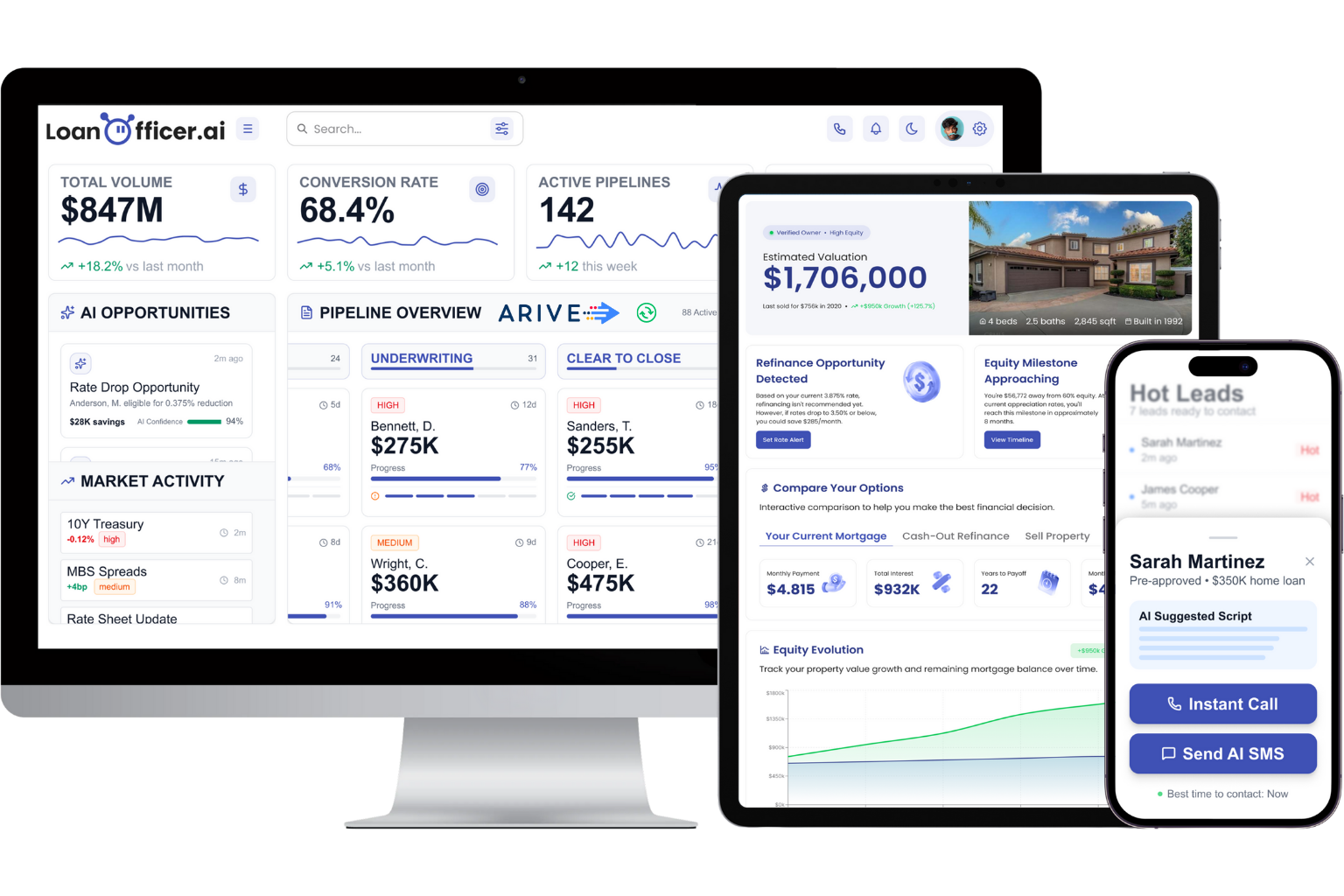
Loan Officer AI builds its pipeline management around this exact pattern, layering in opportunity detection so refinance and HELOC candidates surface automatically as rates or equity shift, rather than waiting for a loan officer to notice on their own. The platform reports 93% partner retention, which tracks with what you’d expect from a tool that actually removes work instead of adding another dashboard to check. The real difference between a mortgage-specific CRM and a generic sales tool isn’t the automation engine itself. It’s whether the system already knows what a “condition” or a “lock expiration” means without you teaching it.
When Should a Loan Officer Not Automate a Step?
Automation should speed up good decisions, not replace judgment on close calls. Declined applications, exception pricing, and anything touching fair lending deserve a human review, not an automated disposition. Keep exception queues and audit logs on every automated rule you deploy.
— Jared Hart
Where Loan Officer AI Fits Into This Playbook
Every automation covered here, document intake, stage sync, conditions tracking, rate-lock alerts, maps directly to what Loan Officer AI’s pipeline management is built to handle. Instead of stitching together a POS, an LOS, and a generic CRM with duct-tape webhooks, you get one system where opportunity alerts, automated follow-up, and real-time LOS integration already talk to each other.
The pricing structure is straightforward: the Starter plan runs $197 per month, Team is $397 per month, and Brokerage is $697 per month, with a one-time $299 onboarding fee to get your pipeline stages mapped and configured correctly from day one. Enterprise pricing is available on request for larger brokerages. If you’re currently manually updating loan stages across two or three disconnected systems, the fastest way to see the difference is to start a trial and connect it to a live pipeline this week.
Sources
MISMO’s Life of Loan standardizes stage definitions. CFPB servicing research documents borrower communication gaps. Floowed’s automation layers guide explains where automation value concentrates.
- MISMO — Life of Loan (overview & resources)
- Optimal Blue — Mortgage pipeline modeling for data-driven lending decisions
- Floowed — Mortgage automation layers explainer
FAQ
What Are the 5 Stages of a Mortgage?
Most lenders define the mortgage process as pre-approval, application, processing, underwriting, and closing. Some frameworks fold processing and underwriting into a single “loan processing” stage owned by the LOS, which is how this article groups intake, application/POS, loan processing, and post-close for automation purposes.
How Much Commission Do Loan Officers Make on a $500,000 Loan?
Commission structures vary widely by lender, loan officer employment status, and state, typically ranging from a fraction of a percent to around 1% to 2% of the loan amount depending on the compensation plan. There’s no single published rate, so check your specific compensation agreement rather than relying on a general figure.
What Is the 3-7-3 Rule for a Mortgage?
The 3-7-3 rule refers to Truth in Lending Act timing requirements: lenders must provide a Loan Estimate within 3 business days of application, wait at least 7 business days before closing, and provide a revised disclosure at least 3 business days before closing if terms change materially. It’s a compliance timeline, not a pricing or approval formula.
What Is Mortgage Automation?
Mortgage automation uses software rules and system integrations to handle repetitive pipeline tasks, like document classification, status updates, and borrower notifications, without manual data entry. Tools like Loan Officer AI apply this specifically to stage transitions between the LOS, POS, and CRM so loan officers spend less time on data entry and more time on borrower relationships.
How Do I Know Which Stage to Automate First?
Pull your last three months of pipeline data and find the stage where loans sit the longest relative to your target timeline. That bottleneck, not the automation that sounds most impressive, is where your pilot should start.
