Lock Realtor Referrals in 30–90 Days With Automation for Loan Officers
The most effective way to stop losing realtor referrals is to capture the source at first touch, lock that attribution inside your LOS, and automate partner acknowledgments before the realtor has to ask for an update. That capture, persist, acknowledge, report loop, backed by platforms like Loanofficer and LOS systems like Encompass, is what turns a one-time referral into a repeat pipeline. Start today by setting up one shared intake alias and one locked LOS field for referral source.
TL;DR:
- Tracking referral sources with unique signals like dedicated phone numbers or links ensures accurate attribution from the initial contact.
- Locking referral fields in your LOS or CRM prevents accidental loss of source data during loan processing and facilitates consistent reporting.
- Automating timely acknowledgment within 24 to 48 hours significantly boosts repeat referral rates, with personalized updates being most effective.
- Monitoring key metrics such as referral volume, conversion rate, and partner retention reveals process gaps and guides relationship prioritization.
- Implementing a step-by-step setup over 30 to 90 days, starting with intake aliases and automation, results in measurable improvements in partner retention and loan pipeline growth.
Table of Contents
- Quick Checklist: Exact Items to Implement Today
- Capture at First Touch: Text, Call, Email, and Web-Form Strategies
- Persist Attribution in Your LOS/CRM: Fields, Locks, and Integrations
- Automate Partner Acknowledgments and Status Updates: Templates, Timing, and Channels
- Measure Success: KPIs and Dashboard Views Every LO Needs
- 30 to 90 Day Playbook for Small Teams: Tasks by Week and Month
- What Actually Moves the Needle Here
- How LoanOfficer.ai Handles This Workflow for You
- Sources
Quick Checklist: Exact Items to Implement Today
You don’t need a new tech stack to fix realtor referral tracking. You need five specific moves, done in order, this week.
- Set up a unique tracking phone number or pre-approval link for each top referral partner.
- Create a shared intake alias (email or text number) that every team member forwards leads into.
- Add and lock three LOS fields: referral partner, referral date, and referral channel.
- Build one automated closing acknowledgment that fires within 24 to 48 hours.
- Draft two short templates: a same-day “got it” reply and a status update at key milestones.
None of these require engineering help. A mortgage CRM built for loan officers can handle most of this out of the box, which matters because the two-tracker method, one for activity and one for results, only works if the data gets entered consistently.
Capture at First Touch: Text, Call, Email, and Web-Form Strategies
Referrals rarely arrive in one clean format. A realtor might text you a buyer’s number between showings, call from her car, or forward an email thread with a borrower already cc’d. Miss the context in that first message and you lose the attribution forever.
The fix is a multi-signal capture system rather than one intake form:
- Forward every referral text into a shared intake alias, then extract the borrower’s name, property address, and sending agent before you reply.
- Give your top 10 to 20 referral partners a unique call-tracking number or a personalized pre-approval link with UTM parameters, so the source is captured automatically the moment someone dials or clicks.
- Set up email parsing rules on a dedicated referral intake address that flags agent domains and pulls borrower details into your CRM without manual entry.
- Build a fallback rule: if two signals point to different partners (say, a call-tracking number and a forwarded text), default to the most recent direct communication and flag it for manual review.
This is the multi-signal approach automation specialists recommend precisely because referrals show up informally, and a single-channel system misses a meaningful share of them.
Pro Tip:Assign each realtor partner a distinct UTM tag even if they only ever send you a text. When they eventually share your link on a listing page or in a group chat, you’ll catch the referral you would otherwise have missed.
Persist Attribution in Your LOS/CRM: Fields, Locks, and Integrations
Capturing the source means nothing if it evaporates the moment a loan moves into processing. This is where most referral programs actually fail, not at intake, but at handoff, when someone re-enters a lead manually and drops the source field.
Build these fields into your LOS or CRM and lock them from casual editing:
referral_partner_id, tied to a permanent partner record, not a free-text name.referral_channel, capturing whether it came by call, text, email, or web form.referral_date, timestamped at first contact, not at application.outcome, tracking closed, denied, withdrawn, or still active.reason_for_non_conversion, a short code for credit, property, timing, or borrower withdrawal.
The cleanest setup uses an orchestration layer that writes the referral source into the LOS the moment a lead record is created, before any processor or assistant touches the file. Give loan officers manual-override permission for corrections, but restrict field edits for everyone else. Systems like Encompass support custom fields for exactly this purpose, and automation that writes referral data at intake, tags it in the LOS, and triggers acknowledgment is associated with a significant lift in partner referral volume within a single quarter.
Automate Partner Acknowledgments and Status Updates: Templates, Timing, and Channels
Realtors don’t stop referring because you did a bad job on the loan. They stop because they never heard anything after handing you the lead, and eventually assume you’re not the right partner to keep calling.
Timing matters more than most loan officers assume. Acknowledge every referral promptly after receiving it, and again within 24 to 48 hours of closing. STRATMOR Group data cited in industry research shows loan officers who acknowledge within 48 hours get roughly 2.3 times more referrals over the following year than those who don’t.
- Send a personalized email for formal milestone acknowledgments (pre-approval, clear to close, funded).
- Use a short SMS for immediate “got your referral, on it” confirmations.
- CC the realtor on borrower updates only with the borrower’s explicit permission.
- Avoid generic mass templates. Reference the borrower’s first name and property address so it reads as a real update, not a broadcast.
Pro Tip:Keep your closing acknowledgment under four sentences. Realtors skim these between showings, and a wall of text gets ignored even when the news is good.
Measure Success: KPIs and Dashboard Views Every LO Needs
You can’t tell which realtor relationships are worth protecting without a small, consistent set of numbers pulled every week.
Track these five metrics per referral partner:
- Referrals sent per month or quarter.
- Pre-approval to closing conversion rate.
- Average days to close.
- Average loan value per referral.
- Partner retention, meaning whether that agent sent you another referral within the following quarter.
Building this into a single dashboard view, sorted by partner, surfaces your top five referral sources instantly and flags any agent whose files keep stalling. Consistent tracking of both activity and outcomes exposes exactly where a process is breaking down, whether that’s slow follow-up, weak pre-qualification, or a mismatch between the agent’s typical buyer and your loan programs. Use conversion rate and loan value together to prioritize which partners deserve a lunch meeting this month, and which ones need a process fix before you invest more time.
30 to 90 Day Playbook for Small Teams: Tasks by Week and Month
You don’t need a quarter to see results, but you do need a sequence. Skipping straight to dashboards before your fields are locked just means reporting on bad data.
- Week 1: Set up the shared intake alias, assign unique tracking links or numbers to your top partners, and draft your acknowledgment templates.
- Month 1: Wire the referral fields into your LOS or CRM, apply the lock rules, and build the automation that fires on lead creation and on loan closing.
- Months 2 to 3: Roll out the partner dashboard, segment partners by volume and conversion rate, and test acknowledgment timing and cadence against your retention numbers.
A CRM built around mortgage brokerage workflows collapses most of this into existing automations rather than custom development, which is the difference between a plan that gets built and one that sits in a shared doc for six months.
Pro Tip:Run Month 1’s automation on a single top partner first. Confirm every field populates correctly before rolling it out across your full referral list.
What Actually Moves the Needle Here
Most loan officers treat referral tracking as a reporting problem. It is not. It is a trust problem that shows up in a spreadsheet. Realtors who feel informed keep sending business; realtors who feel ignored quietly stop, and they rarely tell you why.
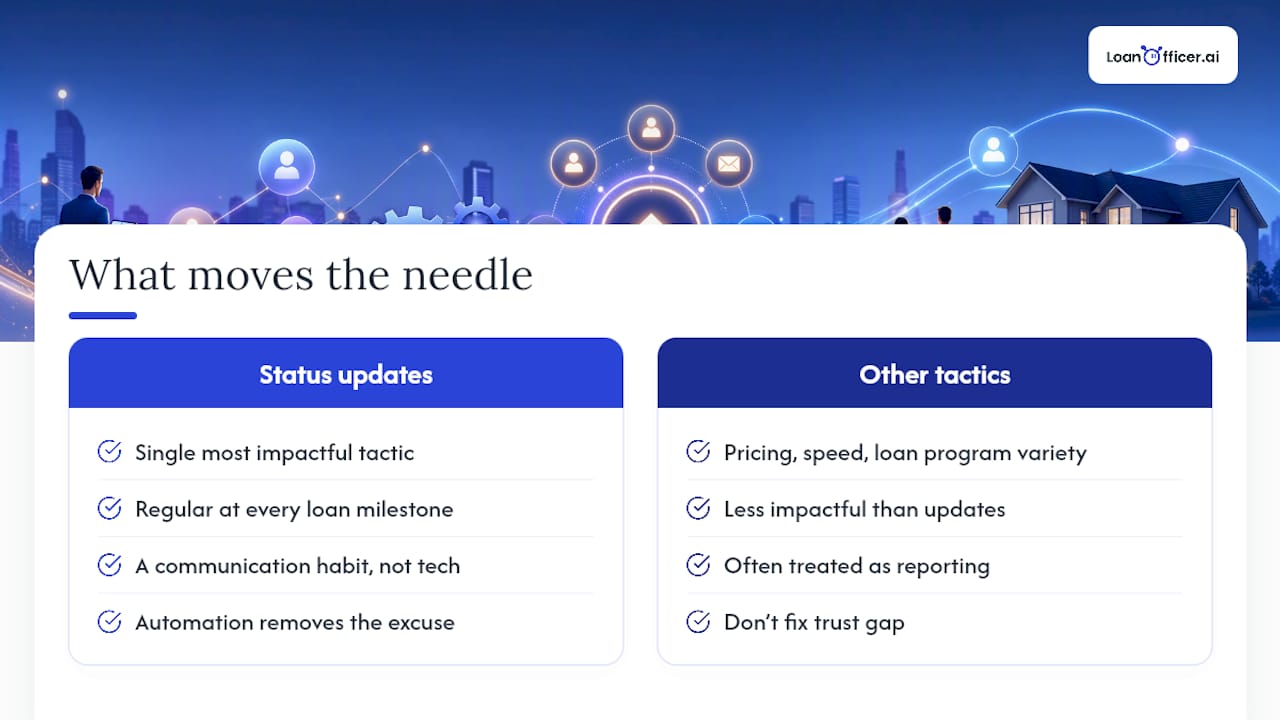
The industry data backs this up in a way that should reorder your priorities: regular status updates at every loan milestone are consistently cited as the single most impactful tactic for increasing repeat referrals, ahead of pricing, speed, or even loan program variety. That’s a communication habit, not a technology purchase.
Where automation actually earns its keep is removing the excuse. LoanOfficer.ai reports a 93% partner retention rate among customers using its platform, a company-sourced figure worth treating as a directional proof point rather than a guarantee for every shop. Teams that see real gains tend to be the ones that fix their intake habits first and let automation handle the acknowledgment timing they’d otherwise forget under deal load.
— Jared Hart
How LoanOfficer.ai Handles This Workflow for You
An AI-powered mortgage CRM can automate referral source tagging by writing it automatically the moment a lead comes in, then keeping it locked through close, reducing errors from manual entry.
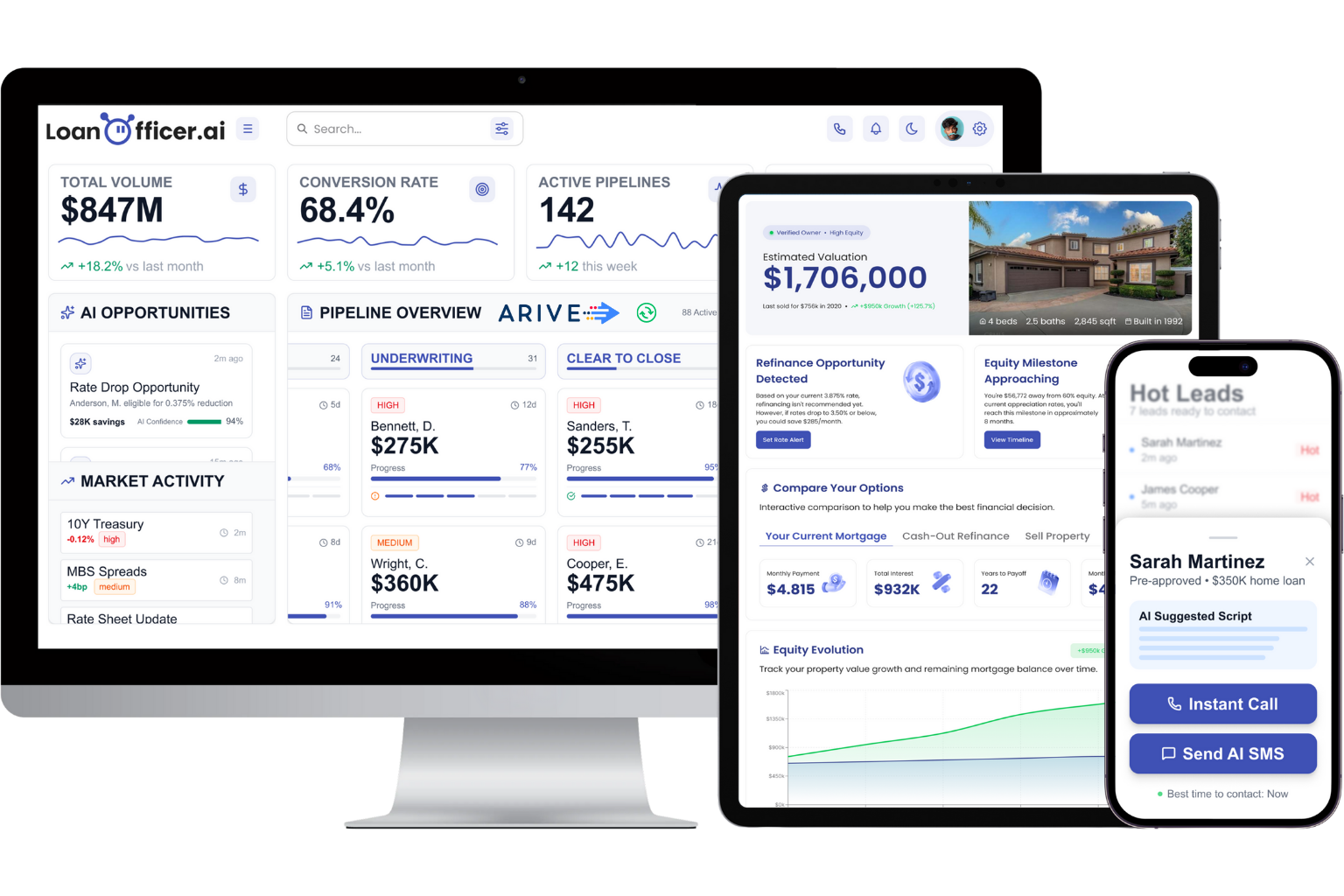
The intake automation captures partner details from calls, texts, and forms, then pushes them straight into your pipeline without a manual re-entry step where attribution usually gets lost. LOS integrations tag the referral partner at creation, milestone acknowledgments fire on schedule instead of relying on memory, and the partner dashboard surfaces which realtors are actually driving closings versus which ones just generate noise. If you’re managing this across a brokerage rather than solo, the brokerage-specific setup handles multiple loan officers sharing the same partner base without attribution getting tangled between them.
Start a trial and connect your first partner link this week through the Mortgage CRM for Loan Officers to see how the automation handles your next referral before it hits your inbox.
Sources
For deeper detail on the tactics above, see the realtor partnership strategy guide, the two-tracker referral system, and automation patterns for untracked referrals. For implementation, review client relationship management best practices for real estate and the best mortgage referral software comparison.
- Realtor Partnership Strategy: Building Referral Relationships That Drive Mortgage Production
- The Loan Officer Referral Tracking System That Turns Activity Into Closings
- Why Referrals Go Untracked in Mortgage Lending 2026
