Borrower Journey Mapping for Mortgage Professionals

A borrower journey map aligned to your AI CRM converts stage-based signals into automated workflows that cut time-to-close and raise retention. Here’s how to build one and put it to work immediately.
Your three next steps:
- Map every loan stage from lead intake through post-close, noting who owns each touchpoint
- Identify your top three automation triggers (lead response, doc chasers, status updates) and configure them first
- Run a 30-day pilot on one producing branch or loan type before scaling
The mortgage loan cycle runs about one to two months, and responding to a web lead within five minutes materially increases contact rates versus waiting 30 minutes or more. Those two facts alone define the urgency. Loan Officer AI is the implementation example throughout this guide because its LOS sync, behavior scoring, and automated chasers map directly to the workflow recipes below.
Table of Contents
- What does the mortgage loan lifecycle look like stage by stage?
- Who are you mapping for? Borrower personas and their needs
- How do you build a borrower journey map your team will actually use?
- How do you turn a journey map into CRM automations that actually fire?
- Which KPIs tell you whether your journey map is working?
- What are the most common automation mistakes mortgage teams make?
- What does a realistic 30/60/90 rollout look like?
- Key Takeaways
- The part most teams skip
- Loan Officer AI puts your journey map to work immediately
What does the mortgage loan lifecycle look like stage by stage?
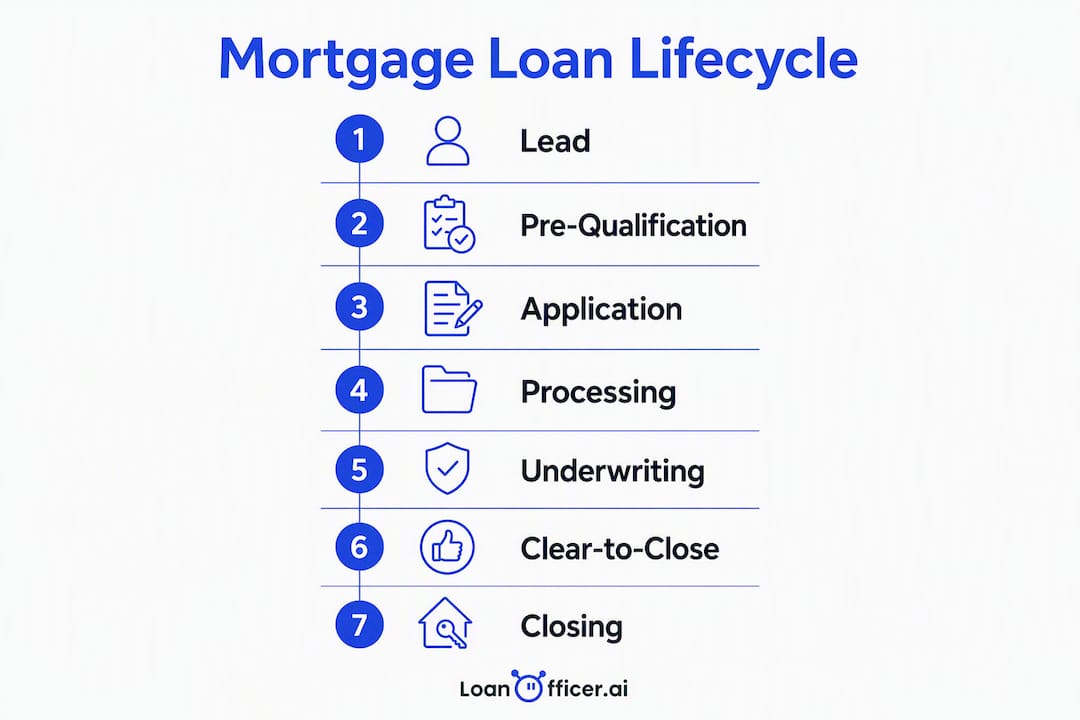
The canonical stages run: lead → pre-qualification → application → processing → underwriting → clear-to-close → closing → post-close/retention. Most residential transactions close in 30–45 days from application, though the full cycle including lead nurture stretches to two months.

| Stage | Typical Duration | Mapping Priority |
|---|---|---|
| Lead intake | Hours–2 days | Critical — respond within five minutes for optimal contact rates |
| Pre-qual / application | 1–3 days | High — doc checklist trigger |
| Processing | 1–2 weeks | High — appraisal and doc chasers |
| Underwriting | 1–3 weeks | High — condition updates to borrower |
| Clear-to-close | 1–3 days | Critical — Closing Disclosure timing |
| Closing | 1 day | Medium — coordination handoff |
| Post-close / retention | Ongoing | High — referral and refinance pipeline |
Map these stages first: lead response, document collection, appraisal receipt, clear-to-close notification, funding confirmation, and the first post-close check-in. These six touchpoints account for the majority of borrower anxiety and the most common abandonment points.
Who are you mapping for? Borrower personas and their needs
Four personas cover most purchase and refinance pipelines. Each needs a different automation tone, channel mix, and escalation threshold.
First-time buyer: High anxiety, low process literacy. Needs frequent reassurance, plain-language status updates, and a digital doc checklist with clear instructions. Automate SMS confirmations at every stage change; escalate to the LO when a document has been outstanding for 48 hours or when the borrower opens the same email three times without responding.
Referral buyer: Arrives pre-warmed by a realtor. Trusts the process more but expects speed and professionalism. Automate the initial doc request and underwriting updates; keep the realtor looped in with consistent milestone notifications to protect that referral relationship.
Rate-driven refinance: Motivated by a specific rate trigger, not a life event. Automate rate-watch alerts and a fast application link. This persona goes cold quickly if the process feels slow, so time-in-stage metrics matter most here.
Investor / repeat buyer: Process-savvy, time-constrained. Wants data, not hand-holding. Automate pipeline dashboards and LTV-based program alerts; reserve LO calls for structuring conversations, not status checks.
Retention automation alone doesn’t create emotional connection — ongoing, useful post-close benefits do. Build persona-specific post-close sequences that deliver homeowner education, savings programs, or equity updates rather than generic “thanks for closing” drip emails.
How do you build a borrower journey map your team will actually use?
Run a half-day workshop. Keep it focused and output-oriented.
- Assemble the right people. Invite one LO, one processor, one underwriter, a compliance reviewer, your CRM admin, and someone from sales or marketing. Six to eight people maximum. Journey mapping surfaces disjointed experiences that siloed views miss — you need every function in the room.
- Pull your data before the session. Export LOS stage timestamps, CRM task history, any NPS or survey responses, and a sample of call recordings. Look for where time-in-stage spikes and where borrowers stop responding.
- Walk each stage on a whiteboard. For every stage, answer: What does the borrower need to know? What action do they need to take? Who owns the communication? What triggers the next stage?
- Score friction points. Use a simple impact × frequency × ease-of-fix matrix. A high-frequency, high-impact problem that’s easy to automate goes on the pilot list first.
- Sketch the final map. One row per stage: borrower action, LO/processor action, system trigger, emotional state, and automation opportunity. This becomes your CRM workflow blueprint.
Pro Tip:Record the workshop. The conversation between your LO and processor about why borrowers ghost during underwriting is often more valuable than the whiteboard output.
How do you turn a journey map into CRM automations that actually fire?
Three workflow recipes cover the highest-impact triggers.
Recipe 1: Lead intake → immediate contact Trigger: New lead created in CRM. Condition: Lead source = web form or referral. Action: Fire an automated text within five minutes, queue an LO call via smart dialer, and send a personalized email with a pre-qual link. When CRM and LOS aren’t integrated, this handoff breaks — make sure your lead source field maps cleanly to your LOS contact record from day one.
Recipe 2: Application received → doc checklist cadence Trigger: LOS status changes to “Application.” Action: Send a branded doc checklist via email and SMS. Condition: Document not uploaded after 48 hours → automated reminder. After 96 hours → escalate to LO with a task and a pre-written outreach script. A mortgage-specific CRM tracks LTV, program type, and rate-watch signals that a general-purpose tool misses entirely.
Recipe 3: Underwriting → borrower and realtor status updates Trigger: LOS status changes to “Underwriting” or “Conditional Approval.” Action: Send borrower a plain-language update (“Your file is with the underwriter — expect a decision within X business days”). Simultaneously, send the referring realtor a milestone notification scoped to their client only. See the underwriting approval roadmap for the condition types that most commonly delay this stage.
Escalation rules: Automation stops and a human must act when a borrower replies with a question, when a condition has been outstanding for more than five business days, or when a behavior score threshold indicates disengagement. Loan Officer AI’s AI assistant surfaces these escalation signals automatically so the LO sees them before the borrower goes cold.
Pro Tip:Write automation messages in first person from the LO’s name, not from “the system.” Borrowers respond to people, not platforms.
Which KPIs tell you whether your journey map is working?
| KPI | Definition | Source | Review Cadence |
|---|---|---|---|
| Contact rate | % of leads reached within 5 min | CRM lead log | Weekly |
| Stage conversion rate | % advancing from each stage | LOS timestamps | Weekly |
| Average time-in-stage | Mean days per stage | LOS export | Weekly |
| Abandonment point rate | % dropping at each stage | CRM funnel report | Monthly |
| Post-close retention rate | % returning for refi/HELOC | CRM pipeline | Monthly |
| Referral rate | New loans from past clients | LOS source field | Monthly |
Alert rules worth setting: flag any stage where average time-in-stage exceeds your baseline by 20%, and alert when contact rate drops below your pilot benchmark. Established originators draw the majority of volume from referrals and repeat business, so post-close retention and referral rate deserve dashboard real estate equal to contact rate.
What are the most common automation mistakes mortgage teams make?
Do:
- Map compliance touchpoints (Loan Estimate delivery, Closing Disclosure timing) into workflows so required disclosures are never late
- Set LO follow-up SLAs: respond to any escalated automation within four business hours
- Scope realtor portal access at the data layer, not the UI layer, to prevent one agent from seeing another’s borrower data — a RESPA exposure that’s easy to miss
Don’t:
- Over-message. More than two automated touches in 24 hours trains borrowers to ignore you
- Assume LOS field names match CRM field names. They rarely do. Map “Underwriting” in your LOS to the exact CRM status string before go-live
- Skip a dedicated CRM admin. Lack of ownership is the single most common reason CRM rollouts stall after the first month
Automation’s real goal is removing routine tasks so LOs can focus on the relationship moments that generate referrals. If your LO is still manually sending status update texts, the map isn’t working yet.
Pro Tip:Audit your automation logs monthly. A trigger that fired correctly in month one often breaks silently after a LOS update changes a field value.
What does a realistic 30/60/90 rollout look like?
30 days — Pilot
- Select one branch or loan type (e.g., purchase loans only)
- Configure the three MVP automations: lead response, doc chaser, underwriting update
- Assign a CRM admin and two LO champions to own adoption
- Establish baseline KPIs from the prior 60 days of LOS data
60 days — Expand 5. Add realtor milestone notifications and post-close check-in sequence 6. Review time-in-stage data; adjust trigger timing based on actual borrower behavior 7. Compliance reviewer signs off on all automated message templates
90 days — Scale 8. Roll out to full team with training sessions led by LO champions 9. Connect pipeline management dashboards to weekly team reviews 10. Set quarterly journey-map review cadence to incorporate new LOS data and borrower feedback
Minimum viable automation list for the pilot:
- 5-minute lead response (text + dialer queue)
- Doc checklist send on application receipt
- 48-hour doc reminder
- Underwriting status update to borrower
- Clear-to-close notification with Closing Disclosure timing reminder
Acceptance criteria for moving from pilot to full rollout: contact rate improves, average time-in-stage for doc collection decreases, and zero compliance touchpoints missed across the pilot period.
Key Takeaways
A borrower journey map paired with AI CRM automations reduces time-to-close, raises contact rates, and converts post-close borrowers into a referral pipeline.
| Point | Details |
|---|---|
| Map stages before automating | Build a half-day workshop output before configuring any CRM trigger. |
| 5-minute lead response | Responding within five minutes materially increases contact rates versus waiting 30 minutes or more. |
| Pilot before scaling | Run a 30-day pilot on one branch or loan type; use baseline KPIs to validate before expanding. |
| KPIs to track weekly | Monitor contact rate, stage conversion, and time-in-stage every week; retention monthly. |
| Loan Officer AI | Loan Officer AI’s LOS sync, behavior scoring, and automated chasers directly support all five MVP automations. |
The part most teams skip
Most mortgage teams treat journey mapping as a one-time project. They run the workshop, build the map, configure a few automations, and move on. Six months later, the map is out of date, the automations are firing on stale field values, and the LO is back to manually chasing docs.
The teams that actually see sustained improvement treat the journey map as a living document. They review it quarterly, pull fresh LOS timestamp data, and ask one question: where are borrowers still waiting longer than they should? That question, asked consistently, is what separates a CRM that pays for itself from one that collects dust.
The other thing worth saying plainly: automation doesn’t replace the loan officer’s judgment. It protects their time so that judgment gets applied where it matters. A borrower who gets a robotic status-update text every three days but never hears a human voice during underwriting is not having a better experience. The map should tell you when to automate and when to pick up the phone. Both answers matter.
Loan Officer AI puts your journey map to work immediately
Closing the gap between a journey map on a whiteboard and automations that actually fire is where most teams lose momentum. Loan Officer AI is built specifically for that gap. Its LOS sync converts stage changes into CRM triggers without manual field mapping. Behavior scoring flags disengaged borrowers before they go cold. Automated chasers handle doc collection. Realtor milestone notifications go out at every stage change, scoped to each agent’s clients only.
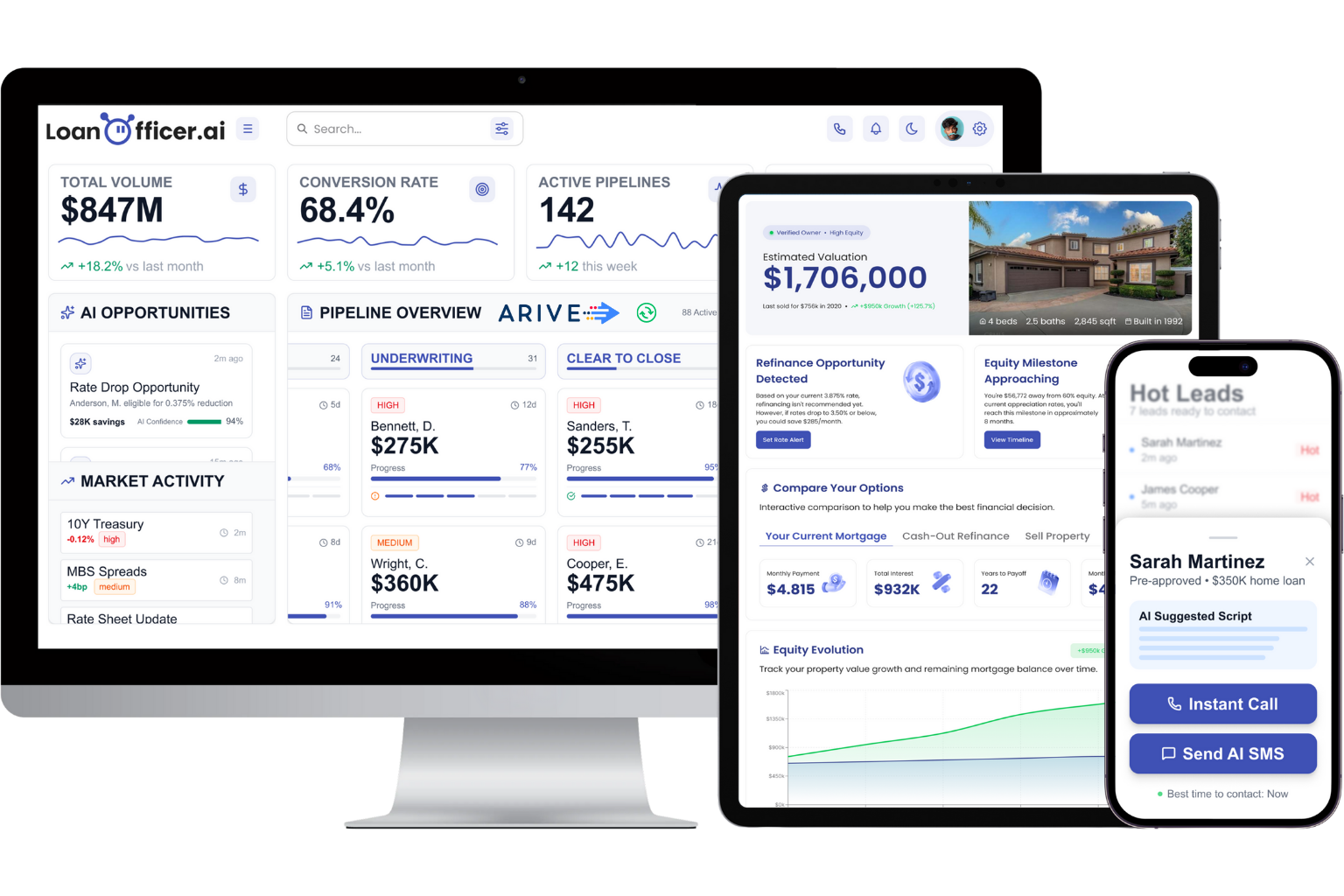
The 93% partner retention rate Loan Officer AI reports reflects what happens when the tool matches the workflow, not the other way around. If you’re ready to move from a static journey map to a live automation program, start a free trial and configure your first three automations today.
