Smart Dialer Setup for Mortgage Loan Officers

A good smart dialer setup for mortgage work comes down to five decisions made before the first call: who is allowed to be called, which list you build, how many lines you dial, what you leave as a voicemail or text, and what happens to every conversation afterward. Get those right and the dialer saves you hours. Get them wrong and it just helps you annoy people faster.
This guide walks through the setup in the order you will actually do it, with the calling rules that matter in the U.S. and a testing routine you can run in your first week.
TL;DR
- Check consent and Do Not Call status before a contact goes on any list, and keep the proof on the contact record.
- Build small, tagged lists by intent (new leads, past clients, refinance and HELOC candidates) instead of one giant queue.
- Start with one dialing line and a short script, then move to two or three lines once your answer-to-agent handoff feels smooth.
- Pair every voicemail with a short, optional text, and make every opt-out stick across calls and texts.
- Test with a dozen of your own numbers first, then review outcomes weekly and fix the worst leak.
Table of Contents
- What a smart dialer does in a loan officer’s day
- Step 1: Clean the data and confirm permission first
- Step 2: Build smart lists you can actually work
- Step 3: Prepare the session before the first dial
- Step 4: Configure lines, voicemail and text follow-up
- Step 5: Handle replies, opt-outs and next steps
- Step 6: Test it before you trust it
- Our perspective on dialing
- Put the setup to work
- FAQ
- Sources
What a smart dialer does in a loan officer’s day
A basic phone app makes you do the work: look up a name, tap the number, type a note, remember to call back. A smart dialer takes over the queue. It serves up the next contact from a list you defined, places the call (or several at once), logs the result, and schedules the follow-up so nothing depends on memory.
For a loan officer, that matters most in three places:
- Speed to lead. A new inquiry gets called while the borrower is still on the lender’s website, not after lunch.
- Database calling. Past clients and old leads get worked in focused sessions rather than whenever you feel guilty about them.
- Consistency. Every no-answer gets a voicemail and a next step, every conversation gets a note, and the list shrinks as outcomes come in.
Our smart dialer is built around that rhythm, and the step-by-step power dialer workflow in our academy shows the same flow screen by screen. If you want the bigger picture of what to automate around calling, see our guide to automating mortgage lead follow-up.
Step 1: Clean the data and confirm permission first
The most expensive dialer mistake happens before dialing. A list with bad numbers wastes your time. A list with uncleared numbers creates legal exposure.
Before a contact enters a campaign, check four things:
- Phone type and consent. The TCPA prohibits marketing calls to cell phones using an autodialer or prerecorded voice without prior express written consent, according to one mortgage-calling compliance guide. If your dialer places calls automatically or leaves prerecorded voicemail, assume this applies and ask your compliance contact how your lead sources document consent.
- Do Not Call status. Scrub against the National Registry, any state lists that apply to you, and your own internal do-not-call list. The same guide says registry data should be no more than 31 days old when calls are made, so build a monthly scrub into your calendar.
- Where the contact is. Time-zone mistakes are easy when your database spans states. Under the FTC’s Telemarketing Sales Rule, telemarketers may not call before 8 a.m. or after 9 p.m. in the consumer’s local time. Set your calling window to the contact’s zone, not yours.
- Record quality. Remove duplicates, fix obvious typos in numbers, and make sure each record shows where the contact came from and when they gave permission.
Keep the evidence with the record, not in a spreadsheet somewhere. A note such as “web form, consent checkbox, date” attached to the contact is far easier to find later than a folder of exports. Our walkthrough of TCPA-compliant texting for mortgage teams covers the texting side of the same checks.
One practical habit: if you work with an assistant or a team, limit who can edit suppression lists and consent fields. A dialer is only as clean as the people allowed to change its rules.
Step 2: Build smart lists you can actually work
A smart list is a saved filter, not a pile of names. The goal is a list small enough to finish in one or two sessions and specific enough that your opening line fits everyone on it.
The structure that works for most loan officers has three buckets.
New and recent leads
These are people who raised their hand in the last few days. Order them by newest first. Your opener is simple: you saw their request, you can answer a question right now. This list should be called the same day, ideally within minutes, and it should not wait for a scheduled session.
Past clients and warm contacts
This is the most underworked asset in most pipelines. Segment by closing date (for example, closed one to three years ago) and by whether the person has been contacted lately. A good opener is a check-in, not a pitch: how is the house, any plans to move, any changes in the household.
Refinance and HELOC candidates
Refinance targeting works best when you combine three signals: how recently the borrower refinanced, how sensitive they are to rate changes, and how much equity they likely hold. A lead-data guide for dialer-ready lists suggests records carry the estimated current rate, loan balance and origination date so you can judge the opportunity before dialing. Someone with a rate several points above today’s market and meaningful equity belongs at the top of the list. Someone who refinanced eight months ago does not.

In our platform, Property Pulse surfaces rate and equity changes on borrower properties, which is how many of our users decide who belongs on a refinance or HELOC list this week. For a deeper approach to mining your own database, read database-first equity mining.
Tag everything
Tags turn one database into many lists. Use a short, boring vocabulary: new-lead, past-client, refi-candidate, heloc-candidate, realtor-referral, callback. Every call outcome should add or remove a tag, so the next list builds itself from what you just did.
Step 3: Prepare the session before the first dial
Sessions go badly when you start calling and figure things out in real time. Spend five minutes first:
- Pick one list and one goal. For instance: “20 past clients, goal is three conversations and one scheduled review.”
- Write your opener and your voicemail. Keep both under about 20 seconds when spoken.
- Open what you will need on screen. Current rates, your calendar link, and the borrower’s file notes.
- Block the time. Ninety focused minutes beats a whole day of interrupted calling.
- Silence everything else. Email and chat off. The dialer will hand you a live person with no warning, and you should sound ready.
A short script helps even experienced officers. It is not for reading aloud. It is a reminder of the three beats: who you are and why you are calling, one relevant fact or question, and a specific next step such as a 10-minute call on Thursday.
Step 4: Configure lines, voicemail and text follow-up
Choose your number of dialing lines
Multi-line dialing means the dialer calls more than one contact at once and connects you to the first person who answers. More lines mean fewer minutes waiting on ringing and voicemail, but a higher chance that two people pick up together, and less time to glance at the next name.
A sensible progression:
| Lines | Best for | Watch for |
|---|---|---|
| One | Warm past clients, referrals, any call where you want to read notes first | Slower pace; most of your time is spent waiting on rings |
| Two | Mixed lists where around half the calls go to voicemail | Having to jump into a conversation with little preview |
| Three | Large, cold-ish refinance lists worked in a dedicated block | Dropped or delayed connections if you step away mid-session |
Start with one line for your first sessions. Move up when you can open a call smoothly without checking who it is. Our academy page on using one, two or three dialing lines shows how to set this for a session.
If you are ever unsure about abandoned calls, keep your pace modest. Federal rules limit how often a person can answer and find nobody available to speak with them, which is another reason to build up lines slowly and confirm with your compliance contact before running aggressive settings.
Write a voicemail that gets a callback
Most of your dials will end in voicemail, so it is the message most people hear. Make it specific:
- Your name, company and a number, said slowly.
- One reason that is about them: “I noticed your rate is worth a second look” beats “just following up.”
- One easy action: call back, or reply to the text you are sending.
Use a different voicemail per list. The past-client message should sound like a person who remembers them. The new-lead message should reference the inquiry. Record each in your own voice, in a quiet room, and listen to it once before saving.
Add a short text companion
A text that lands right after the voicemail gives the borrower an easy way to answer without a phone call. Keep it to two sentences, identify yourself, and give a clear way to opt out. Make it optional per list: past clients may welcome it, while a cold list may be better with voicemail only until you have checked consent. Our mortgage SMS automation guide has sequence examples that stay within TCPA norms.
Step 5: Handle replies, opt-outs and next steps
Your dialer is only useful if outcomes flow somewhere. Define a small set of dispositions and what each triggers:
| Outcome | What happens next |
|---|---|
| Spoke, interested | Book an appointment, add a task, move the pipeline stage |
| Spoke, not now | Tag with a follow-up date; pick a realistic one, such as 60 or 90 days |
| Voicemail | Text companion, retry on another day and time |
| Wrong number | Remove the number and flag the record |
| Asked to stop | Mark do-not-contact immediately, across calls and texts |
Treat “stop” as a hard rule
The FCC’s 2024 order says callers must honor requests to revoke consent for robocalls and robotexts made by any reasonable means, within a reasonable time not to exceed 10 business days. It also lists reasonable methods, including replying “stop” to a text or using an automated opt-out during a call. In practice, do not wait ten days. Flag the contact the moment you hear it, and tell anyone on your team who might text them.
Train yourself and your assistants to take a stop request calmly: thank the person, confirm you will not contact them, and end the call. Do not argue or try one last pitch.

Resume instead of rebuilding
Sessions get interrupted by a borrower call, a closing, a kid’s school pickup. A good setup lets you pause and come back to the same place in the queue instead of rebuilding the list. Our academy covers how to resume a session so contacts already called are not called twice in one day.
Step 6: Test it before you trust it
Run the whole flow with numbers you control before real borrowers hear it.
- Make a test list of 8 to 12 contacts with your own phones, a colleague’s, and a few friendly past clients who agreed to help.
- Place calls on each line setting and answer some, ignore others, and send some to voicemail.
- Listen to the voicemail on a real phone. Check volume, clarity, and whether the callback number is right.
- Reply “stop” to a test text and confirm the record flips to do-not-contact everywhere.
- Check time zones by adding a contact with a different-state number and confirming they would not be called outside the allowed hours.
- Confirm tasks and tags fire as designed after each disposition.
Monitor weekly, fix one thing at a time
Once live, review a few numbers every Friday:
- Contact rate: conversations divided by dials. If it is low, test other times of day before changing the list.
- Voicemail callback rate: if nobody returns calls, rewrite the message before adding more dials.
- Appointments set per session: the number that matters most.
- Opt-out and wrong-number rate: a spike usually signals a bad list source.
- Uncompleted follow-ups: tasks that went stale are the leak that costs the most money.
Change one variable per week so you know what helped.
Our perspective on dialing
Most loan officers do not have a calling problem. They have a follow-up problem. The call itself is the easy part; the hard part is the fifth touch, the second voicemail, the reminder you promised a borrower you would make in 90 days.
That is why we built the dialer inside the same system that holds the borrower’s file, rate and equity signals, and follow-up tasks. When the list builds itself from what happened yesterday, and the voicemail, text and next task are one motion, you stop rebuilding your day from scratch.
Our view is simple: speed to lead, a focused database session, and a consistent text after a voicemail will beat a longer hours-at-the-phone routine. Start with one line, one list and one clear goal. Add complexity only when the basics feel automatic.
Jared Hart
Put the setup to work
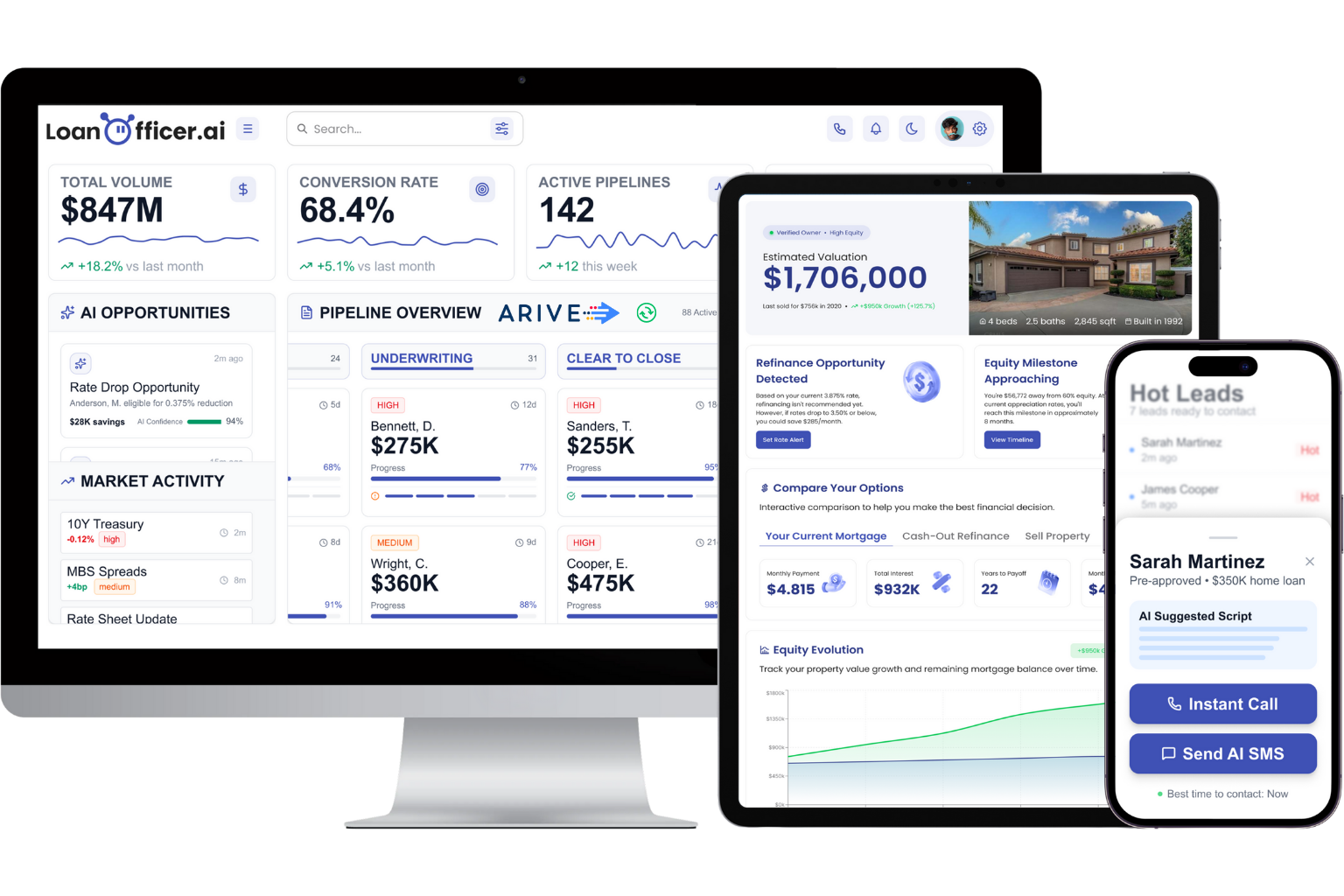
If you would rather not stitch together a separate dialer, list builder and follow-up tool, LoanOfficer.ai puts the smart dialer, AI follow-up, rate monitoring and refinance and HELOC detection in one place for loan officers. You can see how the calling pieces fit in our broader comparison of options with a dialer, or review the current plans on our pricing page.
If you are setting up for a team, compare how the same workflow works for loan officer teams.
FAQ
How long does a smart dialer setup take?
The account and number setup is usually quick. The part that takes time is the data: cleaning your list, confirming consent records and tagging contacts. Plan an afternoon for your first list and a few minutes per session after that.
Should I start with new leads or my past-client database?
Work new leads first, since they lose value fast, and keep a scheduled block for the database. Past clients and refinance candidates convert well when you call them in focused sessions with a specific reason for the call.
Can I leave voicemails and send texts to everyone on a list?
Not automatically. Prerecorded voicemail and automated texts to cell phones generally require prior express written consent for marketing, and you must honor Do Not Call lists. Check each list’s source and consent record, and ask your compliance contact if you are unsure.
How many dialing lines should I use?
Begin with one. Add a second when you can handle a surprise pickup comfortably, and a third only for large lists worked in dedicated blocks.
What should I do when someone says to stop contacting them?
Mark the contact do-not-contact right away, across calls and texts, and confirm politely. Federal guidance allows up to 10 business days to process revocations, but your own standard should be same day.
Sources
- Complying with the Telemarketing Sales Rule, FTC
- FCC 24-24 order on TCPA rules and revocation of consent
- Calling Rules for Mortgage Leads, LeadCompliant
- Mortgage Call Center Leads: How to Build a Dialer-Ready List
Ready to try it on your own list? Start the $1 14-day trial and set up your first calling session this week.
